
I'm looking to create a purchase order number formatted year.month.day.sequence number.
Pertanyaan ini telah diberikan tanda
1
Balas
6147
Tampilan


Hi,
You can change the purchase order number format by following the steps below:
1. Go to Settings and enable Developer mode.
2. Select Technical and then select the Sequences menu under the Sequences & Identifiers section.
3. Search for the Purchase Order sequence and in the form view of the Purchase Order sequence, create a duplicate.
4. In the newly created duplicate sequence, edit the prefix field as needed.
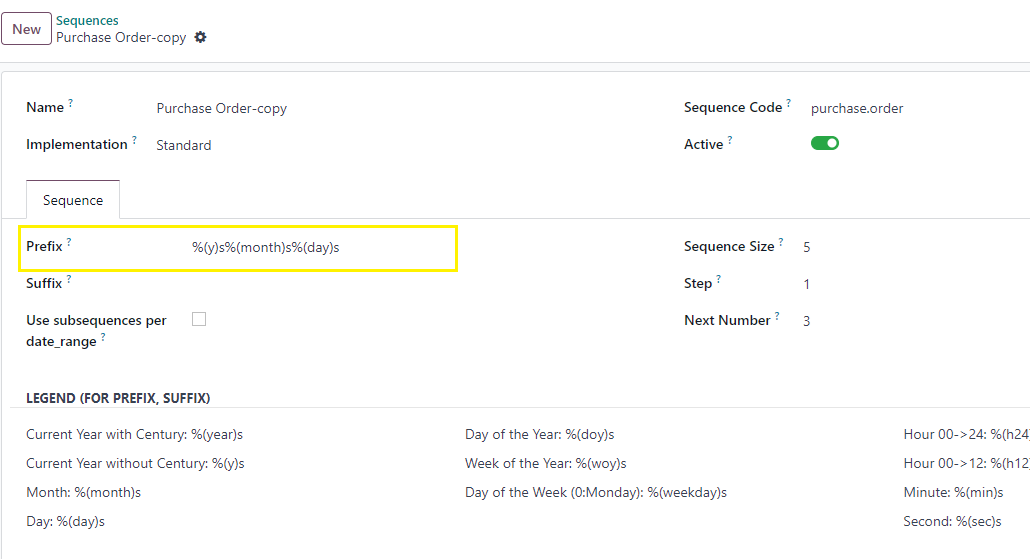
5. Now deactivate the existing Purchase Order sequence by deselecting the active toggle field.
The newly created purchase order number as
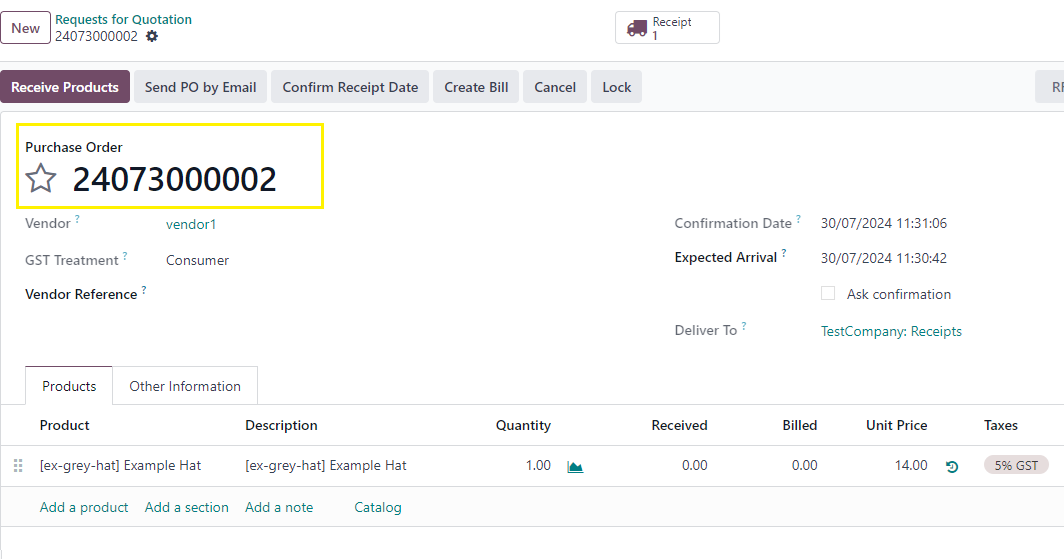
This will change the purchase order number format as per your requirement.
Thanks.
Menikmati diskusi? Jangan hanya membaca, ikuti!
Buat akun sekarang untuk menikmati fitur eksklufi dan agar terlibat dengan komunitas kami!
Daftar| Post Terkait | Replies | Tampilan | Aktivitas | |
|---|---|---|---|---|
|
V18 PO changes price when changing quantity
Diselesaikan
|


|
1
Jun 26
|
426 | |


|
3
Apr 26
|
2056 | ||
|
Bundle POs per vendor
Diselesaikan
|


|
2
Apr 26
|
1706 | |

|
2
Mar 26
|
1662 | ||
|
importing Purchase Order shown as a RFQ
Diselesaikan
|

|
2
Mei 25
|
4564 |
