
I'm looking to create a purchase order number formatted year.month.day.sequence number.
Câu hỏi này đã bị gắn cờ
1
Trả lời
6029
Lượt xem


Hi,
You can change the purchase order number format by following the steps below:
1. Go to Settings and enable Developer mode.
2. Select Technical and then select the Sequences menu under the Sequences & Identifiers section.
3. Search for the Purchase Order sequence and in the form view of the Purchase Order sequence, create a duplicate.
4. In the newly created duplicate sequence, edit the prefix field as needed.
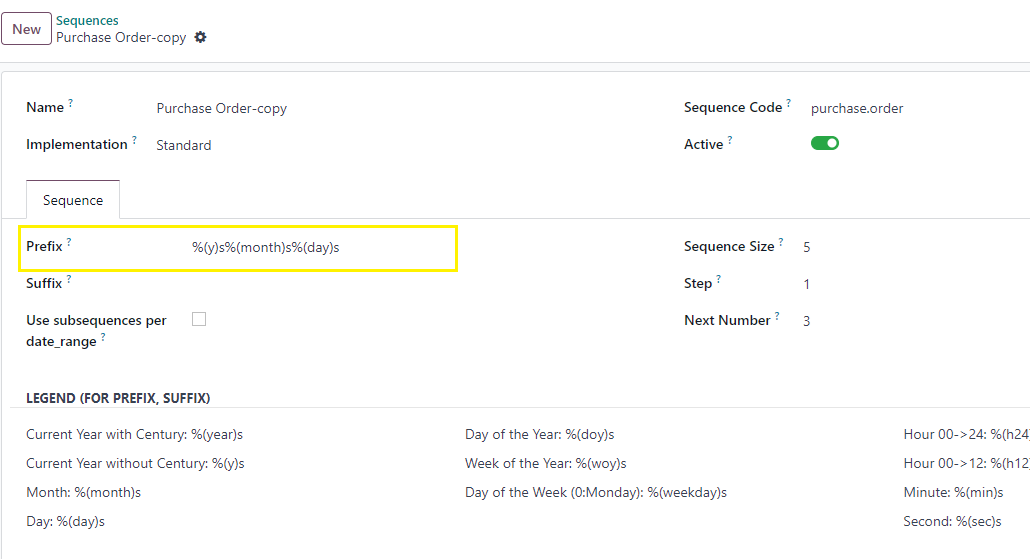
5. Now deactivate the existing Purchase Order sequence by deselecting the active toggle field.
The newly created purchase order number as
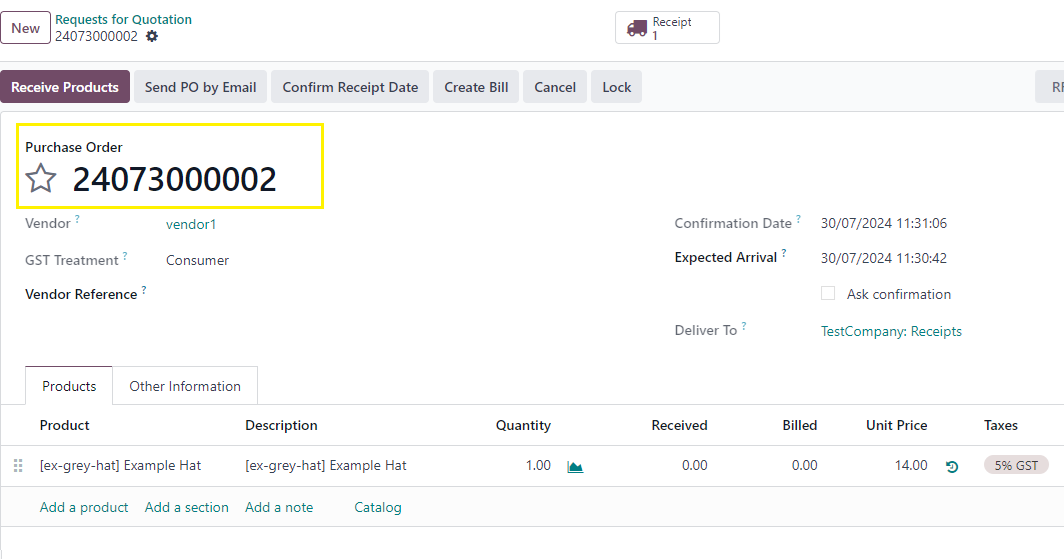
This will change the purchase order number format as per your requirement.
Thanks.
Bạn có hứng thú với cuộc thảo luận không? Đừng chỉ đọc, hãy tham gia nhé!
Tạo tài khoản ngay hôm nay để tận hưởng các tính năng độc đáo và tham gia cộng đồng tuyệt vời của chúng tôi!
Đăng ký| Bài viết liên quan | Trả lời | Lượt xem | Hoạt động | |
|---|---|---|---|---|


|
3
thg 4 26
|
1677 | ||
|
Bundle POs per vendor
Đã xử lý
|


|
2
thg 4 26
|
1350 | |

|
2
thg 3 26
|
1393 | ||

|
2
thg 5 25
|
4290 | ||


|
3
thg 12 24
|
11044 |
