
I'm opening a bank journal in my database. When I try to make an internal transfer, the "Internal Transfer" button, usually located in the top right corner, suddenly disappears. Can anyone help me?
Câu hỏi này đã bị gắn cờ
3
Trả lời
1576
Lượt xem


Hello Josephine Alvina Luwia,
I hope you are doing well
Fix: Missing Internal Transfer Button — Odoo v18
Most likely cause: Only one bank/cash journal exists. Odoo hides the button when there's no second journal to transfer to.
Fix:
- Go to Accounting → Configuration → Journals
I hope you are doing well
Fix: Missing Internal Transfer Button — Odoo v18
Most likely cause: Only one bank/cash journal exists. Odoo hides the button when there's no second journal to transfer to.
Fix:
- Go to Accounting → Configuration → Journals
- Ensure you have at least 2 bank/cash journals configured
- The Internal Transfer button should reappear
I hope this information helps you
Thanks & Regards,
Kunjan Patel
- The Internal Transfer button should reappear
I hope this information helps you
Thanks & Regards,
Kunjan Patel
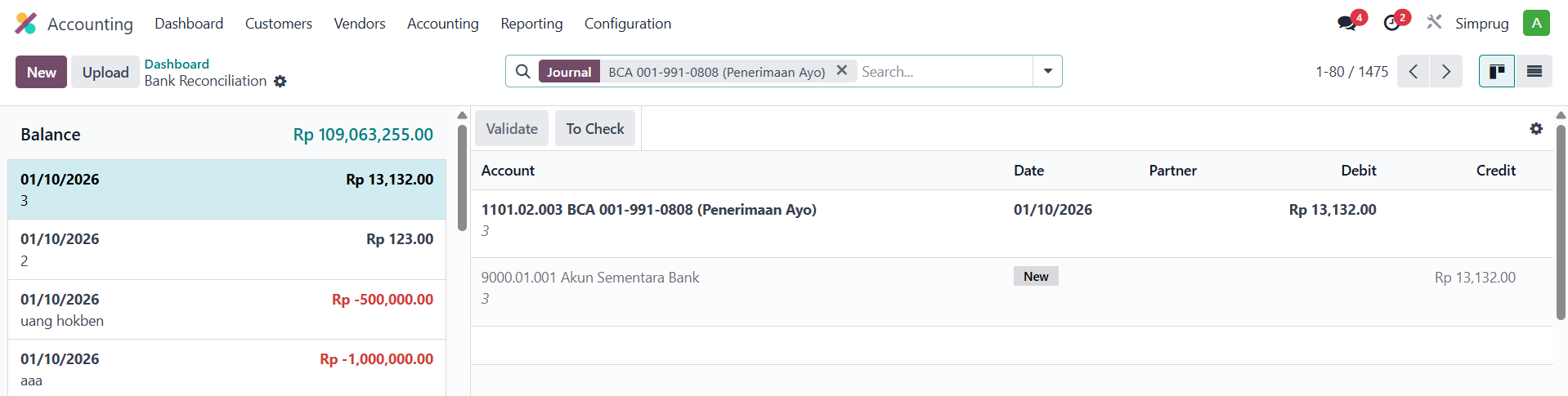
This is the photo, the journal type is Bank

Hi,
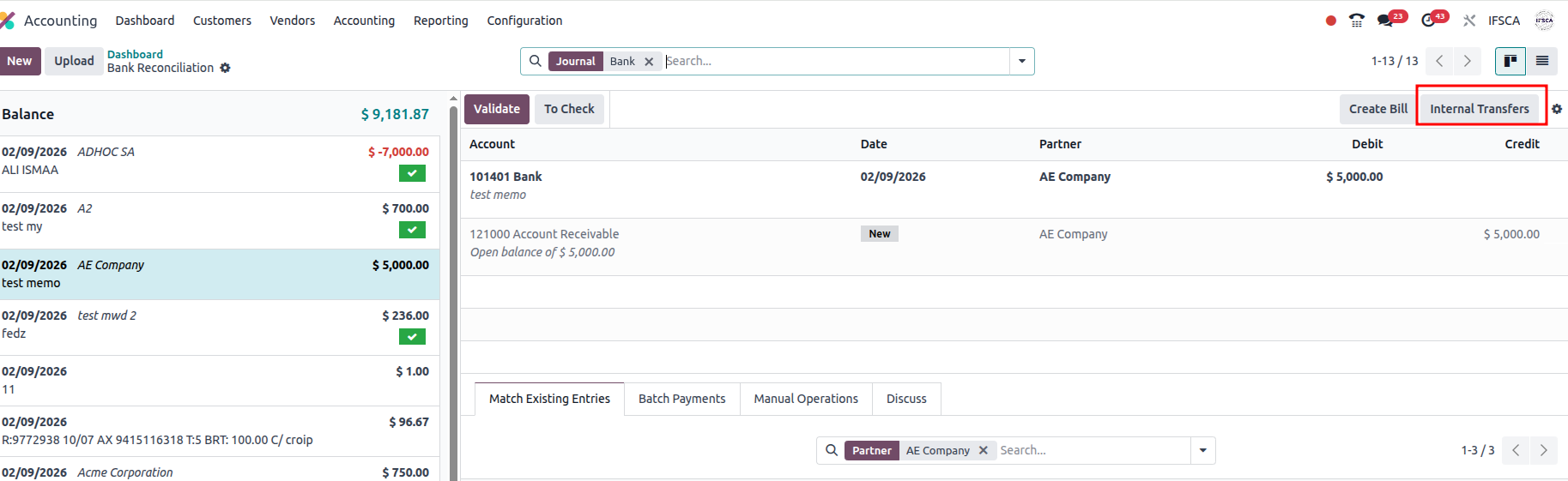
Accounting Module - >Dashboard -> Transaction in journal/ New button in Journal.
Hope it helps.
I don't have it in my database
Bạn có hứng thú với cuộc thảo luận không? Đừng chỉ đọc, hãy tham gia nhé!
Tạo tài khoản ngay hôm nay để tận hưởng các tính năng độc đáo và tham gia cộng đồng tuyệt vời của chúng tôi!
Đăng ký| Bài viết liên quan | Trả lời | Lượt xem | Hoạt động | |
|---|---|---|---|---|


|
1
thg 3 25
|
5160 | ||

|
1
thg 12 25
|
106 | ||

|
1
thg 12 25
|
1374 | ||


|
1
thg 9 25
|
4249 | ||

|
0
thg 6 25
|
2475 |
