
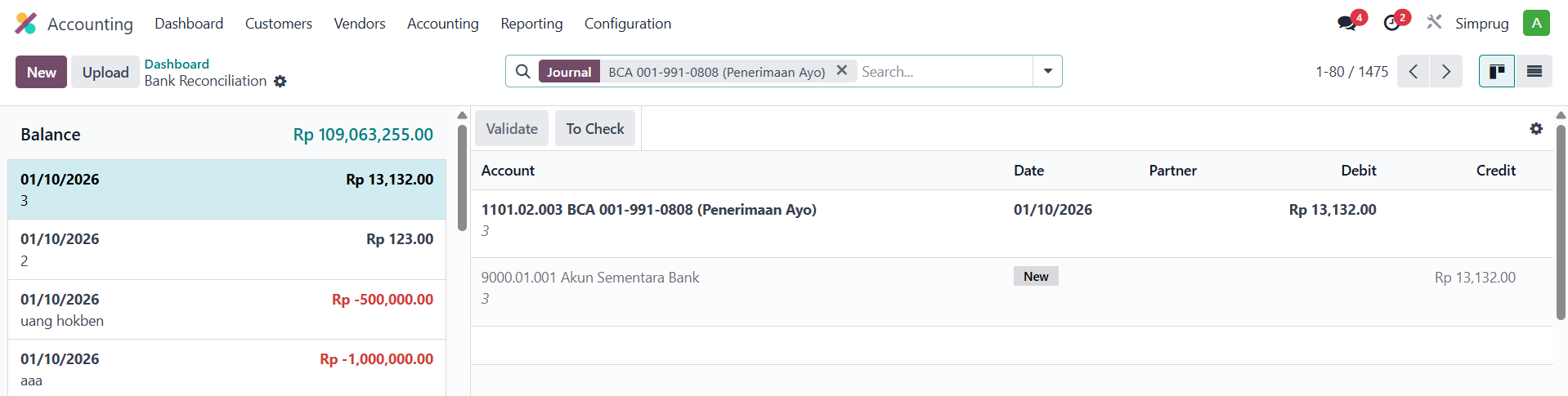
I'm opening a bank journal in my database. When I try to make an internal transfer, the "Internal Transfer" button, usually located in the top right corner, suddenly disappears. Can anyone help me?
This question has been flagged
3
Odpovědi
1569
Zobrazení


Hello Josephine Alvina Luwia,
I hope you are doing well
Fix: Missing Internal Transfer Button — Odoo v18
Most likely cause: Only one bank/cash journal exists. Odoo hides the button when there's no second journal to transfer to.
Fix:
- Go to Accounting → Configuration → Journals
I hope you are doing well
Fix: Missing Internal Transfer Button — Odoo v18
Most likely cause: Only one bank/cash journal exists. Odoo hides the button when there's no second journal to transfer to.
Fix:
- Go to Accounting → Configuration → Journals
- Ensure you have at least 2 bank/cash journals configured
- The Internal Transfer button should reappear
I hope this information helps you
Thanks & Regards,
Kunjan Patel
- The Internal Transfer button should reappear
I hope this information helps you
Thanks & Regards,
Kunjan Patel
This is the photo, the journal type is Bank

Hi,
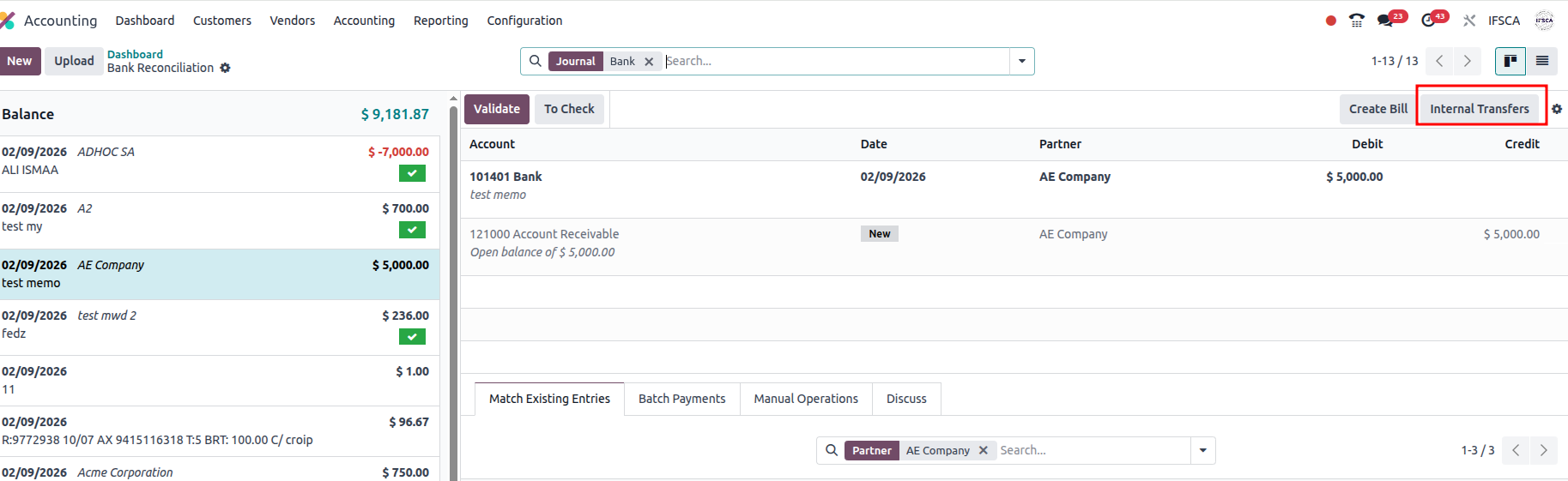
Accounting Module - >Dashboard -> Transaction in journal/ New button in Journal.
Hope it helps.
I don't have it in my database
Enjoying the discussion? Don't just read, join in!
Create an account today to enjoy exclusive features and engage with our awesome community!
Přihlásit se| Related Posts | Odpovědi | Zobrazení | Aktivita | |
|---|---|---|---|---|


|
1
bře 25
|
5160 | ||

|
1
pro 25
|
106 | ||

|
1
pro 25
|
1374 | ||


|
1
zář 25
|
4249 | ||

|
0
čvn 25
|
2475 |
