
I'm opening a bank journal in my database. When I try to make an internal transfer, the "Internal Transfer" button, usually located in the top right corner, suddenly disappears. Can anyone help me?
Bu soru işaretlendi
3
Cevaplar
1571
Görünümler


Hello Josephine Alvina Luwia,
I hope you are doing well
Fix: Missing Internal Transfer Button — Odoo v18
Most likely cause: Only one bank/cash journal exists. Odoo hides the button when there's no second journal to transfer to.
Fix:
- Go to Accounting → Configuration → Journals
I hope you are doing well
Fix: Missing Internal Transfer Button — Odoo v18
Most likely cause: Only one bank/cash journal exists. Odoo hides the button when there's no second journal to transfer to.
Fix:
- Go to Accounting → Configuration → Journals
- Ensure you have at least 2 bank/cash journals configured
- The Internal Transfer button should reappear
I hope this information helps you
Thanks & Regards,
Kunjan Patel
- The Internal Transfer button should reappear
I hope this information helps you
Thanks & Regards,
Kunjan Patel
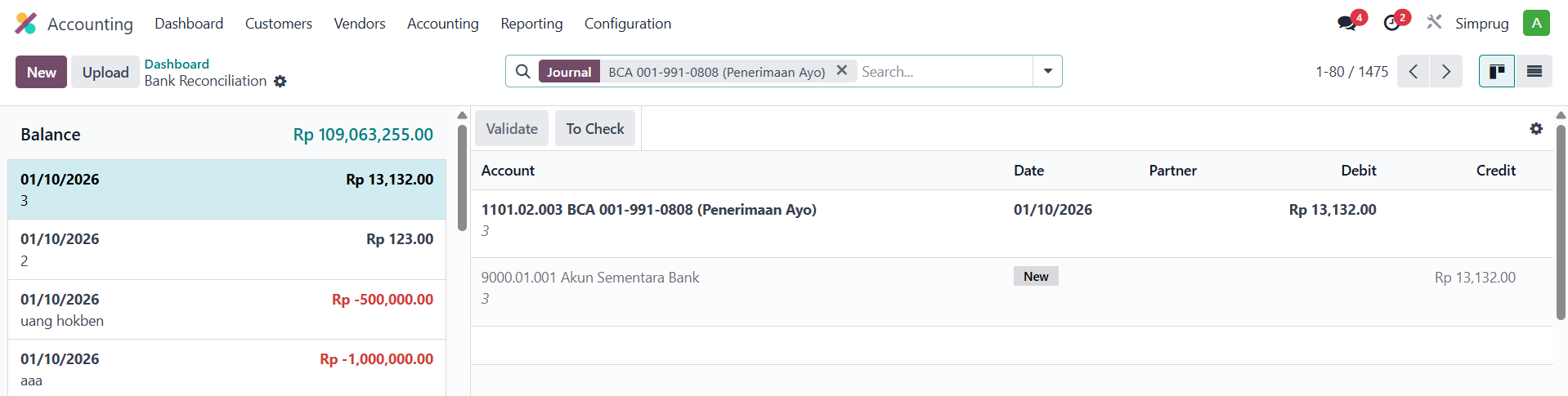
This is the photo, the journal type is Bank

Hi,
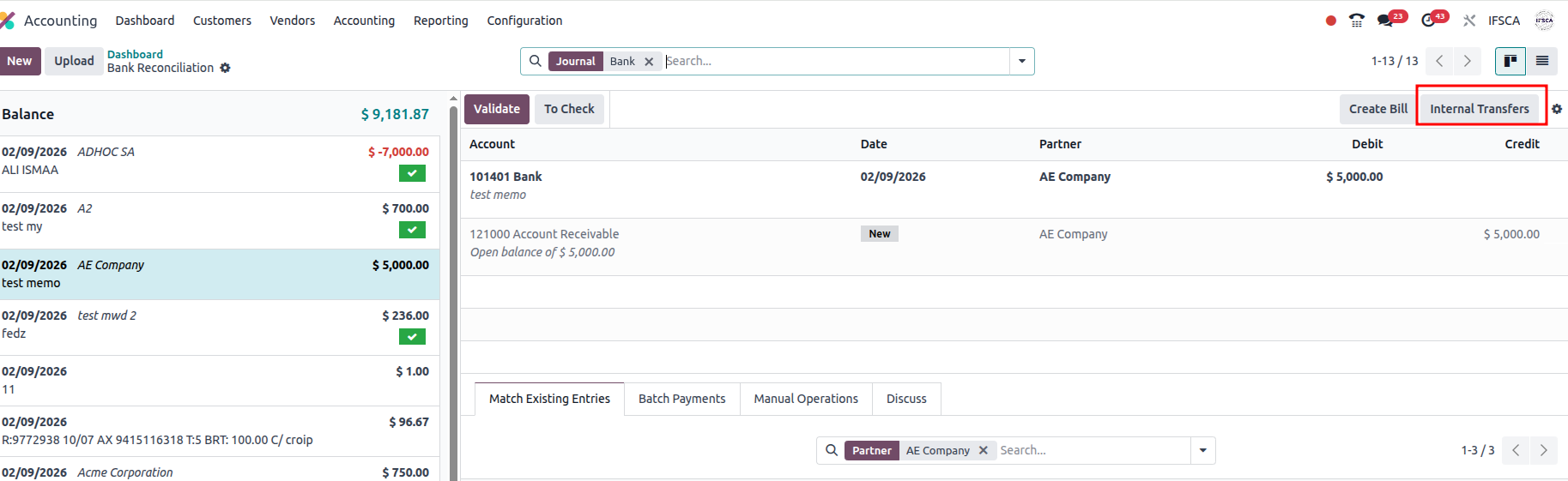
Accounting Module - >Dashboard -> Transaction in journal/ New button in Journal.
Hope it helps.
I don't have it in my database
Tartışma hoşunuza mı gidiyor? Sadece okumakla kalmayın, katılın!
Özel özelliklerden yararlanmak ve harika topluluğumuzla etkileşime geçmek için bugün bir hesap oluşturun!
Üye Ol| İlgili Gönderiler | Cevaplar | Görünümler | Aktivite | |
|---|---|---|---|---|


|
1
Mar 25
|
5160 | ||

|
1
Ara 25
|
106 | ||

|
1
Ara 25
|
1374 | ||


|
1
Eyl 25
|
4249 | ||

|
0
Haz 25
|
2475 |
