
when export translated terms and import after delete do not work ?
Tämä kysymys on merkitty
2
Vastaukset
11236
Näkymät


You may want to check https://www.spinomana.com/deepl-translator which will greatly reduce time and effort for doing translations with the default export/import. This app will translate all web pages and products "en masse" automatically with the DEEPL Api and you can use glossary with it.
Kind regards
Seppe

Hi,
1. Settings-> Translations-> Import translation
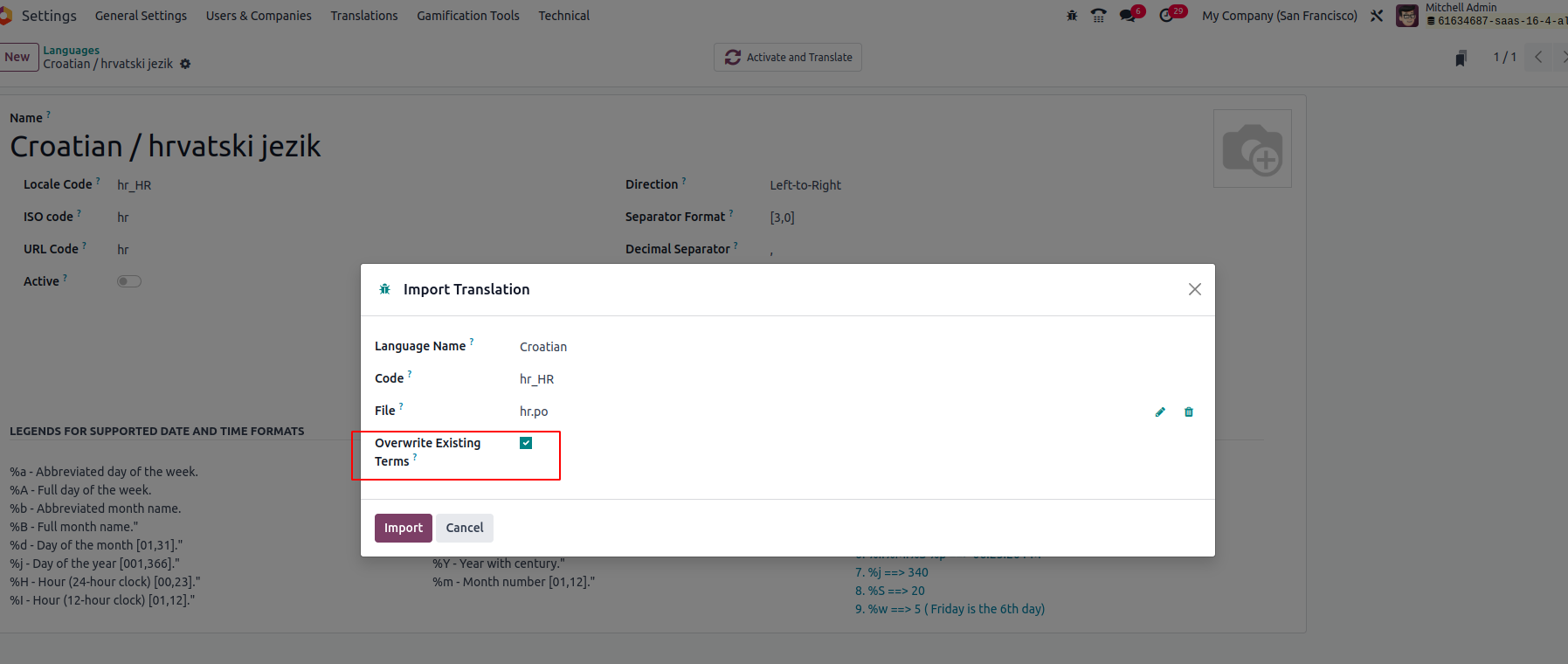
2. Don't forget to enable overwriting the existing terms
3. Import
It will replace the existing term with a newly imported one.
For more details, Please refer to the book.
Hope it helps,
Nautitko keskustelusta? Älä vain lue, vaan osallistu!
Luo tili jo tänään nauttiaksesi yksinoikeusominaisuuksista ja osallistuaksesi mahtavaan yhteisöömme!
Rekisteröidy| Aiheeseen liittyviä artikkeleita | Vastaukset | Näkymät | Toimenpide | |
|---|---|---|---|---|


|
4
heinäk. 24
|
9696 | ||
|
How to override a module translation?
Ratkaistu
|


|
4
kesäk. 24
|
29325 | |

|
3
huhtik. 24
|
4519 | ||
|
|
1
helmik. 24
|
10776 | ||


|
2
toukok. 23
|
6747 |

What you deleted, please let us know? Export and import normally work perfectly.