콘텐츠로 건너뛰기
Odoo 메뉴
  • 로그인
  • 무료 체험하기
  • 앱
    재무 관리
    • 회계
    • 청구서 관리
    • 비용 관리
    • 스프레드시트 (BI)
    • 문서
    • 전자 서명
    판매
    • CRM
    • 판매
    • POS 스토어
    • POS 레스토랑
    • 구독
    • 렌탈
    웹사이트
    • 웹사이트 빌더
    • 이커머스
    • 블로그
    • 포럼
    • 실시간 채팅
    • 온라인 학습 관리
    공급망
    • 재고 관리
    • 제조 관리
    • 제품 수명주기 관리 (PLM)
    • 매입
    • 유지관리
    • 품질
    인적자원 관리
    • 인사 관리
    • 채용
    • 휴가 관리
    • 인사 평가
    • 인재 추천
    • 차량 관리
    마케팅
    • 소셜 마케팅
    • 이메일 마케팅
    • SMS 마케팅
    • 행사
    • 마케팅 자동화
    • 설문 조사
    서비스
    • 프로젝트
    • 작업 기록
    • 현장 서비스
    • 헬프데스크
    • 일정 관리
    • 일정 예약
    생산성
    • 메일 및 채팅
    • 인공지능
    • IoT
    • VoIP
    • 지식 센터
    • WhatsApp
    타사 앱 Odoo 스튜디오 Odoo 클라우드 플랫폼
  • 업종 분류
    리테일
    • 서점
    • 의류 매장
    • 가구점
    • 식료품점
    • 철물점
    • 장난감 가게
    식음료 & 숙박업
    • 바 & 펍
    • 레스토랑
    • 패스트푸드
    • 게스트 하우스
    • 음료 유통업체
    • 호텔
    부동산
    • 부동산 중개업체
    • 건축 회사
    • 건설
    • 부동산 관리
    • 가드닝
    • 부동산 소유자 협회
    컨설팅
    • 회계 법인
    • Odoo 파트너
    • 마케팅 대행사
    • 법률 사무소
    • 인재 영입
    • 감사 및 인증
    제조 관리
    • 텍스타일
    • 메탈
    • 가구
    • 푸드
    • 양조장
    • 기업용 선물
    건강 & 피트니스
    • 스포츠 클럽
    • 안경점
    • 피트니스 센터
    • 웰니스 전문가
    • 약국
    • 미용실
    사업
    • 핸디맨
    • IT 하드웨어 및 지원 서비스
    • 태양 에너지 시스템
    • 제화업체
    • 클리닝 서비스
    • HVAC 서비스
    기타
    • 비영리 단체
    • 환경 에이전시
    • 광고판 임대
    • 사진
    • 자전거 임대
    • 소프트웨어 리셀러
    전체 업종 검색하기
  • 커뮤니티
    학습
    • 튜토리얼
    • 문서
    • 인증
    • 훈련
    • 블로그
    • 팟캐스트
    교육 역량 강화
    • 교육 프로그램
    • Scale-Up! 경영관리 게임
    • Odoo에 방문해보세요
    소프트웨어 신청
    • 다운로드
    • 버전 살펴보기
    • 릴리스 내역
    협업
    • Github
    • 포럼
    • 행사
    • 번역
    • 파트너 등록
    • 파트너 대상 서비스
    • 회계 법인 정보 등록
    서비스 신청
    • 파트너 검색
    • 회계사 검색
    • 전문 상담 예약
    • 구현 서비스
    • 고객 정보
    • 고객 지원
    • 업그레이드
    Github 유튜브 트위터 링크드인 인스타그램 페이스북 스포티파이
    +1 (650) 691-3277
    데모 예약하기
  • 요금제
  • 고객 지원
커뮤니티에 참여하려면 회원 가입을 하시기 바랍니다.
모든 게시물 사용자 배지
태그 (모두 보기)
odoo accounting v14 pos v15
게시판 정보
커뮤니티에 참여하려면 회원 가입을 하시기 바랍니다.
모든 게시물 사용자 배지
태그 (모두 보기)
odoo accounting v14 pos v15
게시판 정보
도움말

Website Issue

구독

이 게시물에 활동이 있으면 알림 받기

신고된 질문입니다
website_builder
4 답글
11283 화면
아바타
Allbest Meat Co. Ltd

Hi,


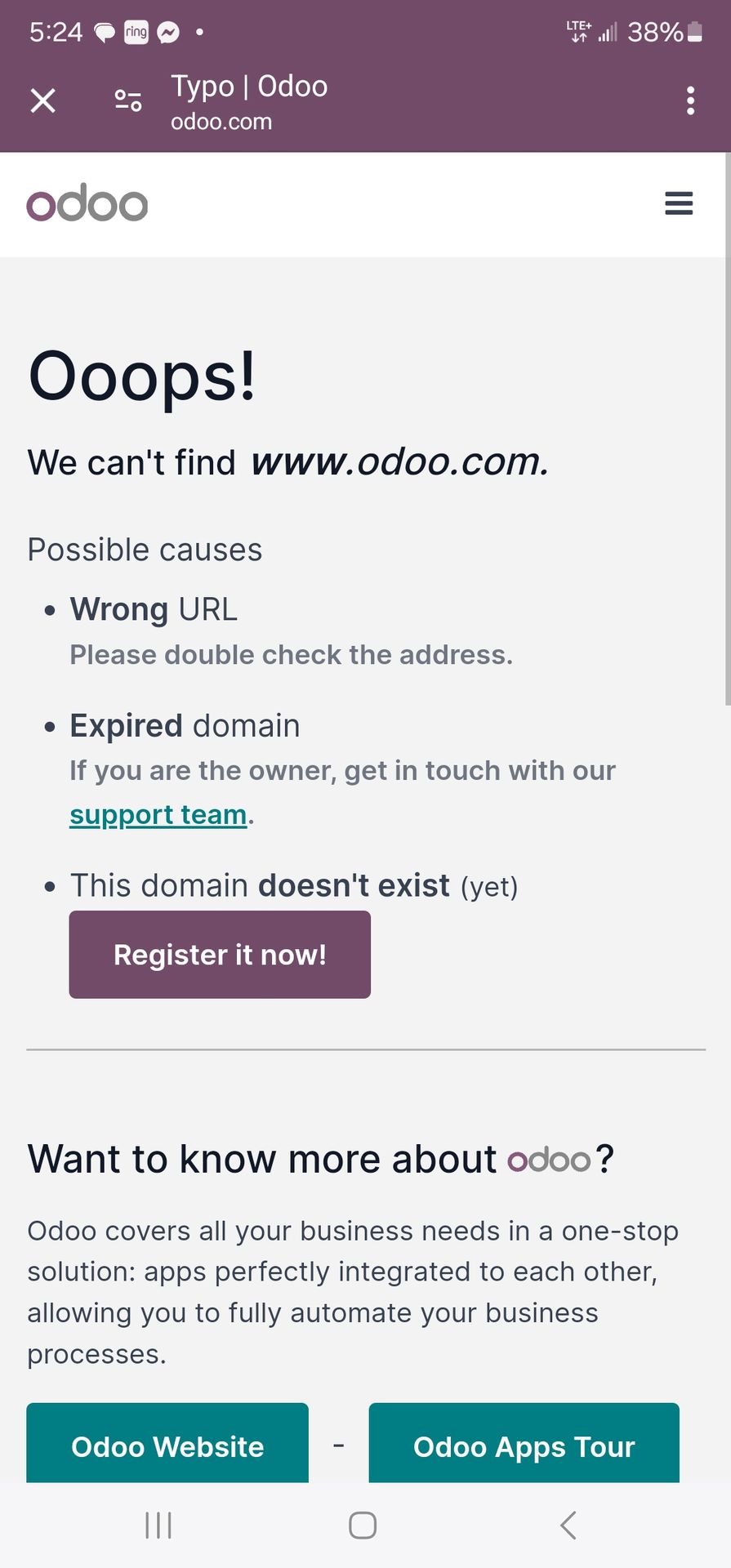
I've been having problems with Odoo Website maker. I followed the steps and have my domain registered, but whenever I go through the Odoo website app it says domain does not exist. I tried to just use the url without odoo app to see if the website works and same pop up error occurs. Does anyone else have this issue or have a solution? Thanks

0
아바타
취소
Niyas Raphy (Walnut Software Solutions)

Could you provide an image showing the pop up that you are receiving

아바타
Tatvamasi Labs, Piyush H
베스트 답변

Okay, you're having trouble accessing your Odoo website with your registered domain, and you're getting a "domain does not exist" error both within the Odoo website app and when accessing the URL directly. This is a frustrating issue, but here's a breakdown of the possible causes and how to troubleshoot them:

1. DNS Propagation (Most Common):

  • What it is: When you register a domain name and point it to a new server (in this case, Odoo's servers), it takes time for the DNS (Domain Name System) records to propagate across the internet. This means that different computers and servers around the world need to update their information about where your domain points to.
  • How long it takes: DNS propagation can take anywhere from a few hours to 48 hours (in rare cases, up to 72 hours).
  • Solution: This is the most likely cause, especially if you recently registered your domain or changed its DNS settings. Wait at least 24-48 hours and try again.
  • Check Propagation: You can use online tools like https://www.whatsmydns.net/ to check if your DNS records have propagated to different locations around the world. Enter your domain name and check if the A record (or CNAME record, depending on your setup) points to the correct Odoo server IP address or hostname.

2. Incorrect DNS Settings:

  • What it is: Your domain's DNS records might be configured incorrectly. You need to make sure that the A record (or CNAME record) points to the correct Odoo server.
  • Solution:
    1. Find Odoo's DNS Information: Odoo should provide you with the specific DNS records you need to configure for your domain. This information is usually found in the Odoo Website app settings or in the Odoo documentation. Look for the A record IP address or the CNAME record hostname.
    2. Access Your Domain Registrar: Log in to your domain registrar's website (e.g., GoDaddy, Namecheap, Google Domains).
    3. Manage DNS Records: Find the DNS management section for your domain.
    4. Verify/Update DNS Records:
      • A Record: If you're using an A record, make sure it points to the correct Odoo server IP address.
      • CNAME Record: If you're using a CNAME record, make sure it points to the correct Odoo hostname (usually something like yourdomain.odoo.com).
    5. Save Changes: Save your DNS settings.
  • Common Mistakes:
    • Typing the IP address or hostname incorrectly.
    • Forgetting to add the trailing dot (.) to the hostname in a CNAME record (sometimes required).
    • Having conflicting DNS records.

3. Odoo Configuration Issues:

  • Domain Not Registered in Odoo: You need to register your domain name within the Odoo Website app settings.
  • Solution:
    1. Go to Odoo Website App: Open the Website app in Odoo.
    2. Settings: Go to Configuration > Settings.
    3. Domain Name: Enter your domain name in the "Domain Name" field.
    4. Save: Save the settings.
  • Incorrect Odoo Configuration: There might be an issue with Odoo's internal configuration that prevents it from recognizing your domain.
  • Solution: Contact Odoo support. They can check your Odoo instance and identify any configuration problems.

4. SSL/TLS Certificate Issues:

  • What it is: If your website is not properly configured with an SSL/TLS certificate, you might encounter errors when accessing it over HTTPS.
  • Solution:
    1. Check SSL Status: Use an online tool like https://www.sslshopper.com/ssl-checker.html to check the SSL status of your domain.
    2. Odoo Configuration: Odoo usually handles SSL certificate configuration automatically, but if there's an issue, contact Odoo support.

5. Browser Cache:

  • What it is: Your browser might be caching old DNS information or website data.
  • Solution:
    1. Clear Browser Cache: Clear your browser's cache and cookies.
    2. Try a Different Browser: Try accessing your website with a different browser to see if the issue persists.
    3. Incognito Mode: Try accessing your website in your browser's incognito or private browsing mode.

6. Odoo Server Issues (Less Likely):

  • What it is: There might be a problem with Odoo's servers that is preventing your website from being accessed.
  • Solution: Contact Odoo support. They can check the status of their servers and investigate any potential issues.

Troubleshooting Steps:

  1. Wait for DNS Propagation: This is the first and most important step. Wait at least 24-48 hours after registering your domain or changing its DNS settings.
  2. Check DNS Settings: Verify that your DNS records are configured correctly at your domain registrar.
  3. Register Domain in Odoo: Make sure you've registered your domain name in the Odoo Website app settings.
  4. Clear Browser Cache: Clear your browser's cache and cookies.
  5. Check SSL Status: Verify that your website has a valid SSL certificate.
  6. Contact Odoo Support: If you've tried all of the above steps and the issue is still not resolved, contact Odoo support for assistance.

Example Scenario:

Let's say you registered your domain name 2 hours ago and you're getting the "domain does not exist" error. The most likely cause is DNS propagation. You should wait at least 24 hours and try again.

By following these steps, you should be able to identify and resolve the issue that is preventing you from accessing your Odoo website with your registered domain. Remember to be patient and check each potential cause systematically.


🚀 Did This Solve Your Problem?

If this answer helped you save time, money, or frustration, consider:

✅ Upvoting (👍) to help others find it faster

✅ Marking as "Best Answer" if it resolved your issue

Your feedback keeps the Odoo community strong! 💪

(Need further customization? Drop a comment—I’m happy to refine the solution!)

0
아바타
취소
아바타
jackd
베스트 답변

Hi there,

I’ve run into something similar before. If Odoo is saying your domain doesn’t exist, a few things might be going on:

  1. DNS Settings – Make sure your domain’s DNS records (like A record or CNAME) are correctly pointing to Odoo’s servers.
  2. Domain Verification – Odoo usually requires verifying the domain. Check if you’ve completed that step in the Website app.
  3. Propagation Time – If you just updated your DNS, it might take some time (up to 24–48 hours) to fully propagate.
  4. Typo or Formatting – Double-check that the domain name is entered correctly without any extra spaces or characters.

If everything seems correct and it’s still not working, I’d suggest opening a support ticket with Odoo—they can check on their end too.

Hope that helps! Let me know if you get it working.

0
아바타
취소
아바타
isaciu65
베스트 답변

Clear your browser cache and try accessing the website again. You can also try accessing the website in a different browser or incognito mode.


0
아바타
취소
isaciu65

Make sure you're entering the domain name correctly in the address bar, including any typos.
Ensure you haven't made any mistakes while adding the CNAME record.
https://pixel-speedrun.com

아바타
Allbest Meat Co. Ltd
작성자 베스트 답변


0
아바타
취소
Allbest Meat Co. Ltd
작성자

I checked the domain url to see if it is registered, and it shows it is

토론이 재미있으신가요? 직접 참여해보세요!

지금 바로 가입하여 독점 서비스를 이용해보고 특별한 커뮤니티와 소통하세요!

가입
관련 게시물 답글 화면 활동
(((Guia~JetBlue!@!Oficial^Hablo//+182)) ¿Cómo llamar a JetBlue desde República Dominicana?
website_builder
아바타
0
12월 25
41
(((Guia~ Latam!@!Oficial^Hablo//0800))) ¿Cómo llamar a LATAM Airlines desde Chile?
website_builder
아바타
0
12월 25
142
Website Builder theme breaks after upgrading to Odoo 17 — CSS not loading
website_builder
아바타
0
12월 25
32
AssertionError while install Appoinment in website
website_builder
아바타
아바타
아바타
2
11월 25
1945
Hide website menu items on mobile
website_builder
아바타
아바타
아바타
2
1월 25
3830
커뮤니티
  • 튜토리얼
  • 문서
  • 포럼
오픈 소스
  • 다운로드
  • Github
  • Runbot
  • 번역
서비스
  • Odoo.sh 호스팅
  • 고객 지원
  • 업그레이드
  • 맞춤 개발
  • 학습
  • 회계사 검색
  • 파트너 검색
  • 파트너 등록
회사 소개
  • 회사 소개
  • 브랜드 자산
  • 상담 문의
  • 인재 채용
  • 행사
  • 팟캐스트
  • 블로그
  • 고객 사례
  • 법적고지 • 개인정보
  • 보안
الْعَرَبيّة Català 简体中文 繁體中文 (台灣) Čeština Dansk Nederlands English Suomi Français Deutsch हिंदी Bahasa Indonesia Italiano 日本語 한국어 (KR) Lietuvių kalba Język polski Português (BR) română русский язык Slovenský jazyk Slovenščina Español (América Latina) Español Svenska ภาษาไทย Türkçe українська Tiếng Việt

Odoo는 CRM, 이커머스, 회계, 재고, POS, 프로젝트 관리 등 기업의 모든 요구 사항을 충족하도록 설계된 오픈 소스 기반의 통합 비즈니스 앱 제품군입니다.

Odoo의 간편한 UI와 완벽하게 통합된 기능을 직접 확인해 보세요.

Website made with

Odoo Experience on YouTube

1. Use the live chat to ask your questions.
2. The operator answers within a few minutes.

Live support on Youtube
Watch now