
Hi,
I am having a hard time trying to figure this one out. I have a MOQ for 6 cases, but multiple products can be built to create a total number of 6. My retailers can mix and match products (ie: 4 vanilla and 2 mocha), as long as there are 6 or more in total. What's odd is that I can't even seem to find basic MOQ's for just one product.
I figured out how to create a price list for buy more save more features, but I cannot seem to figure out how to prevent a sales agent from selling anything less than 6 total. I would also like a sales warning to populate if an agent attempts to sell less than 6. Our shipper does not allow us to send anything less to retailers.
Thank you in advance
この質問にフラグが付けられました
2
返信
3709
ビュー


Odoo has no minimum selling quantity feature.
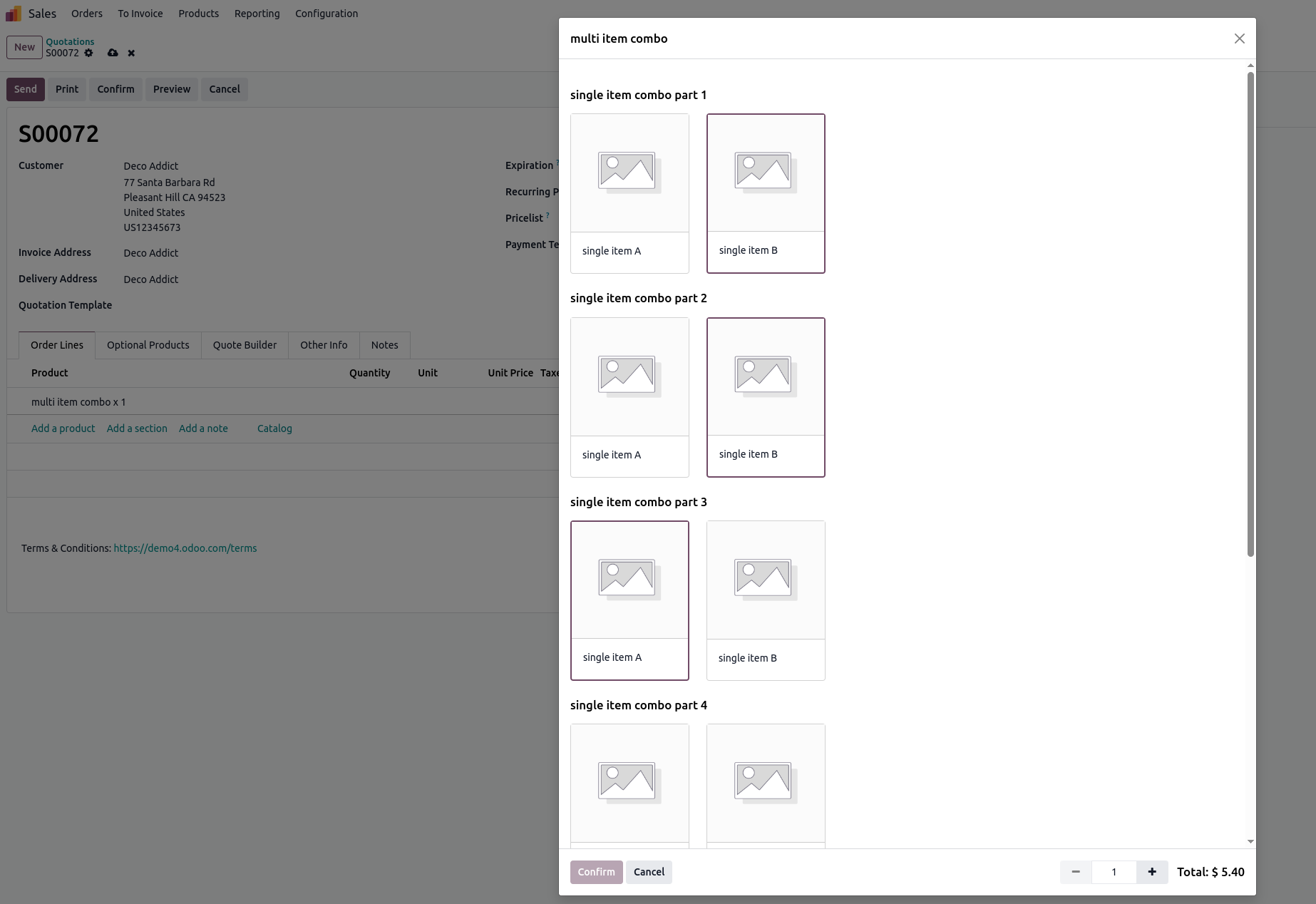
The closest you can get without customization, for a random assortment of 6-item groups (i.e. 'My retailers can mix and match products (ie: 4 vanilla and 2 mocha), as long as there are 6') is by using Combo-type Products. The 'or more in total' part could be handled with automated actions checking on write, whether a certain quantity threshold is reached or not and displaying a message accordingly. This involves advanced Studio and View customization as well however.
The UI for adding such a Combo to a Sales Order would look similar to this:
The resulting Sales Orders would look like this:
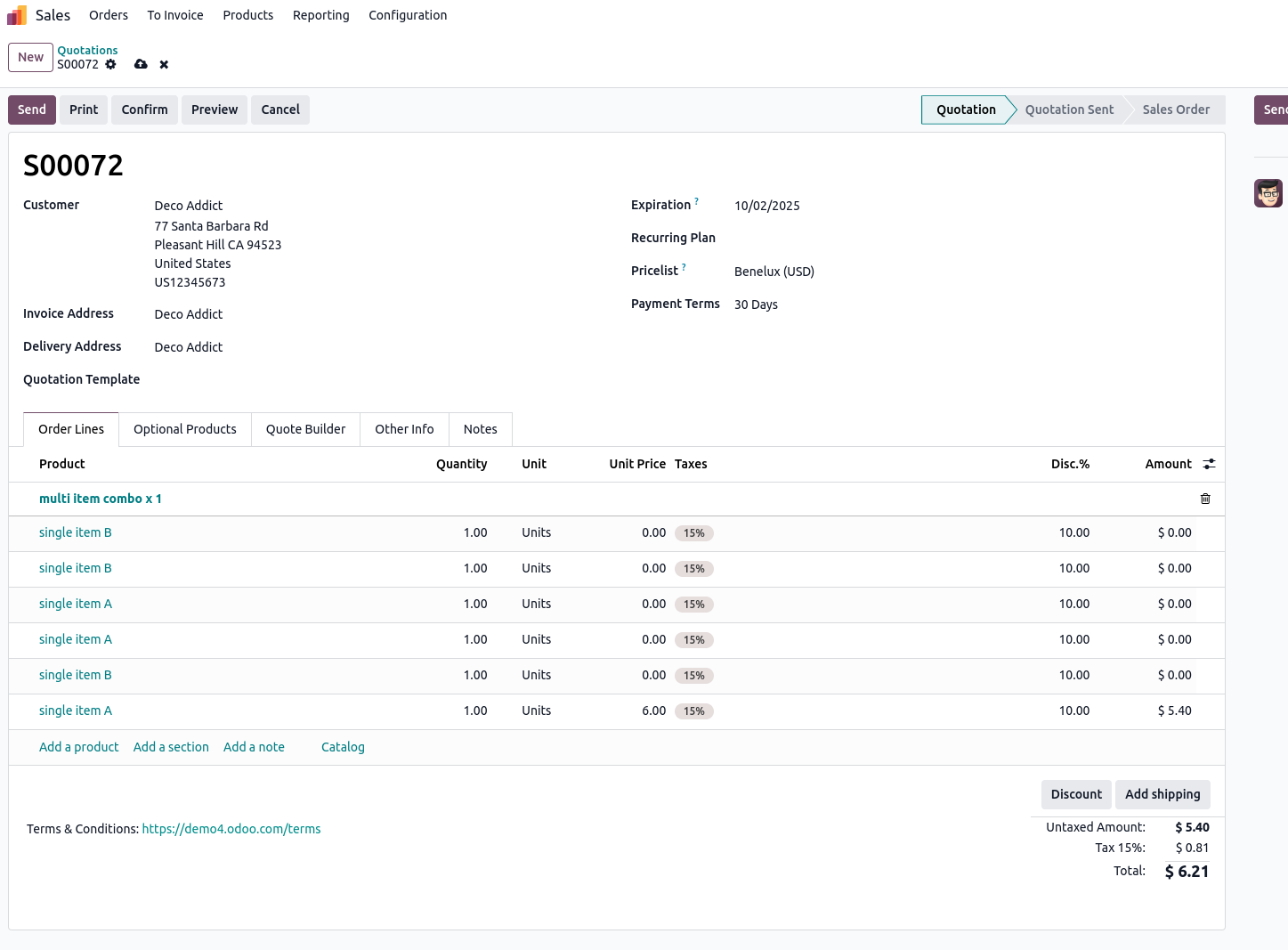
The setup of this approach would allow you to sell a 6-pack with random (allowed) items. It would however not allow you to freely just add multiple additional items to that combo. This then would need to be separate lines in your Sales Order, or, an additional Combo with possibly different selections.
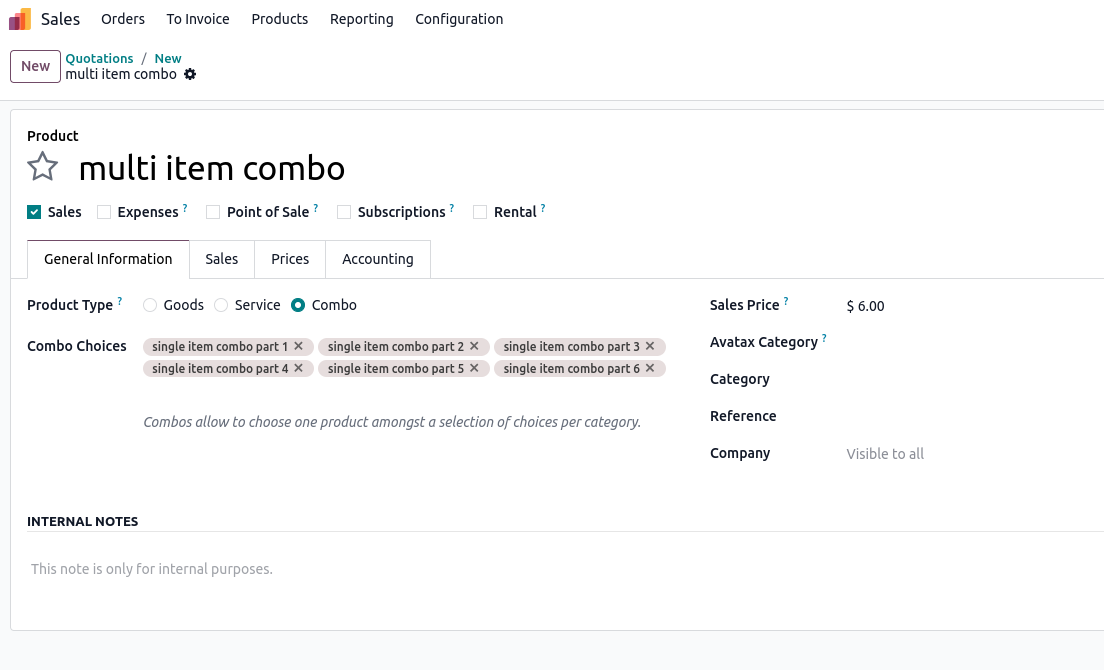
The Product configuration for this would be like this:
A Product of type Combo with as many Combo Choices as items are allowed in the pack.
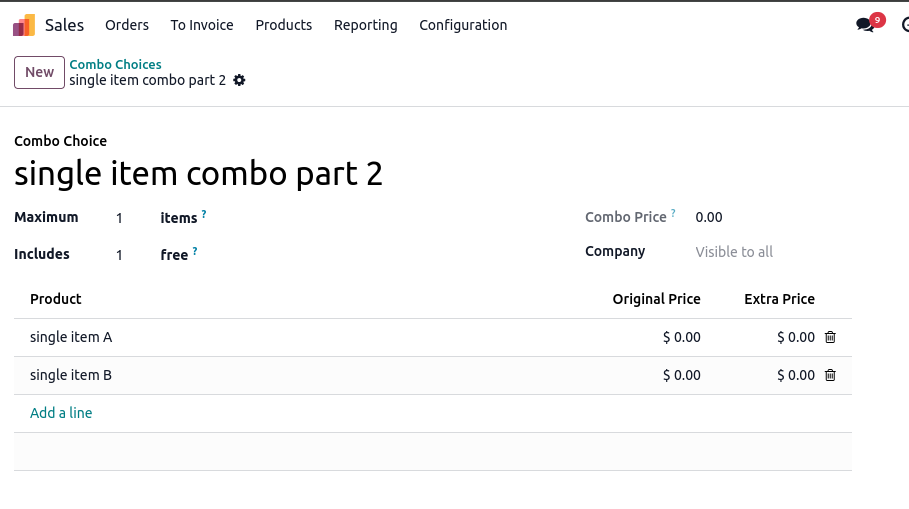
Each Combo Choice on the other hand would look like this:
A Choice of Product 1, Product 2, ... with 1 free quantity (as the price is given by the 'parent' Combo Product) - you could however modify the price by setting an Extra Price in addition.
An alternative approach could be the use of Bill of Materials (from the Manufacturing App) - but, this seems a bit of a stretch.
Another alternative approach could be to use a Pricelist for setting up a price for a Minimum Quantity of 6 on a product to cover for extra cost individual item handling would otherwise require.
You can find further details on Combo Products for example here: https://www.odoo.com/documentation/18.0/applications/sales/point_of_sale/combos.html
Above screens are created with a demo/playground instance of https://demo.odoo.com which you can use as well to test the functionality.
Hi, thank you so much for this detailed answer!
I checked Studio and it looks like it may trigger custom pricing options (I'm using Odoo Online) and would likely upgrade me into Odoo.sh. From what I gathered with both answers, I need to upgrade from Odoo Online to Odoo.sh to accomplish it.
I did however find that I can add a Warning message on each product, so I added that on both stating the MOQ requirement, but it will not block the sale if the agent isn't following MOQ's.
I also built several Pricelists, so it may be better to advise sales agents to select from the Pricelists when they begin creating an order, as that will be somewhat of a "bumper" for them when a customer orders more inventory from us as they'll be able to recognize the pricing difference. Bit of a band-aid option until I can upgrade.
I am also wondering how this workaround works differently than if each product was added in simpler format by simply adjusting the quantities for each product. I'm not sure if applying the combo-type would help in my specific scenario, as each product has separate barcodes and goes through different manufacturing/procurement processes.

Hi,
Please refer to the module: https://odoo-community.org/shop/sale-order-min-quantity-9076#attr=14781
Hope it helps.
This sounds like it would be the most direct path to solve my problem, however I'm getting an error when I try to install the module:
"Invalid Operation
Error while importing module 'sale_restricted_qty'.
Invalid version '12.0.2.0.0'. Modules should have a version in format `x.y`, `x.y.z`, `18.0.x.y` or `18.0.x.y.z`. "
I downloaded the file and went to upload it as a .zip and no changes were applied. I looked into it more and learned that my version, Odoo Online, cannot support custom modules: https://www.odoo.com/documentation/18.0/administration/odoo_online.html
I realize now that I should have specified in the title that I was running Odoo Online and not Odoo.sh , my apologies
| 関連投稿 | 返信 | ビュー | 活動 | |
|---|---|---|---|---|


|
1
7月 19
|
4490 | ||


|
1
11月 20
|
4486 | ||
|
|
0
11月 20
|
5897 | ||

|
0
5月 26
|
3 | ||

|
0
5月 26
|
1 |
