
- How to use Google Sheet to create GS1 barcode (QR codes & linear barcode) ?
لقد تم الإبلاغ عن هذا السؤال
1
الرد
4631
أدوات العرض

On a Google sheet, you can create both Linear Barcode and QR codes that you can use in Odoo.
Option 1: Linear barcode.
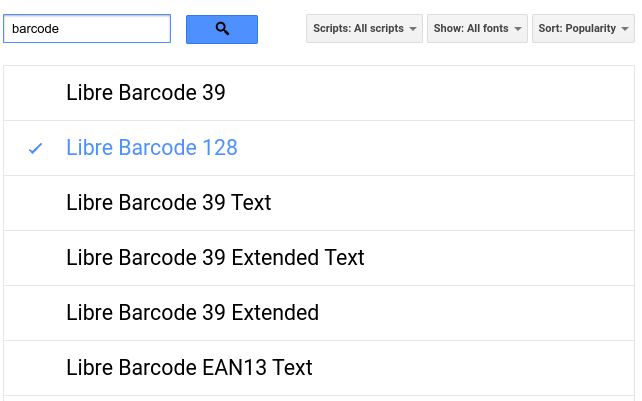
Use "Libre barcode 128" font or any other barcode font to generate a barcode from a text.
Option 2: QR codes
Use this formula to generate QR code:
=image("https://chart.googleapis.com/chart?chs=150x150&cht=qr&chl="&A1)
"A1" being the cell containing your text barcode.

Here is an example: https://docs.google.com/spreadsheets/d/1iZ8nMfyAmnD78cLKPwjZXnjz1lah9A33215xlw9oQk8/edit#gid=0
هل أعجبك النقاش؟ لا تكن مستمعاً فقط. شاركنا!
أنشئ حساباً اليوم لتستمتع بالخصائص الحصرية، وتفاعل مع مجتمعنا الرائع!
تسجيل| المنشورات ذات الصلة | الردود | أدوات العرض | النشاط | |
|---|---|---|---|---|
|
How to typeset a GS1 barcode?
تم الحل
|


|
4
يناير 24
|
12994 | |


|
2
ديسمبر 23
|
6366 | ||

|
1
أبريل 21
|
4253 | ||


|
1
يونيو 25
|
3443 | ||


|
2
أبريل 26
|
4665 |
