
For years we bought al sheet in 4x8' size. It is used on hundreds of BOM's. 2 months ago they started buying 4x10' sheets. Now I have many 4x10 sheets in inventory that are not really there and negative inventory on the 4x8 sheet part number. Is there a way to sub in the 4x10 for the 4x8 in all the boms at the same time or do I really have to modify each one by itself? I tried turning the 4x8 into a kit but that did not work either,. Previous systems I have used all had this function. replace part in std BOM.
此問題已被標幟
2
回覆
2151
瀏覽次數


There is no view for BOM line, therefore you need to get that views before editing
You can achieve it using Odoo studio as follows:
1- Activate Odoo studio and open it
2- Go to Edit Menu
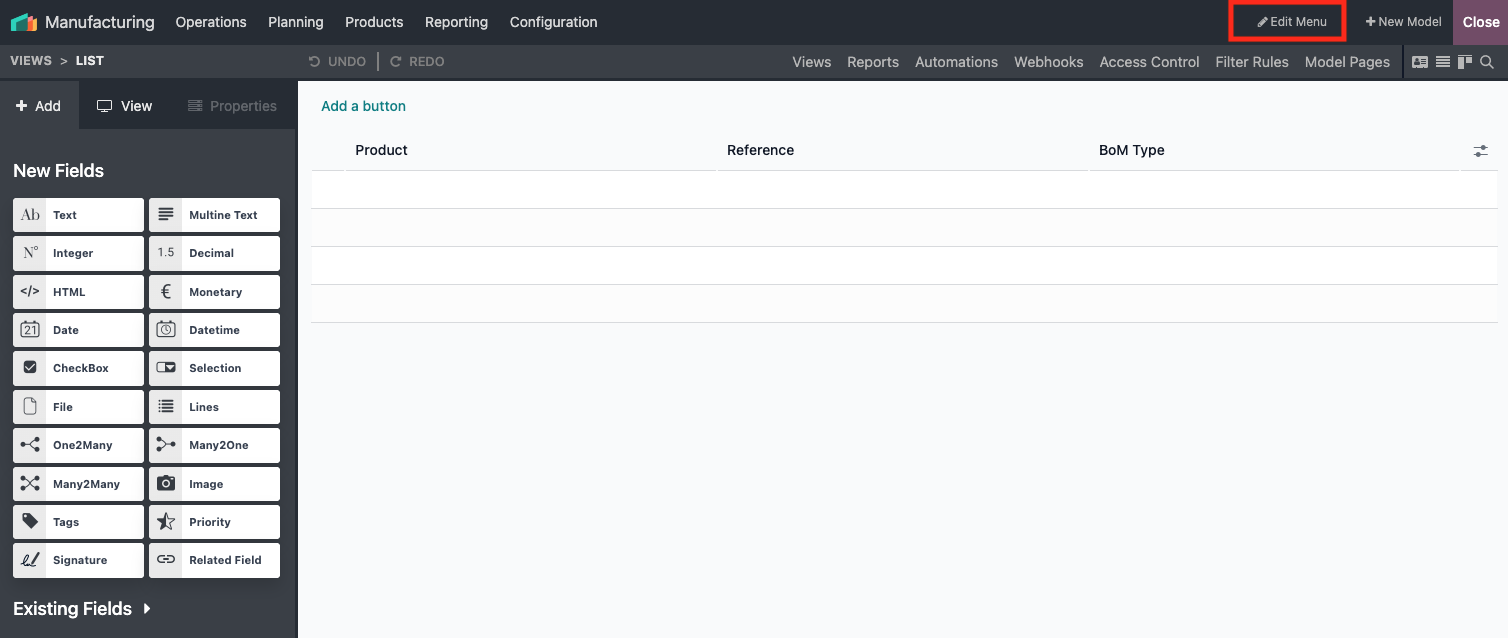
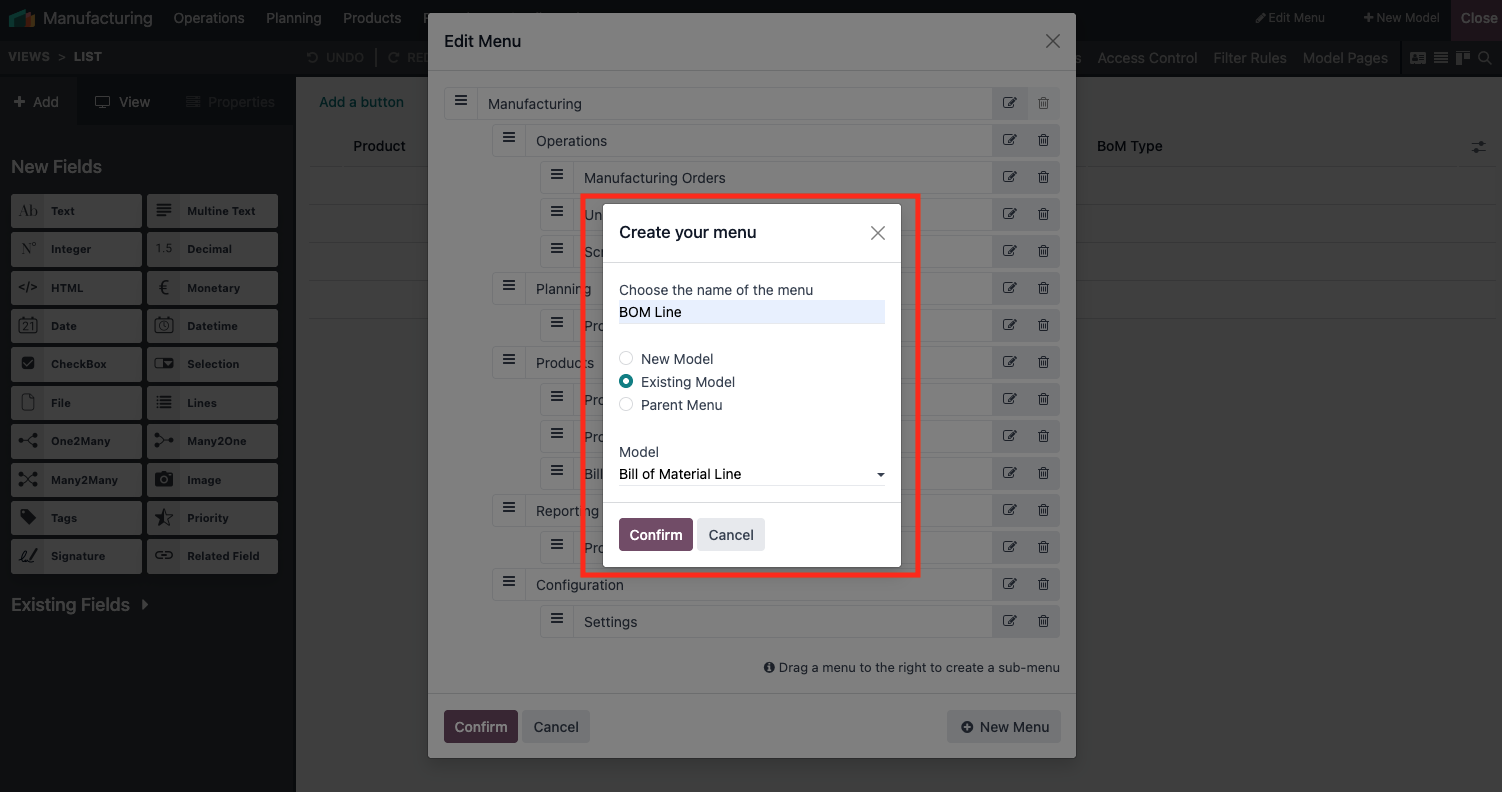
3- Click New Menu

4- Add your new menu like this
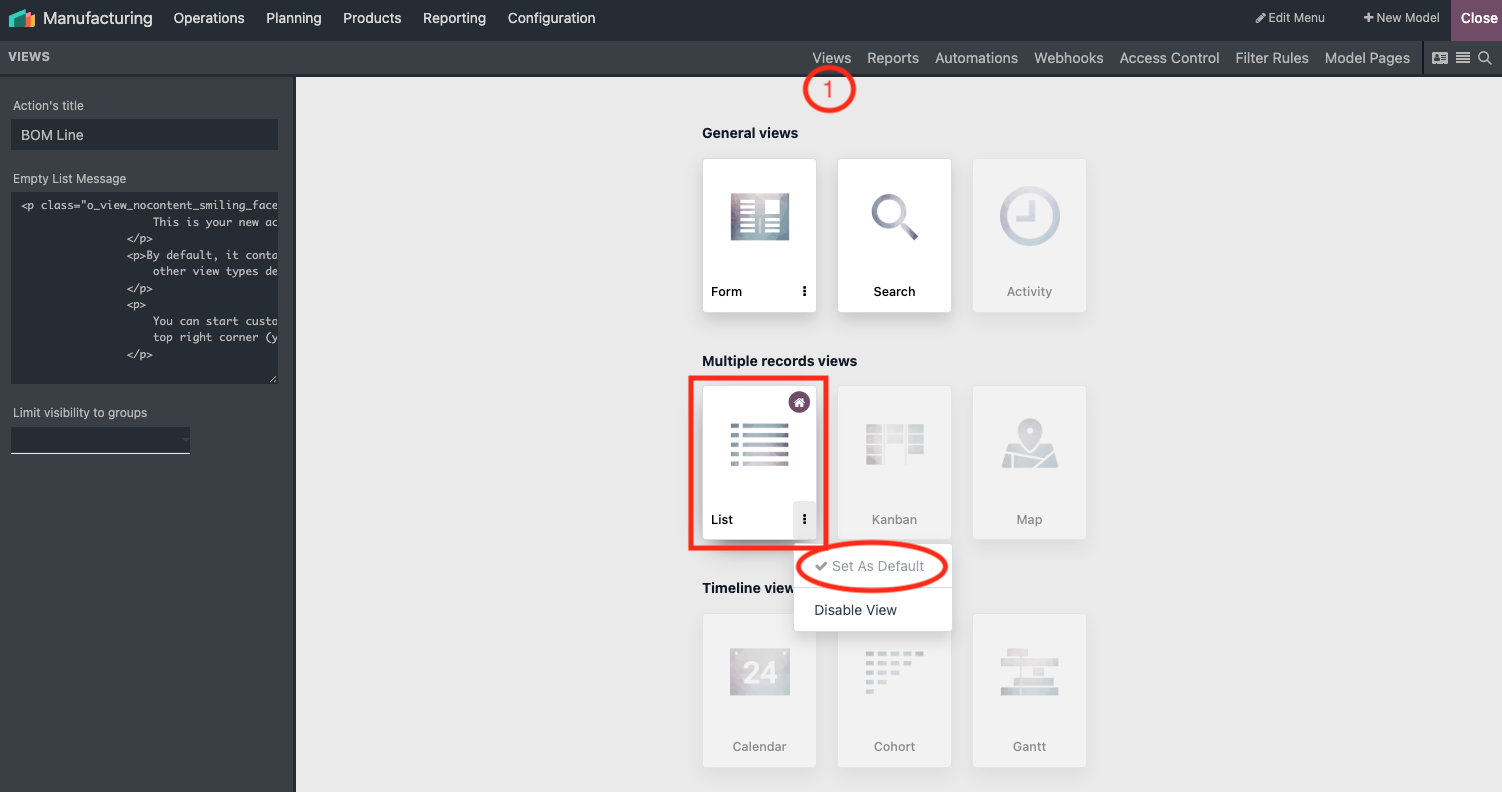
5- Go to views, activate List View and set it as default
6- Finally Go to the tab View (left side pannel), check Can Edit, Can Create and Enable Mass Editing
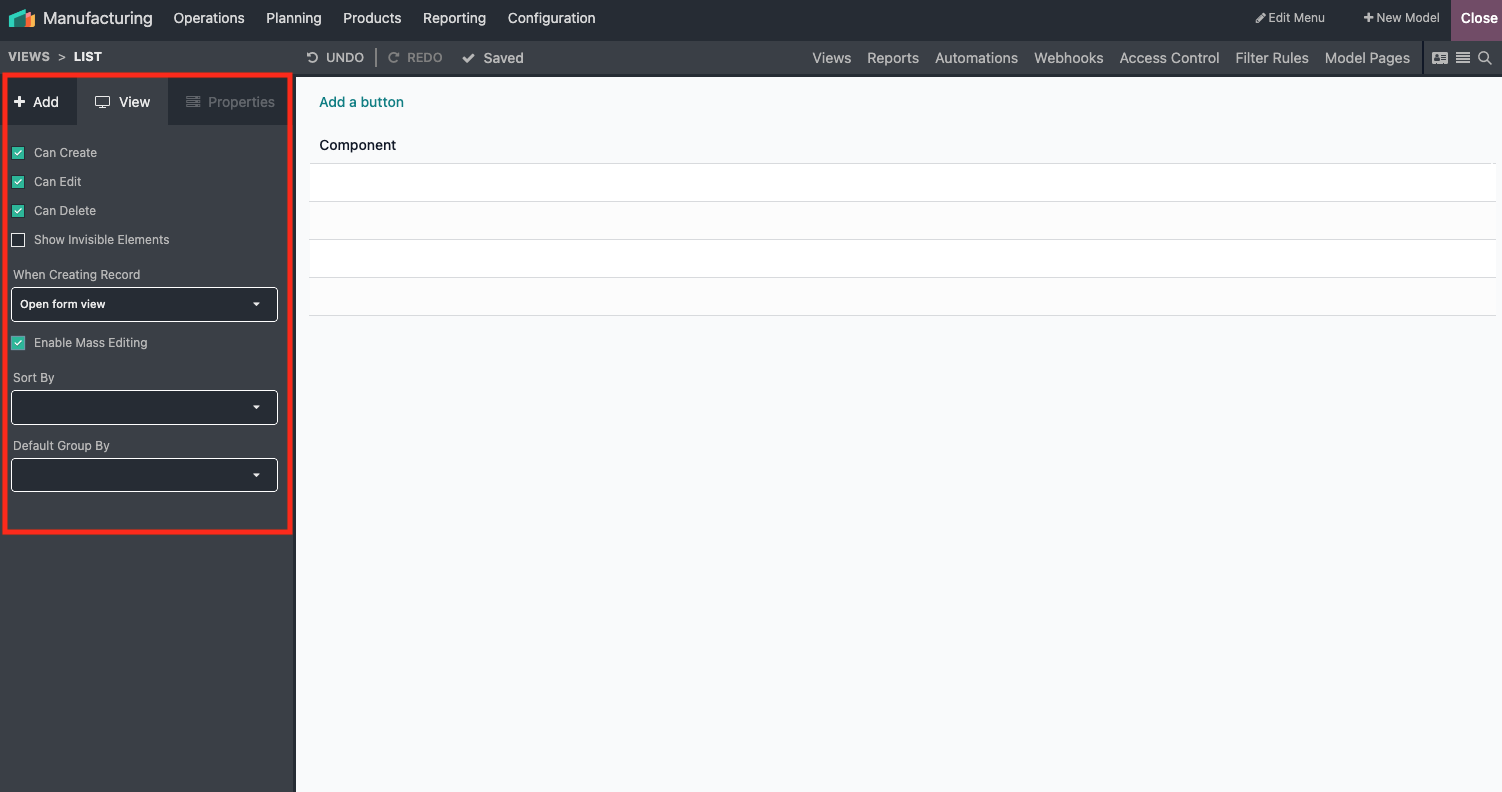
Once done, you can edit your component in bulk
- Select all the records you want to update
- Update first one and confirm edit for all selected records
That's it, you components are edited in bulk
Hope it helps.
| 相關帖文 | 回覆 | 瀏覽次數 | 活動 | |
|---|---|---|---|---|


|
2
2月 26
|
2604 | ||

|
0
8月 25
|
2900 | ||

|
2
7月 24
|
42 | ||


|
1
2月 24
|
4571 | ||


|
3
12月 23
|
4104 |

Thanks. I was not able to get that to work but in playing with the BOM Lines screen I could export the needed list, make the change, then reimport it back and it worked.