
.
此問題已被標幟
4
回覆
14850
瀏覽次數

.
Internal Transfers
What is an internal transfer?
An internal transfer is a move of funds between accounts within the same company.
Example:
The customer has two bank accounts from two different journals Bank A and Bank B, and he wants to transfer $300 from Bank A to Bank B.
Bank A sends - 300 To Bank B + 300
How does it work in Odoo through different versions?
In version 17 You were able to make an internal transfer by accessing the accounting dashboard, selecting the three dots and clicking on payments.
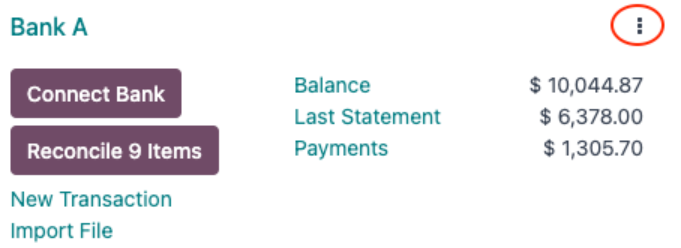
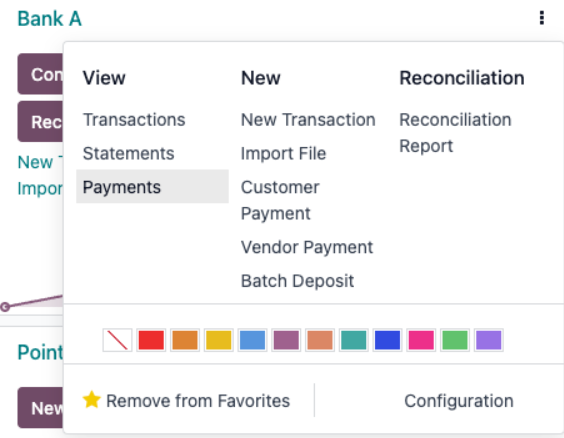
Once you press the button to create a new payment, you will type the amount and mark the checkbox named Internal Transfer which will activate the field named Destination Journal where you, to follow the example we will select the journal named Bank B.
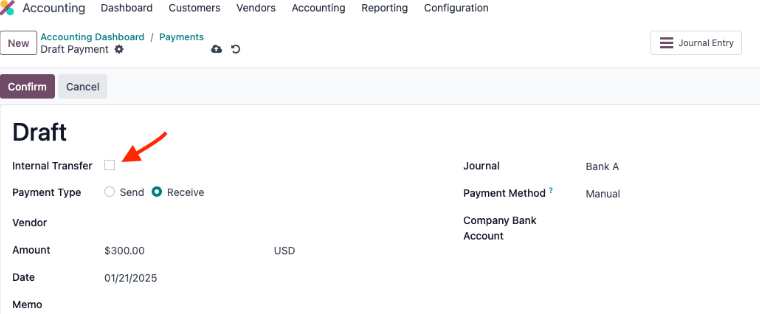
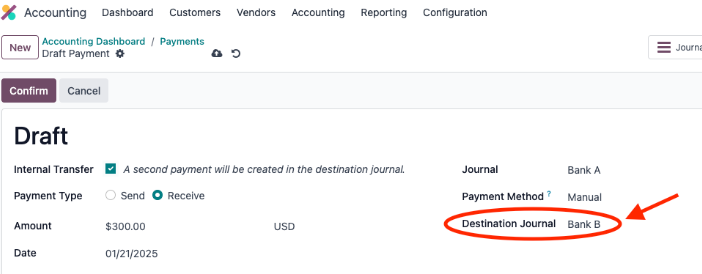
When you confirm it, you will be able to see it in the dashboard of Bank B journal.
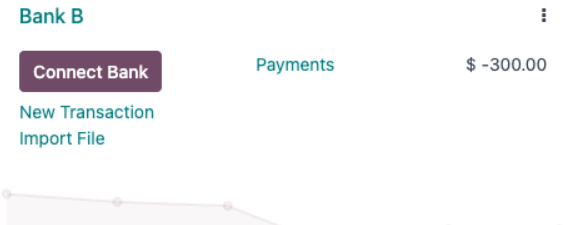
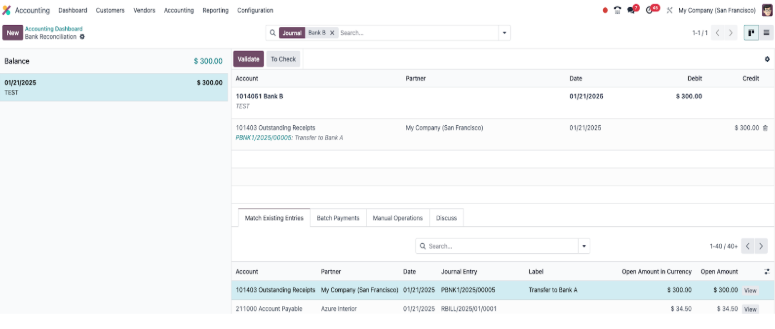
Then you proceed to create the transactions to reconcile them in their respective journals.
Odoo Version 18
Differences between version 17 and 18.
- The biggest difference between versions is that in version 18 the checkbox named Internal Transfer is no longer available.
- The process to create an internal transfer is different, you can see it below.
To create an internal transfer in Odoo 18 we will avoid the step to first create a payment, then reconcile it, since we will manually create the transfer from the bank reconciliation view.
1. Generate the transaction from the journal which is sending the money (Bank A in our example). The amount has to be negative since we are taking away money from this bank.

2. Click on the match button, then click on the Internal Transfers Button and Validate.

3. Go to the journal of Bank B and also generate the transaction there. (This time the amount has to be positive).

4. Click on the match button, then Internal Transfers and then Validate.
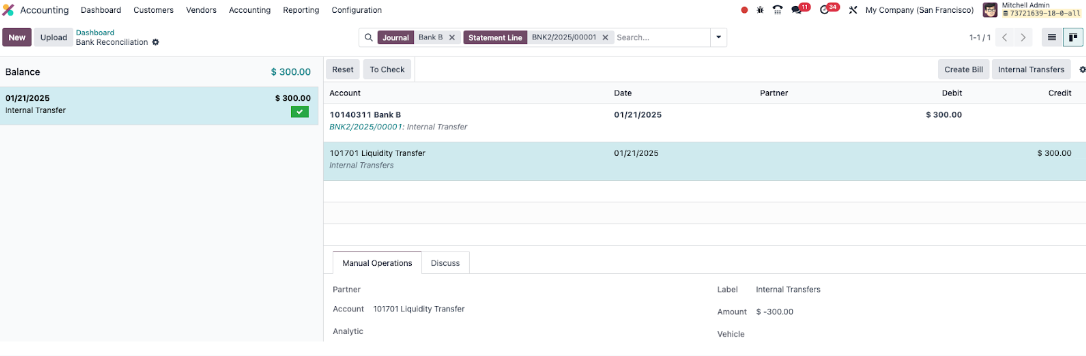
This will complete the transaction.
Internal transfer without bank reconciliation Odoo 18
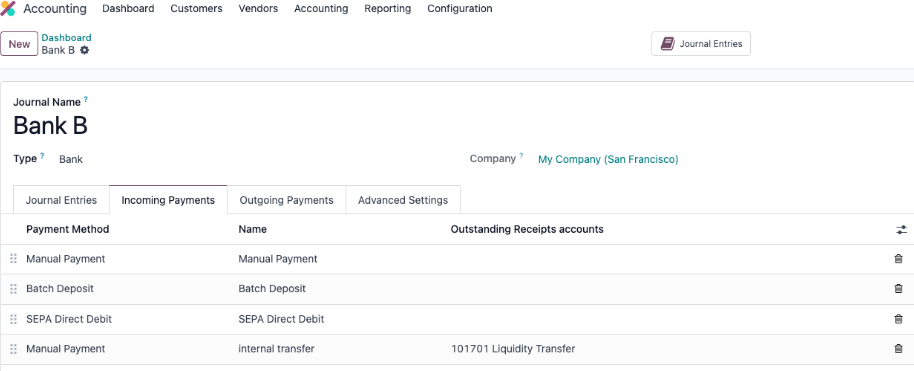
If you want to avoid bank reconciliation, you need to set a new payment method in the bank journals, a manual payment with the name “Internal Transfers” and use as outstanding receipts/payments account the 101701 Liquidity Transfer which is the one that Odoo uses by default for internal transfers.
After everything is configured, simply choose the appropriate payment method when entering a payment manually.
Example of the configuration below:
If you require assistance, please contact us through a Support Ticket.
Task-4459135

It is not necessary to create an Internal Transfer or any other Payment in Odoo in advance of confirmation of the payment via the bank statement (so you can let your bank do the work instead!).
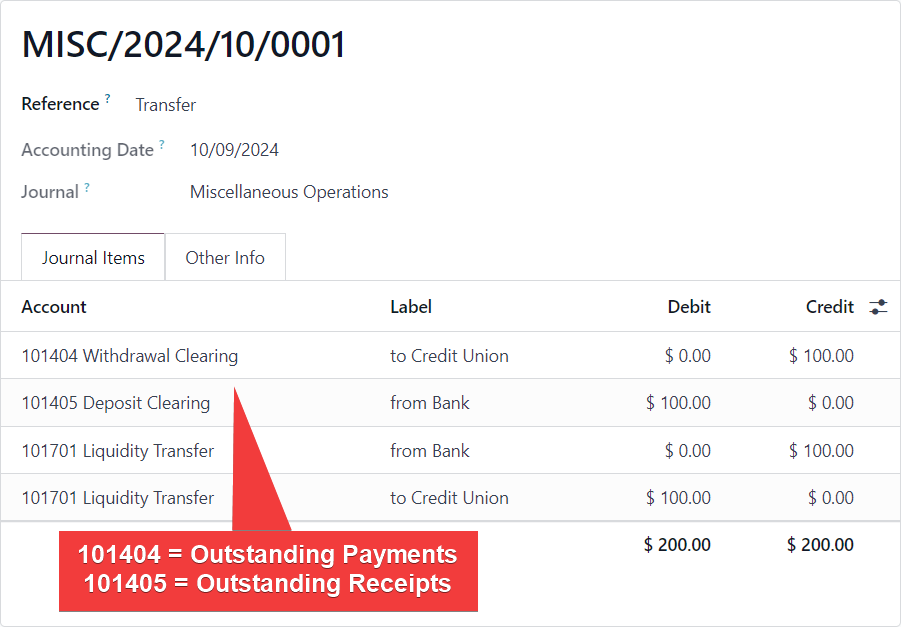
However if you want to see your internal transfer in the general ledger before you reconcile it with the bank statement, and also therefore see it during bank reconciliation (this means you have configured Outstanding Accounts on your Bank Journals) because you are entering all payments into Odoo in advance:
You can enter a two sided Journal Entry posting to those accounts that results in the payment showing in MATCH EXISTING ENTRIES during bank reconcilation:
Example:

Hi,
Please refer to the following links:
1. https://www.odoo.com/documentation/18.0/applications/finance/accounting/bank/internal_transfers.html
2. Solved Forum: https://www.odoo.com/sl_SI/forum/pomoc-1/internal-transfer-between-banks-v17-and-v18-265438
Hope it helps.

There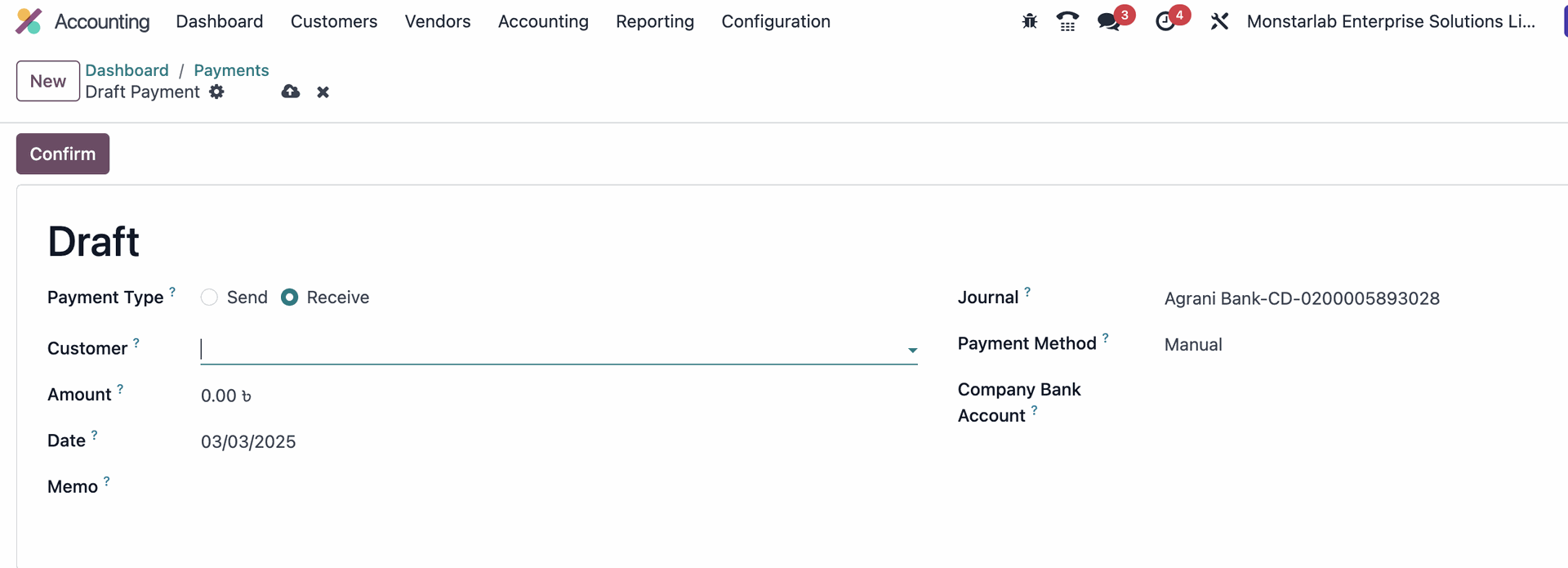
There is no internal transfer check box!! did not find the internal transfer option in the reconciliation as well.
| 相關帖文 | 回覆 | 瀏覽次數 | 活動 | |
|---|---|---|---|---|

|
0
7月 21
|
4857 | ||


|
2
6月 26
|
93 | ||

|
0
6月 26
|
4 | ||

|
1
6月 26
|
195 | ||

|
2
6月 26
|
185 |

How can we manage internal transfers if account_accountant module is not installed please ?