
Hello, we are using the Odoo 16 community edition. I need an option to mass lock sales orders once they are delivered. Any suggestions?
Bu soru işaretlendi
1
Cevapla
2181
Görünümler


Hi,
* To lock the sales order after delivery, we need to inherit the 'Validate' button in the Delivery Order (stock.picking).
class StockPicking(models.Model):
    """Inherits stock.picking"""
    _inherit = 'stock.picking'

    def button_validate(self):
        """Call the function for locking the sale order
         while clicking on the validate button"""
        res = super().button_validate()
        self.sale_id.action_done()
        return res
This will result in the corresponding sales order being locked whenever the delivery is confirmed.
* For mass locking, we have to add a server action.
1- Enable developer mode
2- Go to Settings > Technical > Server Actions
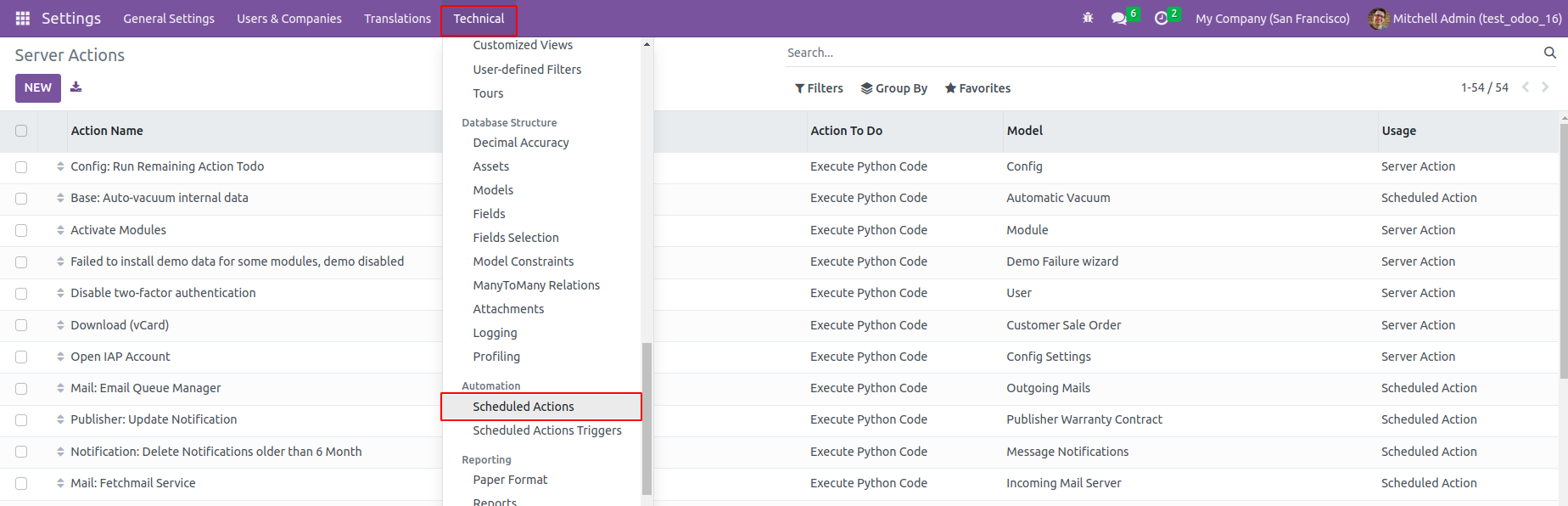
3 - Add new server action.
Action name: Mass Lock Sale Order
Model: Sales Order
Action Do: Execute Python code
Python Code :
for record in records:
action = record.action_done()
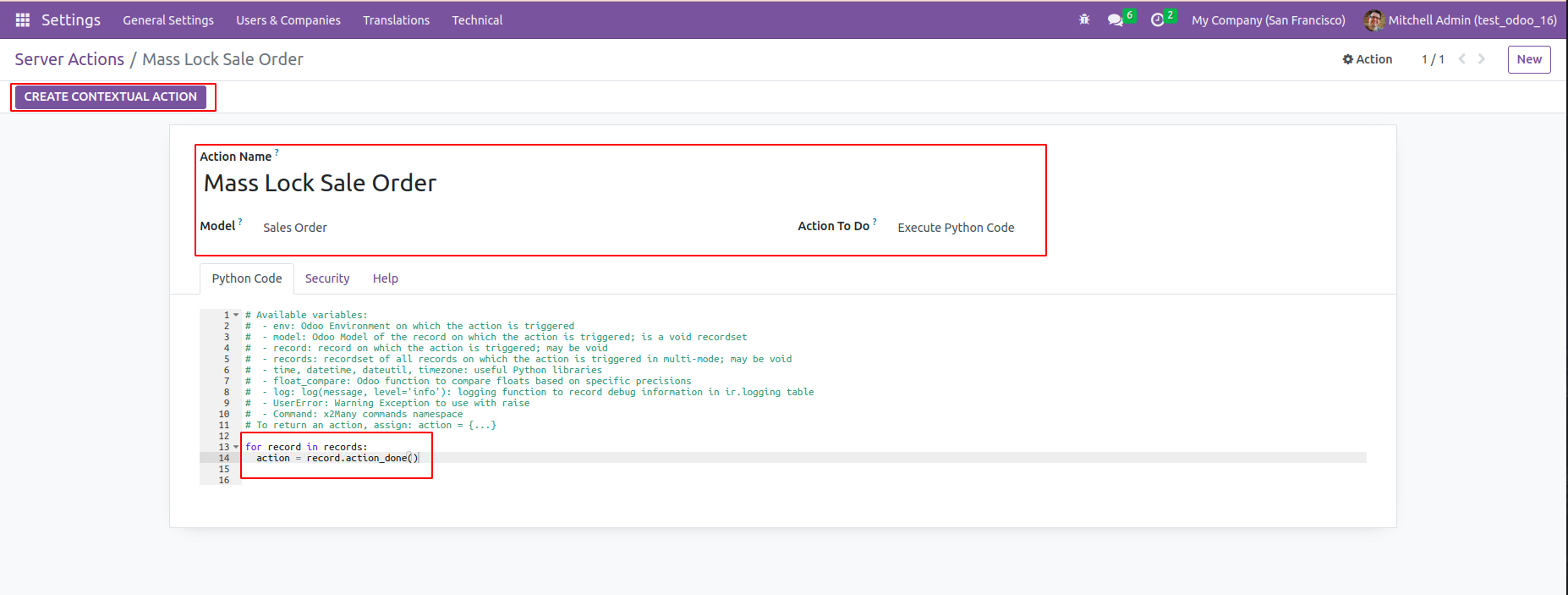
Click the 'Create Contextual Action' button
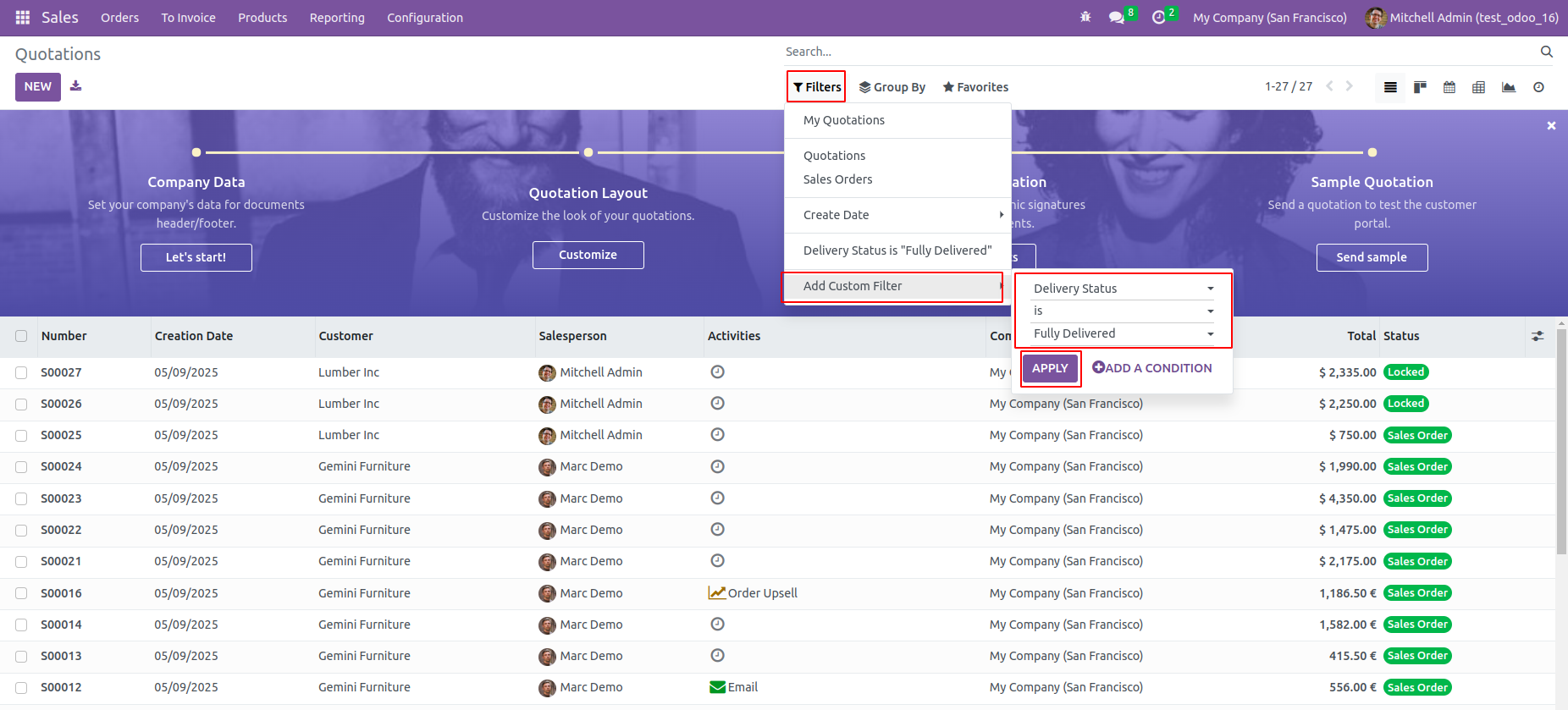
4- Go to sales orders and filter all the orders that are to be locked.
To get all delivered orders, add the following filter.
5- Select all the orders and click on the 'Mass Lock Sale Order' from the action menu.
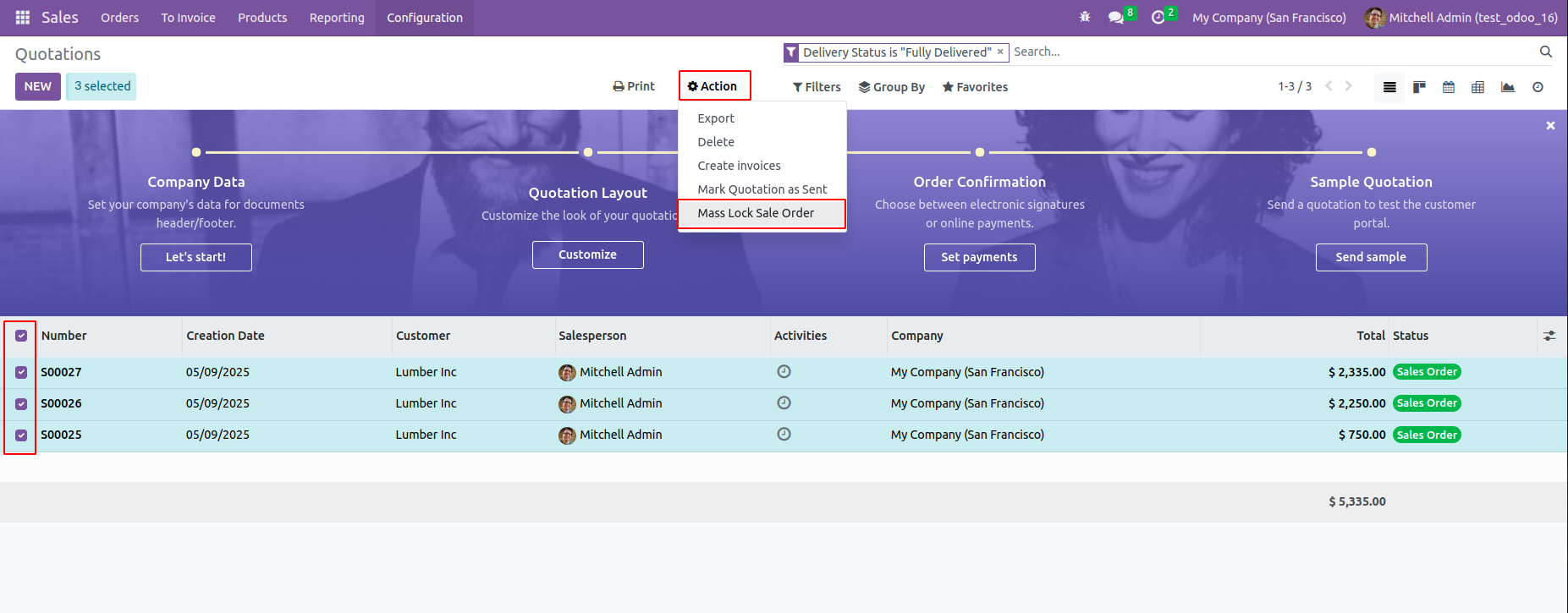
6- You can see all the selected orders are now turned to locked state.
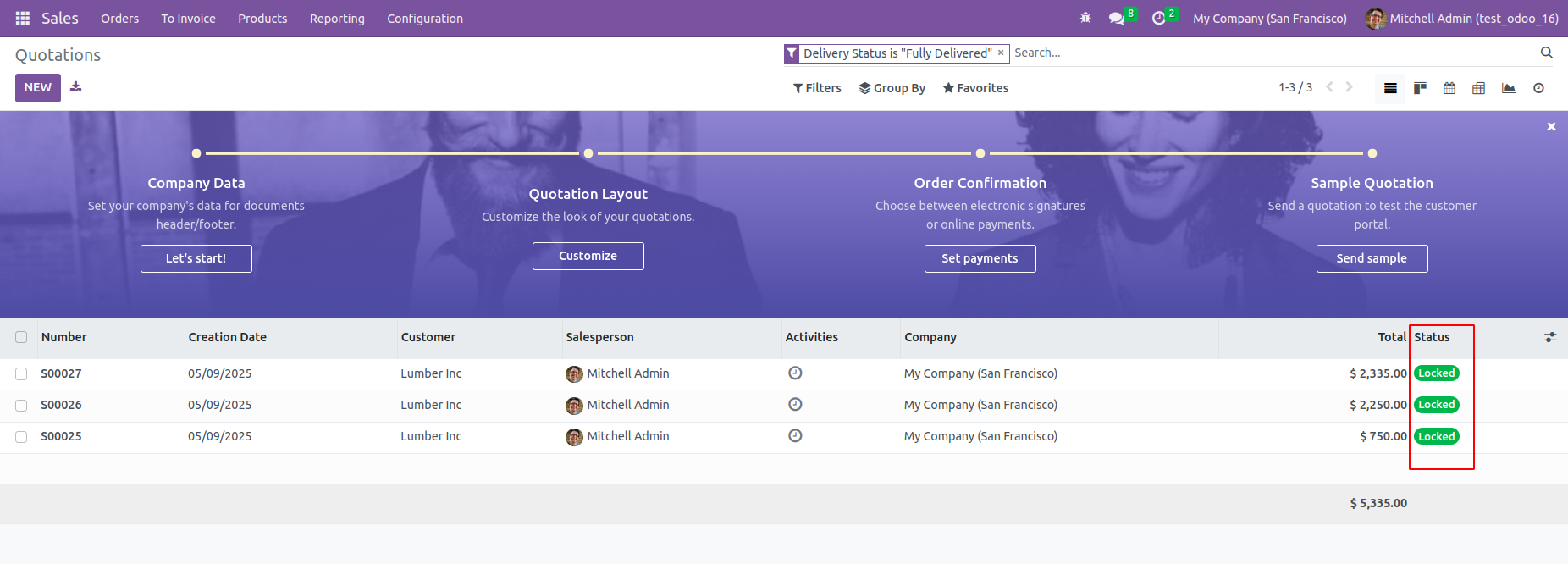
For more information, refer to the following
* https://www.cybrosys.com/blog/how-to-lock-confirmed-orders-in-odoo-16-sales-module
*https://youtu.be/DJ-V1ZLYcu0?si=1WdYlGnHgSgy7vmE
Hope it helps.
Tartışma hoşunuza mı gidiyor? Sadece okumakla kalmayın, katılın!
Özel özelliklerden yararlanmak ve harika topluluğumuzla etkileşime geçmek için bugün bir hesap oluşturun!
Üye Ol| İlgili Gönderiler | Cevaplar | Görünümler | Aktivite | |
|---|---|---|---|---|


|
2
Mar 26
|
1193 | ||


|
2
Oca 26
|
1547 | ||

|
0
Ara 24
|
2562 | ||


|
2
Nis 25
|
4331 | ||

|
0
Ara 25
|
2326 |
