
How do I print a field on the report based on whether or not a specific string of values are present?
Această întrebare a fost marcată
1
Răspunde
3314
Vizualizări

We cannot hide/display fields on a printed report, based on specific words, In technical terms “ilike” operator. However, there is a workaround that would make this possible through studio.
In this example I will be taking a store that would like to print the customer Code on the sales order only if the code has the word ASDF in it.
Create Studio Fields
Create a text field using studio on the Sales order and I am going to call it Customer Code
Create a checkbox field on the sales order and I am going to call it Code has ASDF?
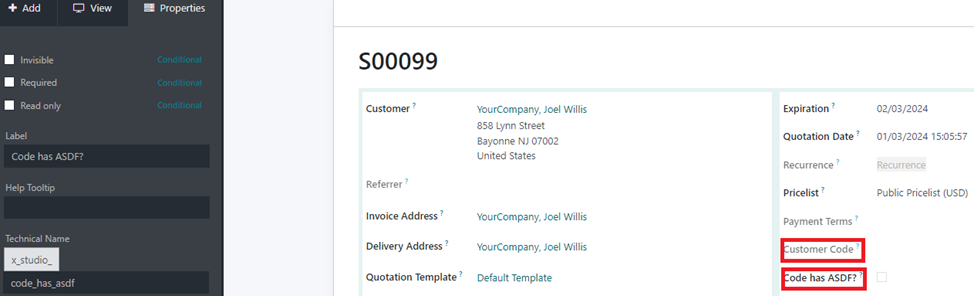
I am going to hide the checkbox field on the view so that users cannot change the value of the field.
Create an automated action.
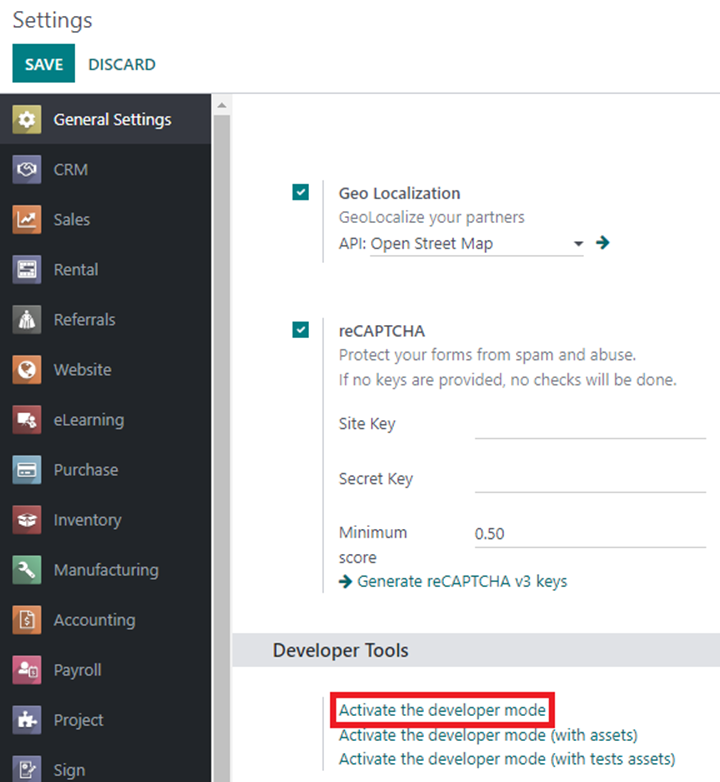
Enable developer mode from Settings.
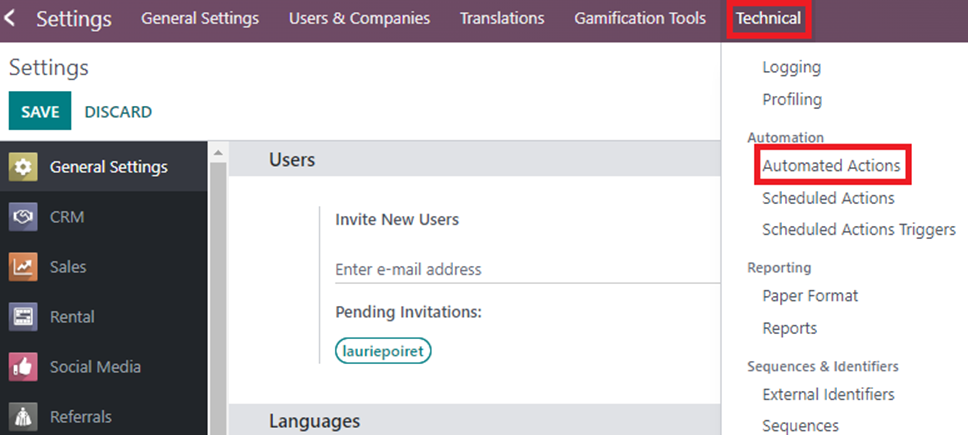
Go to Settings -> Technical -> Automated Actions
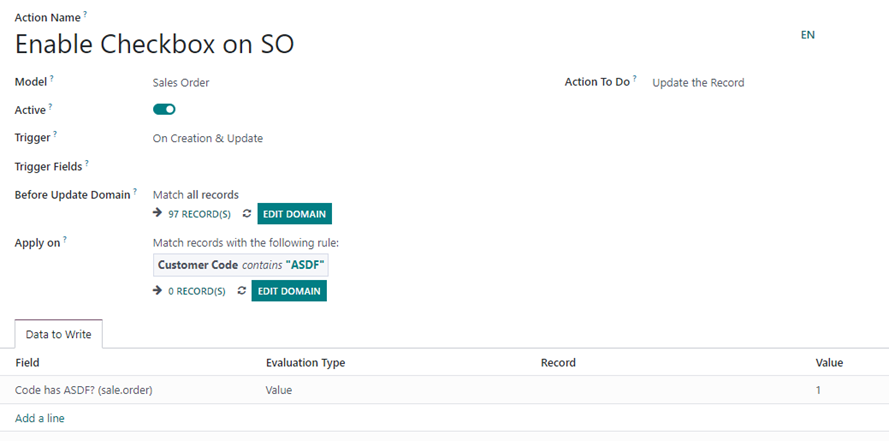
I am going to call the automated action as Enable Checkbox on SO.
Select the model as Sales Order
Trigger as On Creation and Update and Action to do as Update the Record
Set the Apply on Condition as Customer Code contains “ASDF”
Set the data to write as Code has ASDF? With the value “1”.
Studio Report Customization
Go to Studio Report and add the Customer Code field to the report by dragging and dropping it on the report.
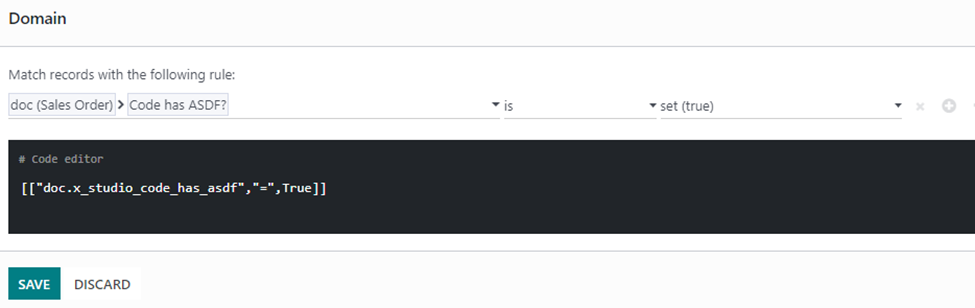
Select the field and set the visibility condition Sales Order > Code has ASDF? Is TRUE. If the checkbox is enabled the field will be displayed on the printed report.
Îți place discuția? Nu doar citi, alătură-te!
Creează-ți un cont astăzi pentru a beneficia de funcții exclusive și a interacționa cu minunata noastră comunitate!
Înscrie-te| Postări similare | Răspunsuri | Vizualizări | Activitate | |
|---|---|---|---|---|


|
2
oct. 25
|
12000 | ||
|
|
1
dec. 23
|
5675 | ||
|
|
1
dec. 24
|
7399 | ||
|
Tax distribution import template
Rezolvat
|
|
1
feb. 26
|
3702 | |
|
|
1
feb. 25
|
5462 |
