

Odoo 13.4, the result of hard work
At Odoo, we are proud to announce the release of Odoo 13.4, our most elaborated version to date. Once again, we have done our best to be up to date regarding the expectations and needs of our customers in terms of business management.
Our employees have worked hard to provide you with the best applications ever! Thanks to their involvement, we can confidently say that Odoo 13.4 is the perfect software for all your business needs. Let me guide you though all these improvements. You can find a more detailed list on our release note.
CRM, boost your close rate
Our CRM application is more and more complete following its full integration with other applications. For example, inspired by our internal process, it is now possible to create leads from event registrations. Indeed, events are a powerful source of leads. They produce quality leads containing essential contact information, making it easier for our salespeople to follow up. Then, you can also create a rental quotation from the CRM application. Finally, the tags added on opportunities are now copied to the sales orders. Three examples, three links with different applications: Event, Rental and Sales. How cool is that?!
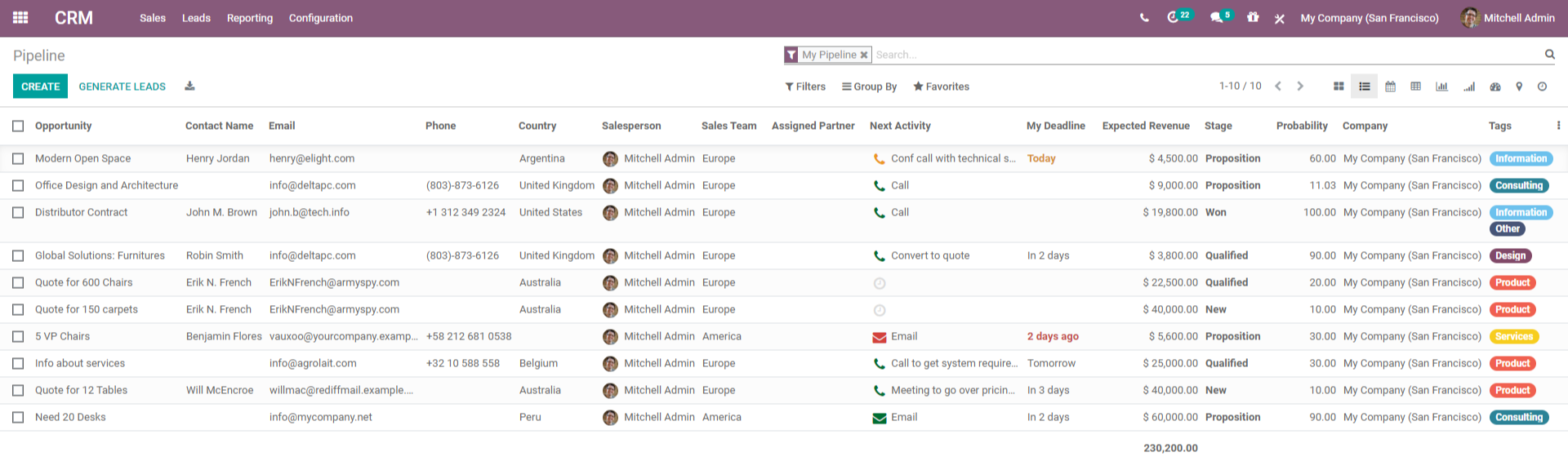
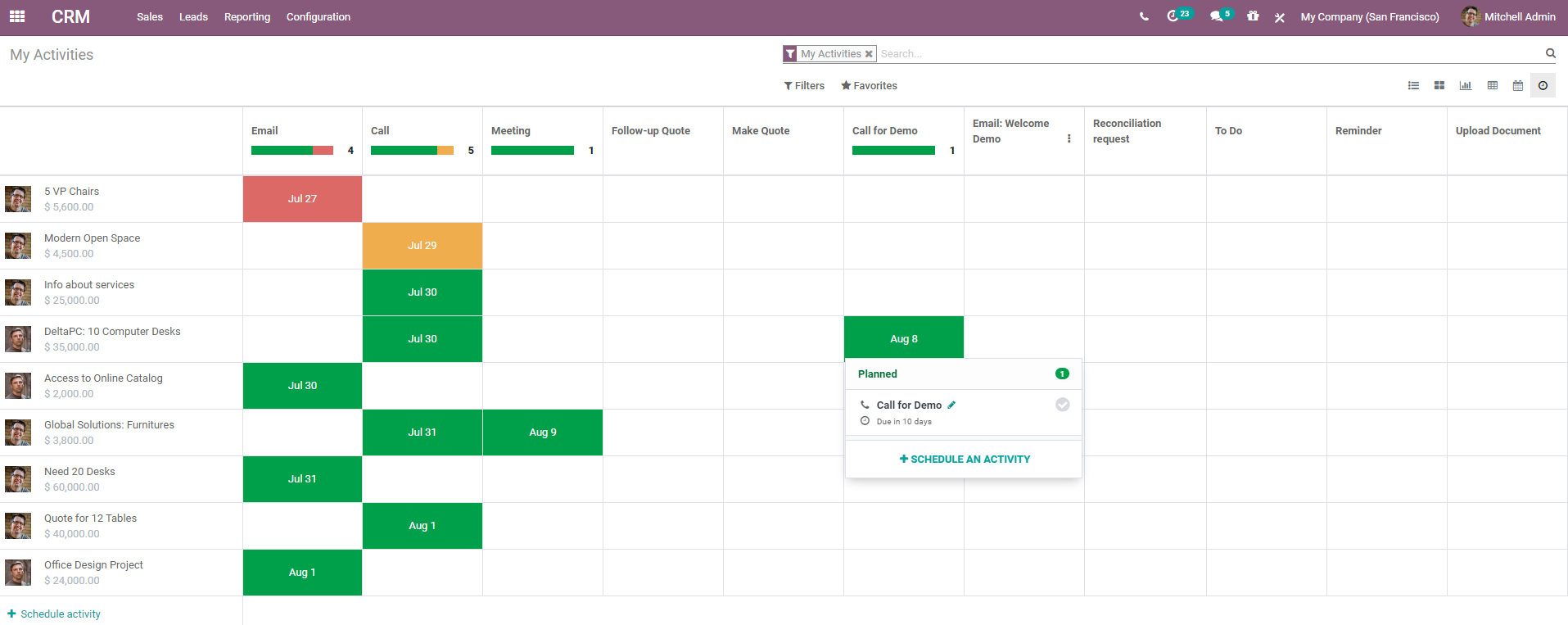
Not to mention that there is a new "My activities" view allowing users to easily overview and process their To-Do list, they also have the possibility to choose the colors of their tags while seeing them, they can even have access to UTM information from the treeview and finally, the phone number and email address of an opportunity can always be edited and are propagated to the partner if there is one linked. Tracking leads, closing opportunities, and getting accurate forecasts has never been easier!
Odoo CRM is definitely a tool you should take advantage of!
Events, build your relationships
All improvements have been done to improve the user experience on our Events application. First of all, a guided tour has been introduced to help users take their first steps into the application. Then, users have the possibility to modify a particular event, the following ones or all events that are part of a recurrence from the Calendar view. Speaking of improvements in terms of views, events are colored according to the stage in which they are in the Gantt view and, the Kanban view is now clearer when displaying how many attendees could show up as well as other places where attendees are mentioned.
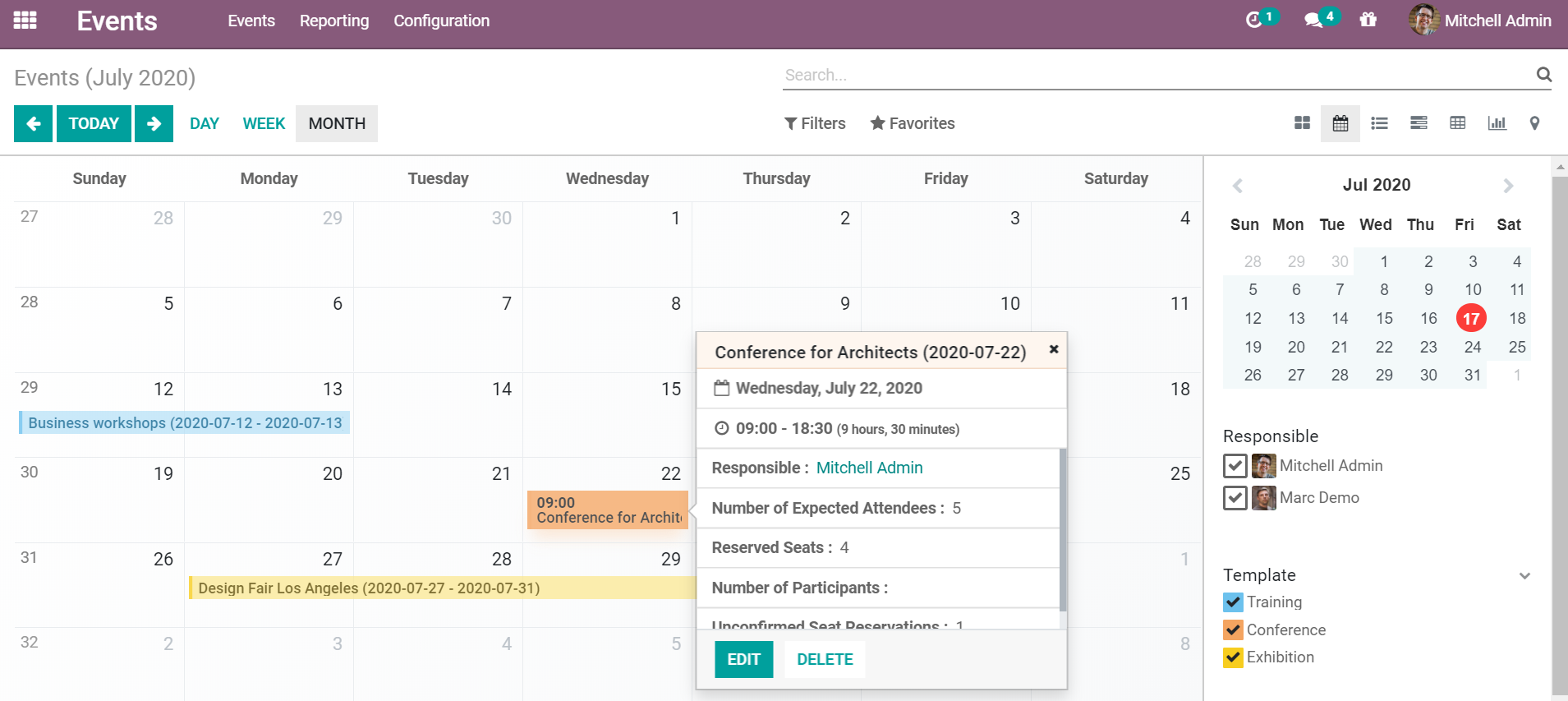
More than that, you can also ask open questions to your attendees when they register because free text questions are now allowed in addition to multiple-choice questions. Finally, to complete the user experience, we have created the "Registration Desk" mode. This mode is a clearer way to manage registrations for multiple events occurring at the same time and in the same place. Everything has been thought out so that you can find your way around and excel in your work with Odoo Events!
Inventory, control your profits
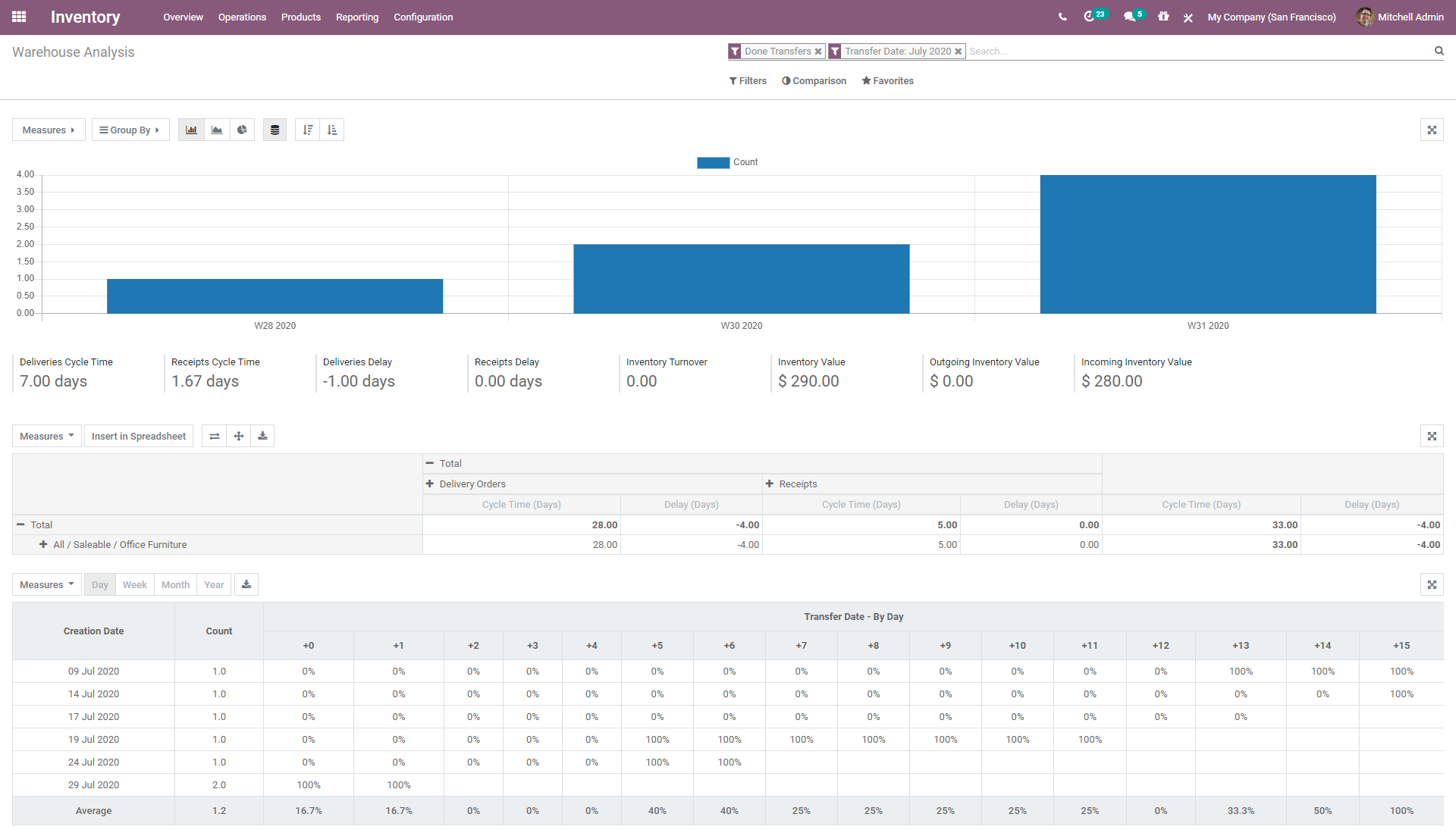
What is new in our Inventory application? I don't know if it's the fact that we can remove multi-warehouse settings or that we are now allowed to write a textual description of operations, the possibility to create manual reordering rules and so suggest a replenishment report that shows which products need to be replenished manually, the improvement of duplicated serial number message, the consistent behavior of statistical buttons, the various stock reports when archiving a product or, the ease of transferring information relating to the product ordered from the sales order line to the manufacturing order or purchase order generated that makes Odoo Inventory even more efficient? Oh wait... Yes, it's correct! That's all of that!
Project, improve your planning strategy
New onboarding tour, additional templates when creating a new project and new Kanban examples are just a tiny part of the novelties regarding the features of the Project application.
Prior to Odoo 13.4, there was no clear overview of the number of hours initially planned and what was already planned when forecasting resources for a task. This made planning difficult. In addition, there was no direct link between the task and the forecast. But now, thanks to Odoo 13.4, it is easy to access the planning directly from your tasks and to plan them efficiently thanks to the overview of the number of hours initially planned and the hours already forecasted for your tasks.
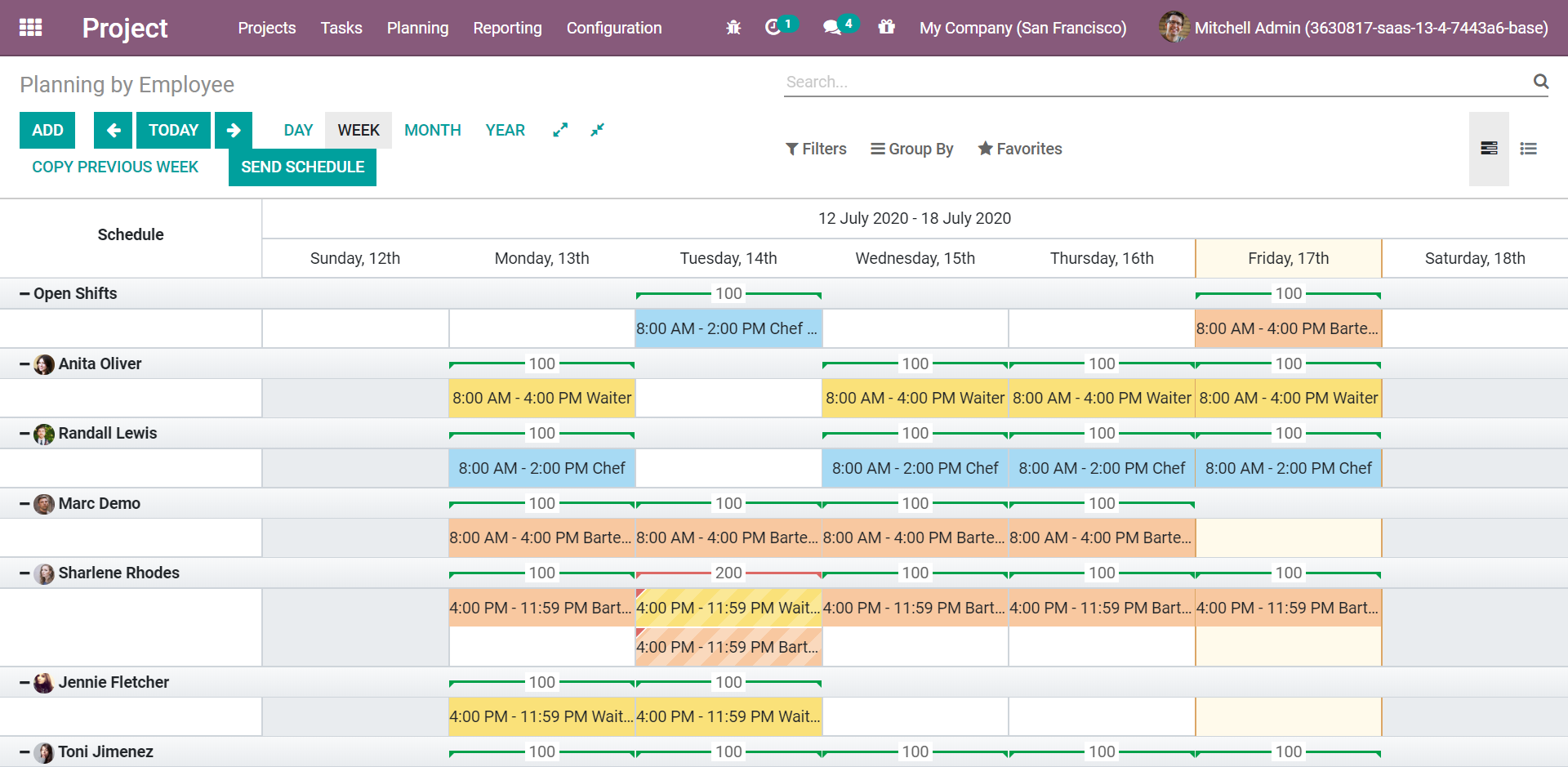
With Odoo Project, it has never been easier to manage all your projects in one click!
Spreadsheet, link related data
The interface of the Odoo spreadsheet feature as well as its menu, toolbar, and function bar have been improved. Everything has been done to facilitate the user experience.
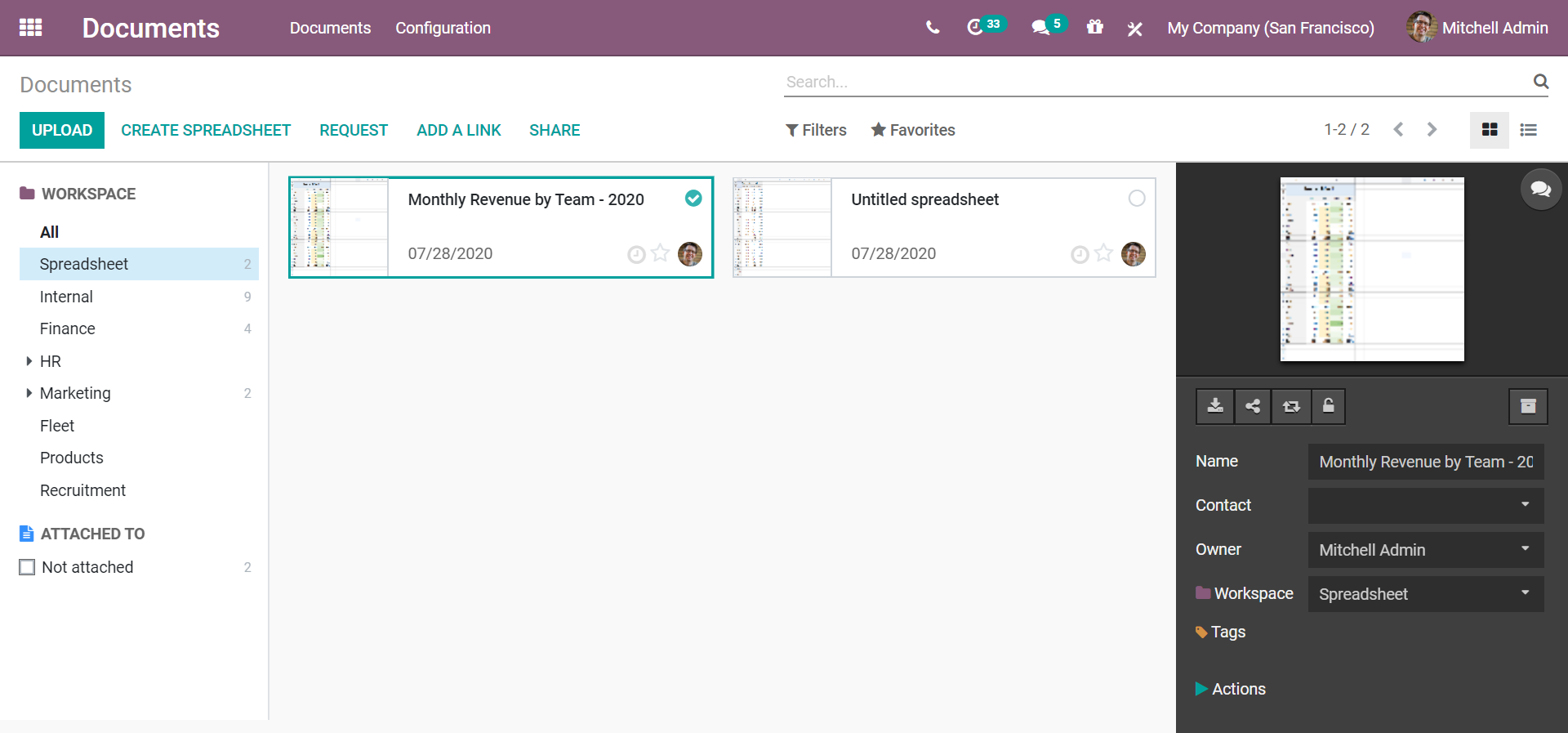
For example, now you can display the name of the spreadsheet and you can even edit the spreadsheet itself. There is a whole new general design and a lot of improvements in terms of layout. Finally, we also thought about improving pivot properties. This is why you can now reinsert an existing pivot, update the structure of a pivot already in a sheet, design a properties tab for the user and also, insert a pivot into an existing spreadsheet.
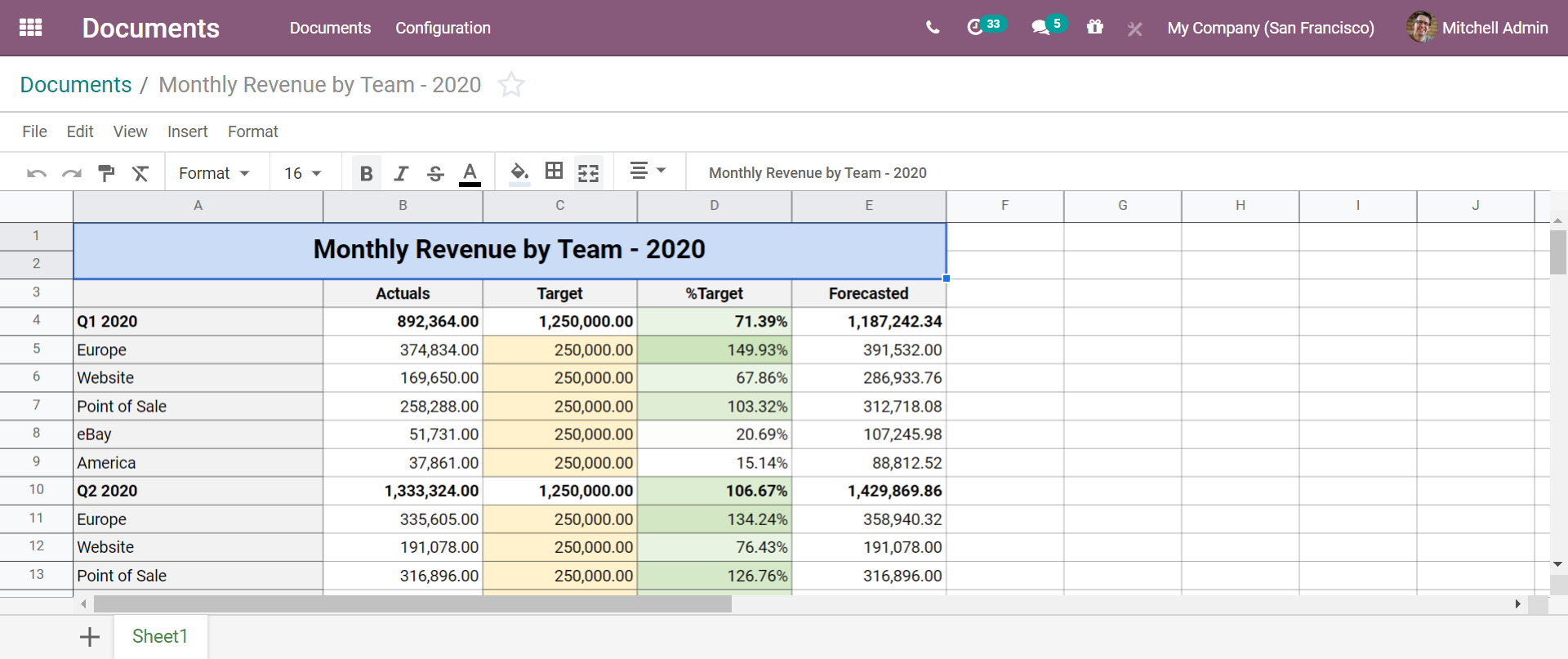
Now, you are ready to analyze all your data using this amazing feature!
Studio, customize your world
Odoo Studio is one of the applications that has been completely revised for Odoo 13.4. Any type of customization is now possible!
From the user's point of view, it is now possible to customize the visibility of tabs and groups, relabel the feature of the model configurator, preset reports to ease customization, block the studio interface during field creation to prevent erroneous manipulations and even, take advantages of a cleaner group customization.
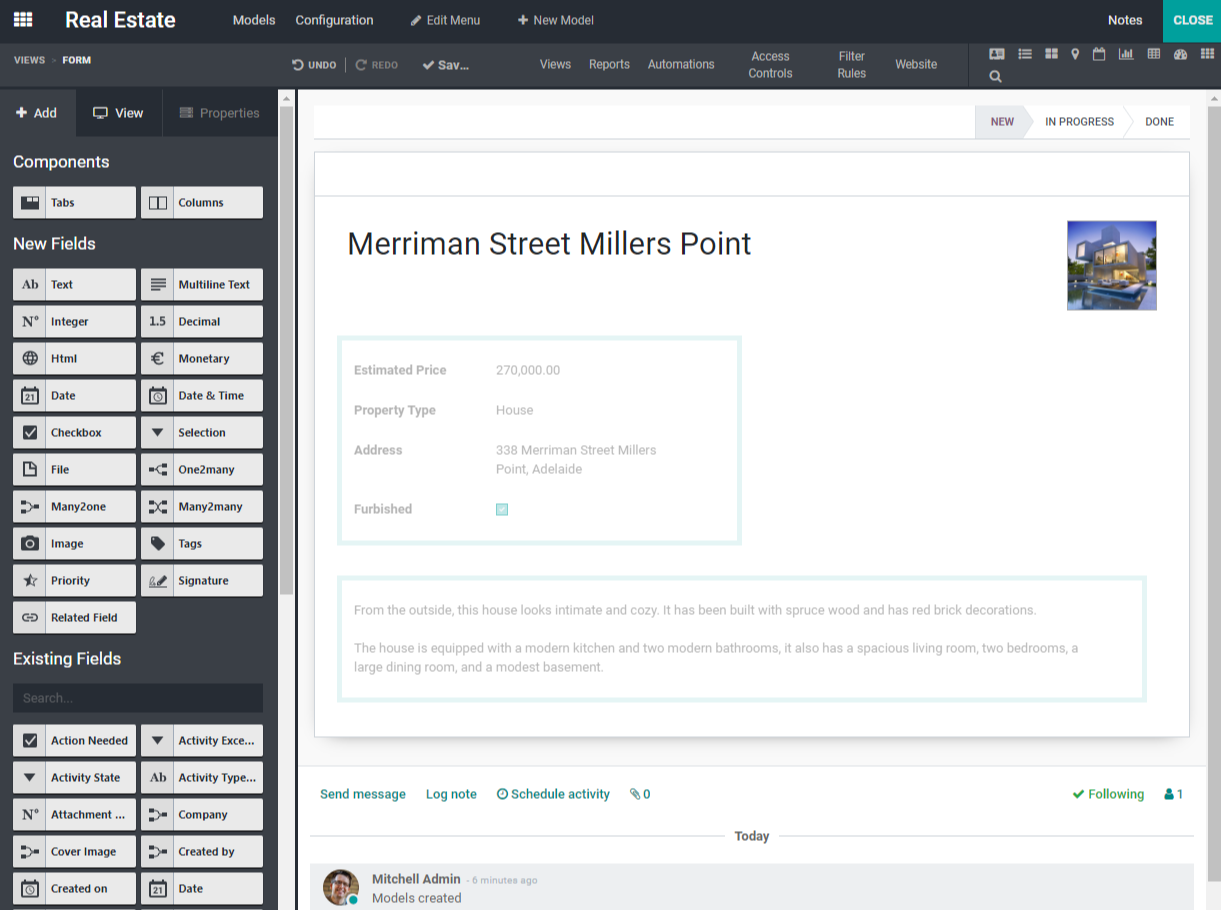
From a technical point of view, a lot has been done too! An avatar picture can now be added to form views, it is also possible to set an avatar widget on the custom responsible field, use a centered custom background, disable optional fields drop-down, easily create secondary models, customize the default sorting of list views, configure the default sorting of the user treeview, include the field type in the default name to create custom fields, configure approval rules on form view buttons, prevent the record creation from the many2many widget and finally, improve usability and uninstall details when customizing menu items.
Studio is definitely an application that you should think about to create beautiful applications, design awesome reports, customize advanced screens, automate business workflows and, increase your productivity!
Survey, anticipate users questions
There are a lot of new features in Survey. For instance, it is possible to add a description field to your front-end survey. Indeed, a new button was created to open the page in a modal to be able to write the description. In addition, you can now integrate conditional questions into your survey. It means that some questions will only be displayed if the user has selected a particular answer in another previous question. How convenient is that?! Finally, what about the user experience? Users can access scoring mechanisms, and demo data on additional question types (numeric value, date, date-time) and they can verify the accuracy of answers. Not to mention that all of this is possible with a cleaner interface (no more header, LiveChat, or footer) and also possible in live mode.
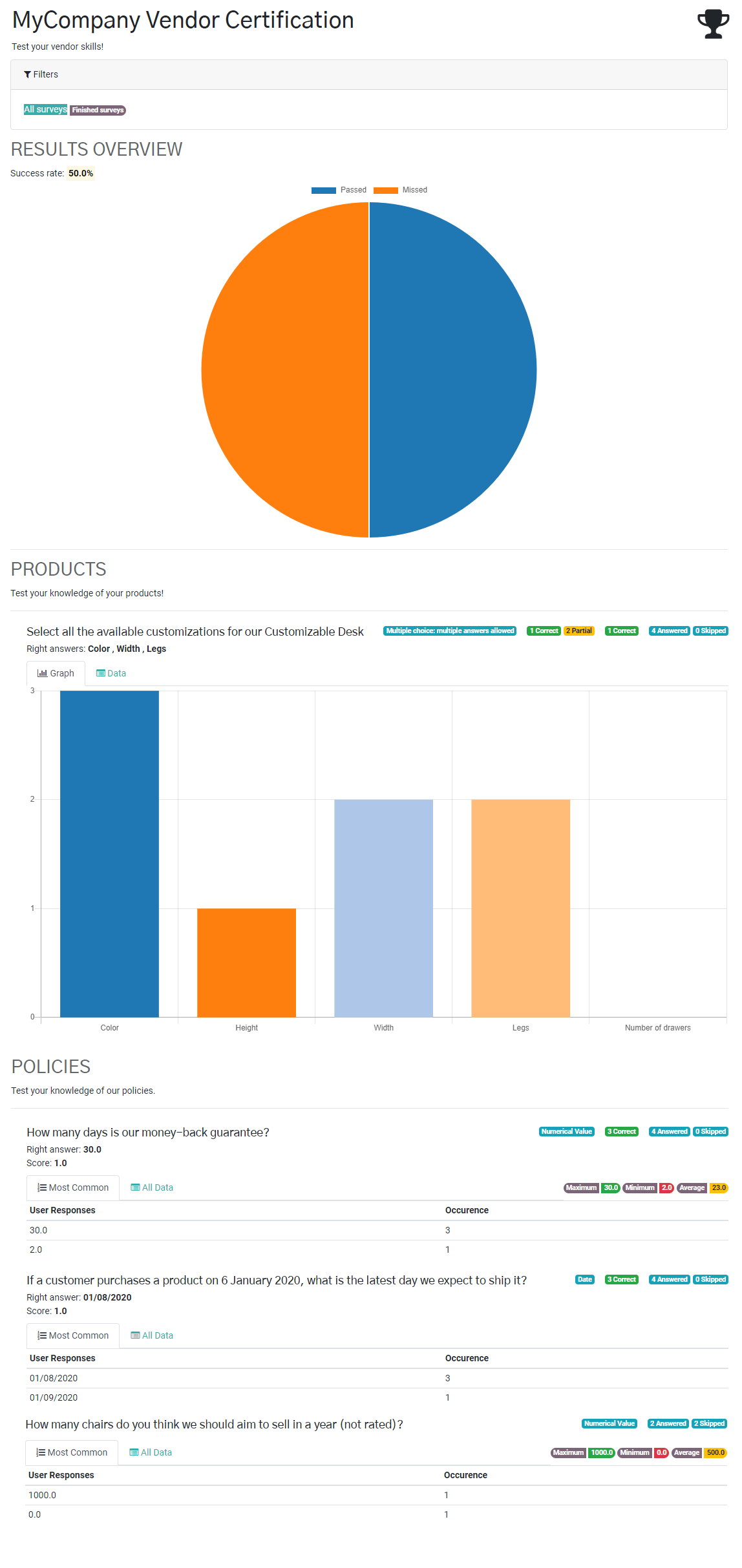
Odoo Survey is the platform to manage it all!
Website, promote your ideas 24/7
Let's begin with a tour of the features that have been improved. Odoo Website allows you to use a new background color system, prevent editing of certain blog fields, play with new fields and snippets in forms, find your position in the leaderboard and set privacy on your forums, activate the "Coupon and Promotions" feature even if you do not have the Sales application, facilitate the downloading of images and the search in the media dialog box (without forgetting that there is more space for images, the search can also be merged and images are automatically optimized in the media dialog), display the website logo (not the company one) in the SEO dialog, use templates for headers and footers, etc. There is so much to say about all these amazing new features!
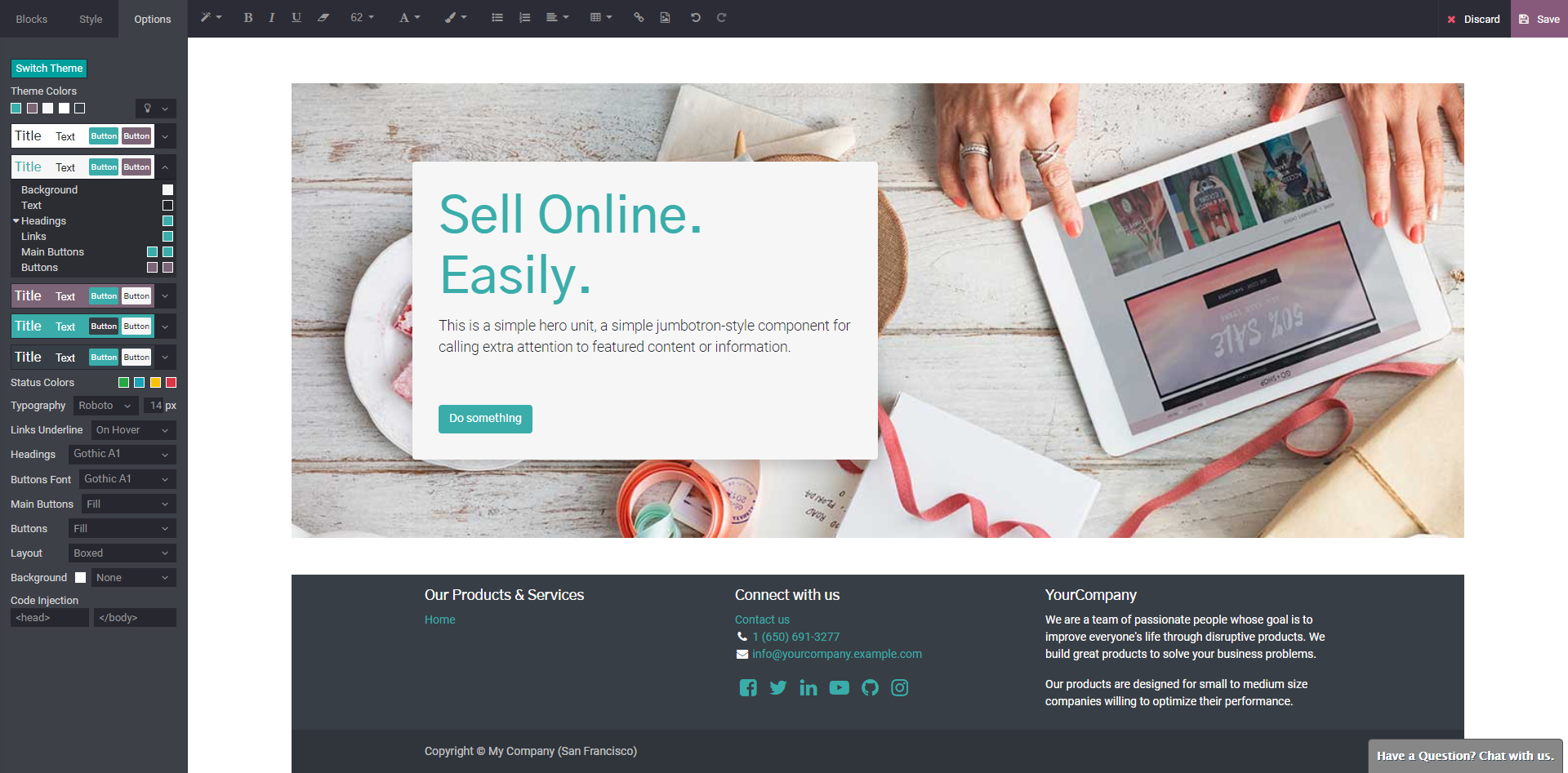
Let's continue with usability improvements. What if I tell you that users will be able to see what Odoo will look like in their daily use? That it is now possible to use keyboard shortcuts and full-screen mode? Or that you can publish your page on mobile, mark outdated snippets, mass publish via list editing mode, ... ? Everything is possible with Odoo Website! Technically speaking, users are allowed to add HTML and scripts that enhance specific parts of their site, disable sanitization of the HTML field, select multiple records in the list view and use a brand-new treehouse.
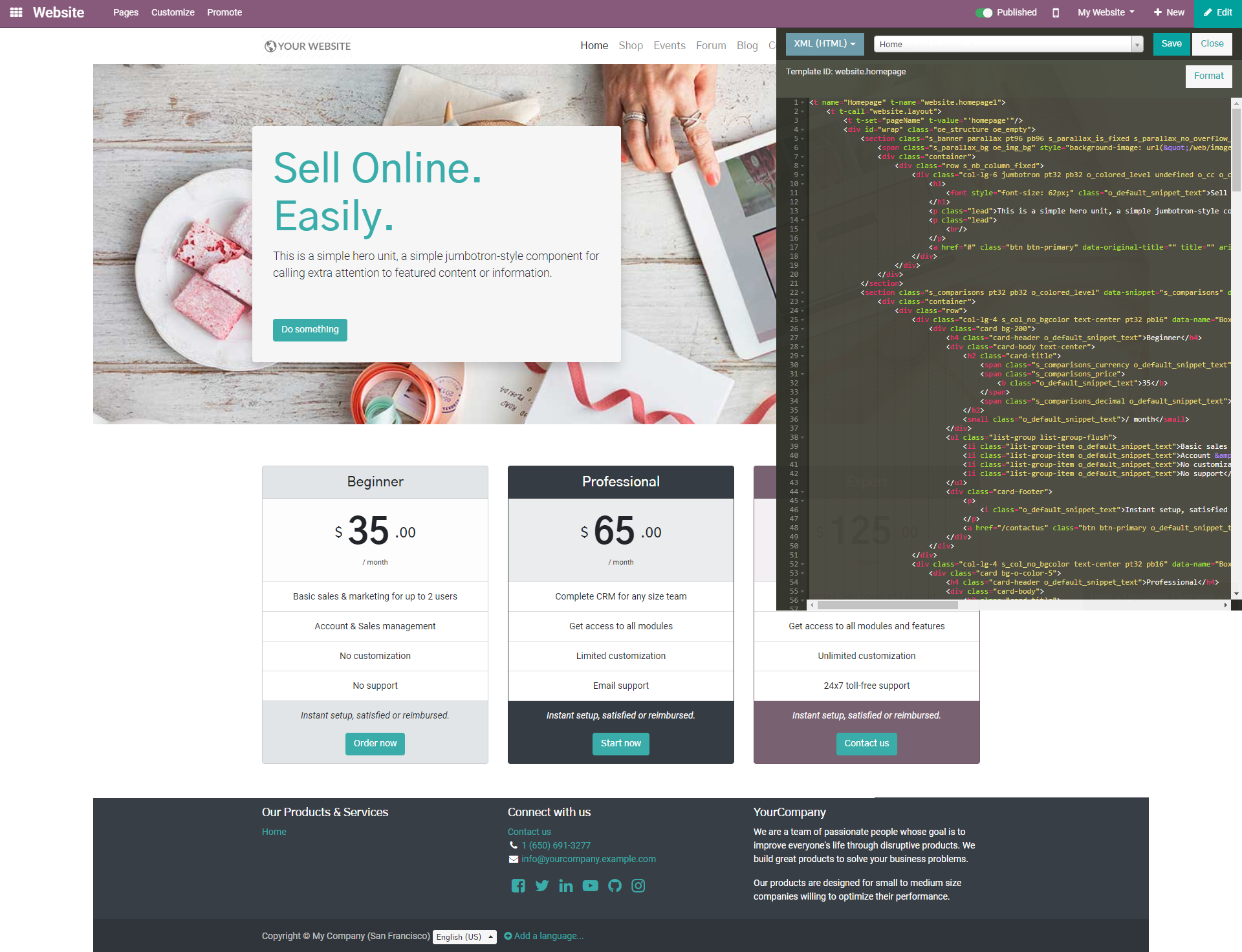
Finally, let's talk about the lastest improvements of the Left Panel and Themes features. What about the left panel? You can move the snippet options from the product search bar directly to the left panel with the standard snippet options widgets. Drop-down lists are closed when you click outside the area. Image optimization has been reviewed. And finally, there are new color filters. And now, what about the themes? It is possible to deprecate the Bootswatch theme, control the shade of your blocks, unificy the dialog of the different color palettes and the color picker, clean building blocks and have full control over your borders.
Wondering if this application will be useful to you? I can certainly tell you: Yes, it will be! The Website builder is waiting for you. Give it a try!
Not convinced?
This description was an appetizer. I hope your interest is at its maximum!
I invite you to discover all our new features in our release note. Have fun!
