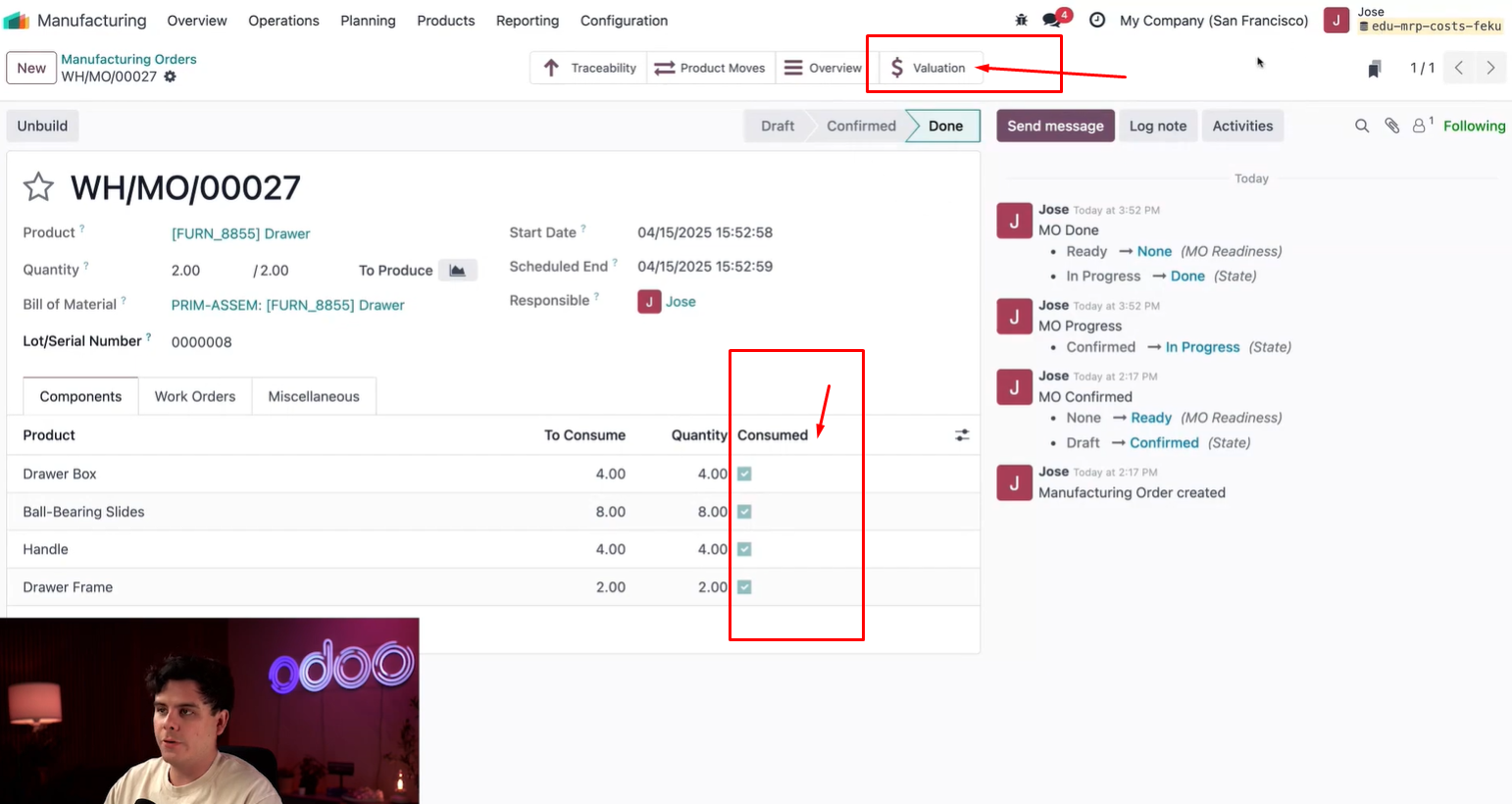
How can I activate Valuation smart button in MO.
✅ Modules: All installed

How can I activate Valuation smart button in MO.
✅ Modules: All installed

Hello Gleb Alekseev,
This is an intended change in Odoo 19
Odoo 19 has simplified the Inventory Valuation system. The old Manual vs Automated toggle on the Product Category has been removed as part of this redesign. New features were added in its place including:
From the official Odoo 19 Release Notes:
"Inventory valuation has been simplified and new features have been added, including a new closing interface and support for transfer backdating."
So if you are on Odoo 19 and don't see the Automated option on your Product Category — that's expected behavior, it no longer works the same way as Odoo 16/17/18.
If you specifically need the Valuation smart button back on MO or Receipts, that is no longer available natively — you would need a custom development to re-implement it.
Otherwise, use Accounting → Review → Inventory Valuation as the new standard way to track and review stock valuation in Odoo 19.
Accounting → Review → Inventory Valuation
You will see the new interface showing:
Resources to understand the new flow:
Video walkthrough: https://www.youtube.com/watch?v=jqMwAkv1f3g
| I Hope this information proves helpful to you. Thanks and Regards, Email: odoo@aktivsoftware.com |
Crea un account oggi per scoprire funzionalità esclusive ed entrare a far parte della nostra fantastica community!
Registrati| Post correlati | Risposte | Visualizzazioni | Attività | |
|---|---|---|---|---|
|
3
dic 25
|
9516 | |||
|
0
mar 23
|
4349 | |||
|
0
mar 26
|
840 | |||
|
0
giu 25
|
4476 | |||
|
MRP and FEFO
Risolto
|
1
mar 24
|
5379 |
1. Use the live chat to ask your questions.
2. The operator answers within a few minutes.