
For years we bought al sheet in 4x8' size. It is used on hundreds of BOM's. 2 months ago they started buying 4x10' sheets. Now I have many 4x10 sheets in inventory that are not really there and negative inventory on the 4x8 sheet part number. Is there a way to sub in the 4x10 for the 4x8 in all the boms at the same time or do I really have to modify each one by itself? I tried turning the 4x8 into a kit but that did not work either,. Previous systems I have used all had this function. replace part in std BOM.
Pertanyaan ini telah diberikan tanda
2
Replies
1903
Tampilan


There is no view for BOM line, therefore you need to get that views before editing
You can achieve it using Odoo studio as follows:
1- Activate Odoo studio and open it
2- Go to Edit Menu
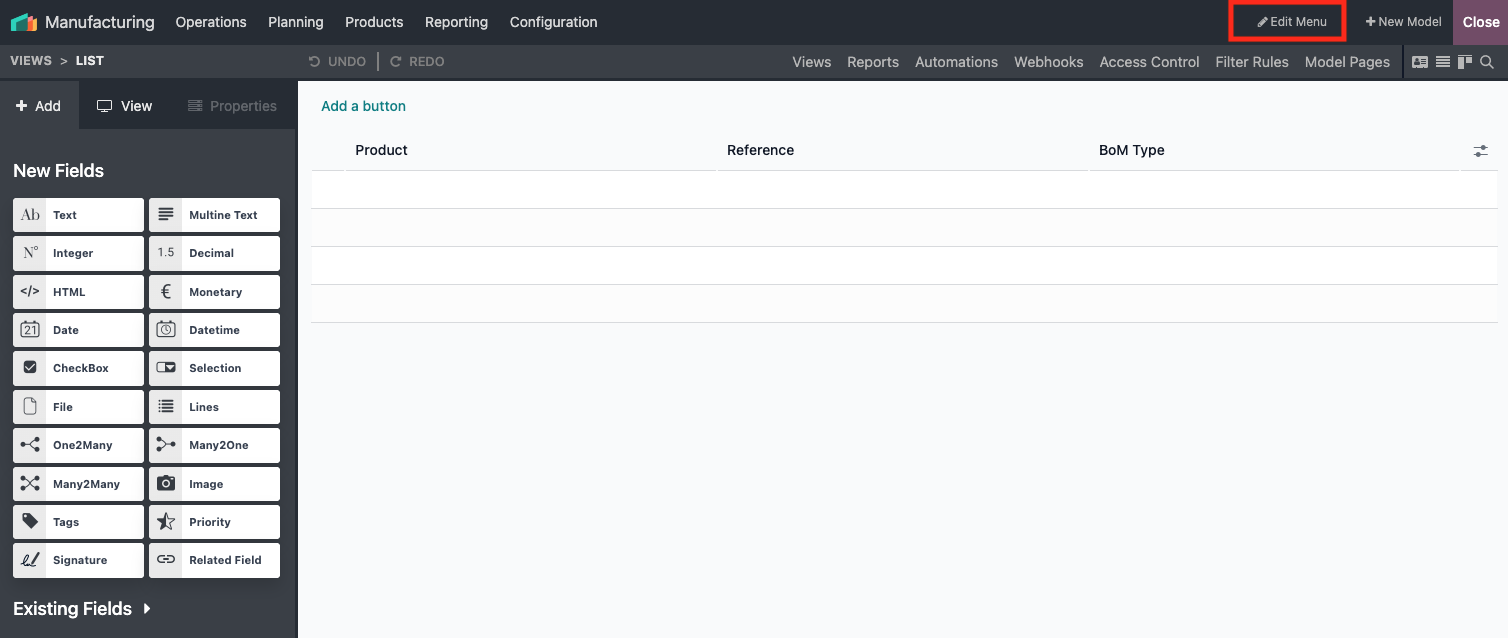
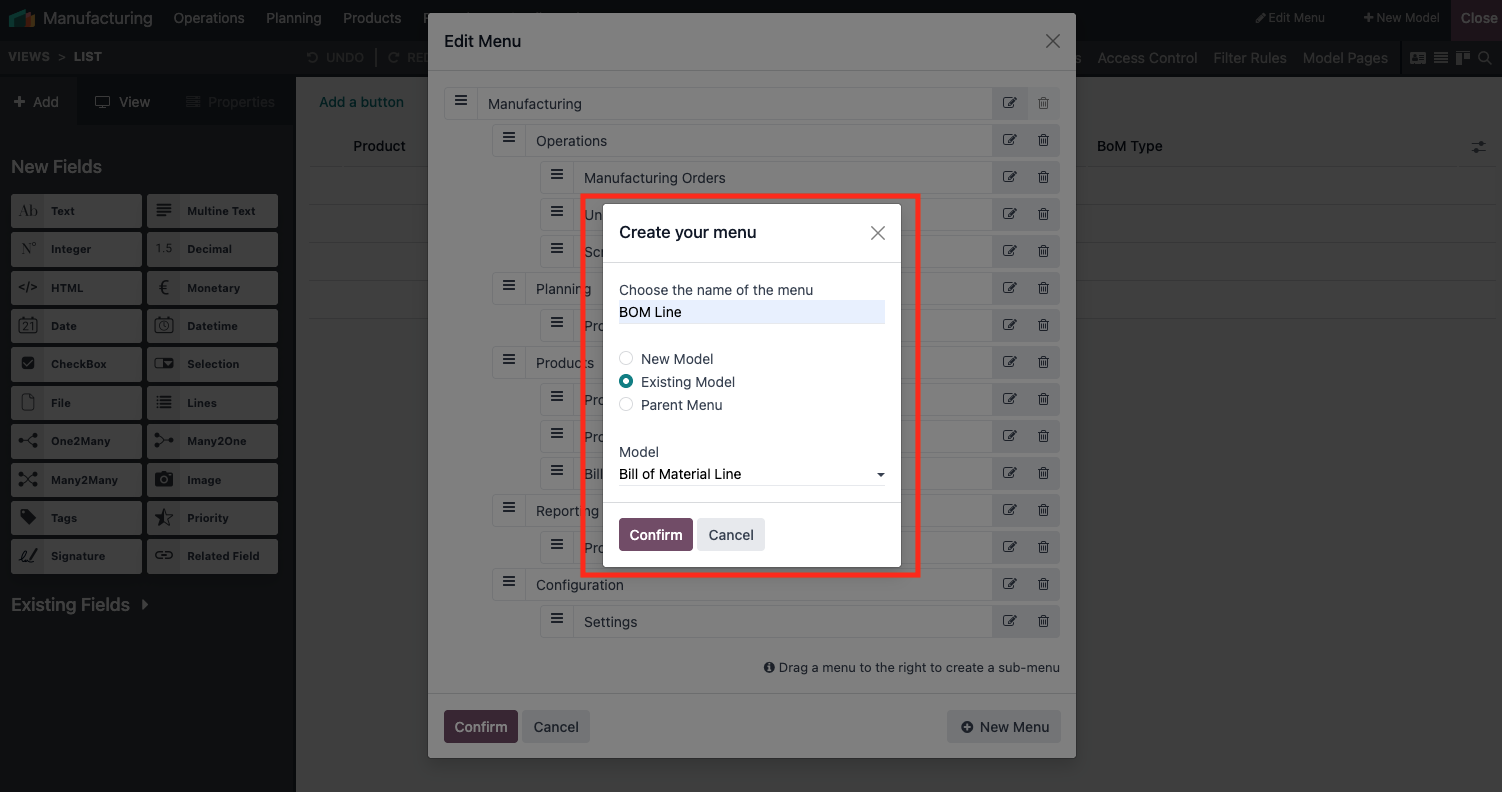
3- Click New Menu

4- Add your new menu like this
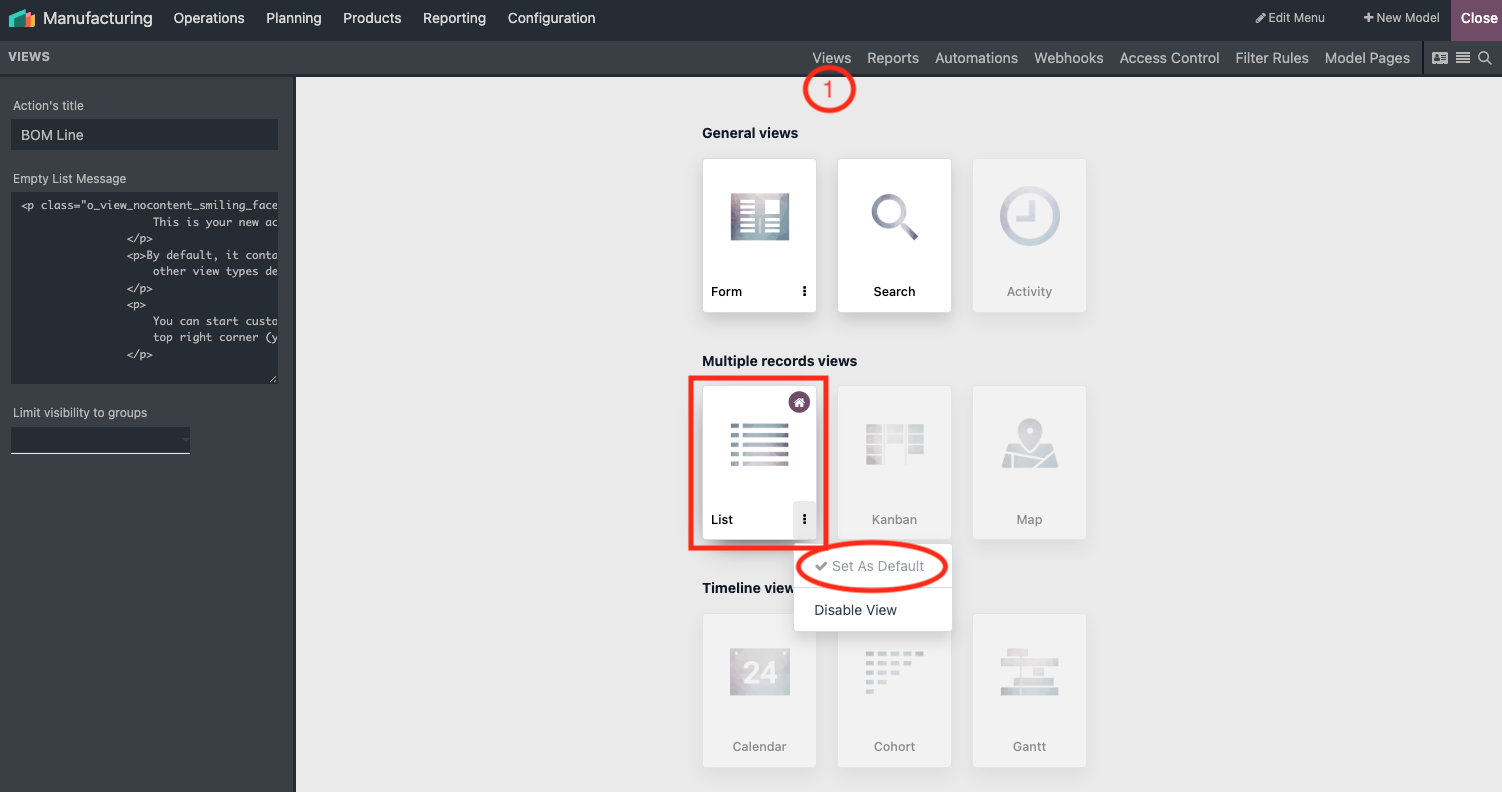
5- Go to views, activate List View and set it as default
6- Finally Go to the tab View (left side pannel), check Can Edit, Can Create and Enable Mass Editing
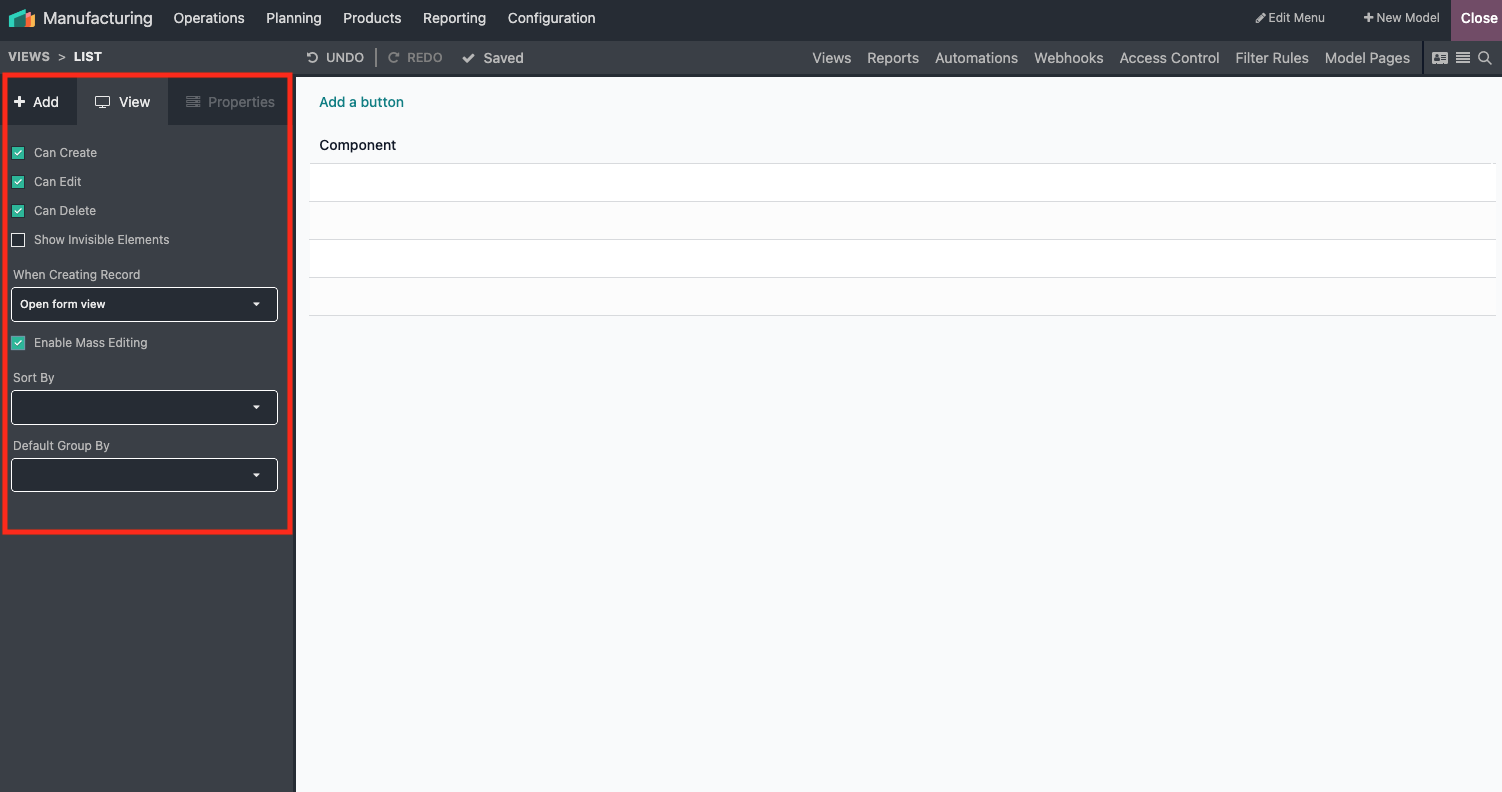
Once done, you can edit your component in bulk
- Select all the records you want to update
- Update first one and confirm edit for all selected records
That's it, you components are edited in bulk
Hope it helps.
Menikmati diskusi? Jangan hanya membaca, ikuti!
Buat akun sekarang untuk menikmati fitur eksklufi dan agar terlibat dengan komunitas kami!
Daftar| Post Terkait | Replies | Tampilan | Aktivitas | |
|---|---|---|---|---|


|
2
Feb 26
|
2353 | ||

|
0
Agu 25
|
2663 | ||

|
2
Jul 24
|
42 | ||


|
1
Feb 24
|
4325 | ||


|
3
Des 23
|
3937 |

Thanks. I was not able to get that to work but in playing with the BOM Lines screen I could export the needed list, make the change, then reimport it back and it worked.