
I would like to change the look of the button. It is not the Quotation templates under the technical menu. Anyone know where I can find it.
Esta pregunta ha sido marcada
1
Responder
1637
Vistas


Not a trivial thing to adjust due to the fact that this is a common 'wrapping' template for many mails.
While the template you are looking for should be mail.mail_notification_layout (https://github.com/odoo/odoo/blob/f417f35bcc63ae3177a369e9a11d8f6f63b92a77/addons/mail/data/mail_templates_email_layouts.xml#L23) you need to be aware about the fact that its data - and presence in general - highly depends on additional factors. Just the title text of the button for example is passed on from
SaleOrder._notify_get_recipients_groups()
Note that you may also have limited styling options from Settings -> General Settings -> Companies -> Email Templates (Button Text and Button Color).
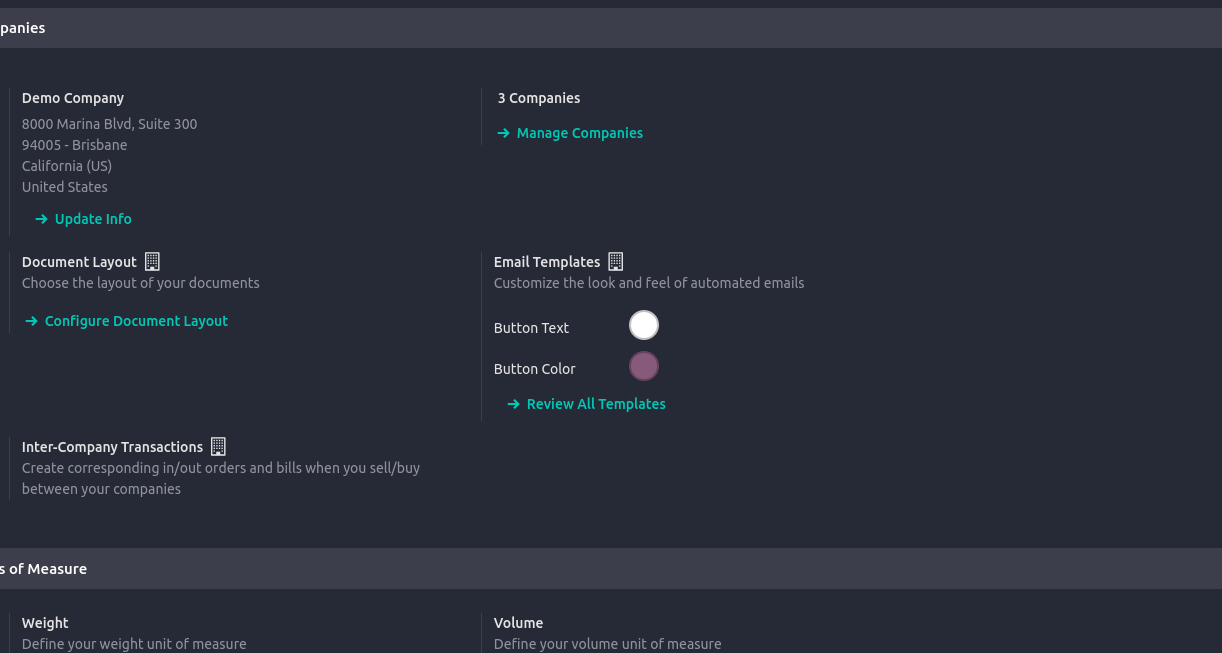
The Update Mail Layout action here in fact links you to the afore mentioned template as well.
¿Le interesa esta conversación? ¡Participe en ella!
Cree una cuenta para poder utilizar funciones exclusivas e interactuar con la comunidad.
Inscribirse| Publicaciones relacionadas | Respuestas | Vistas | Actividad | |
|---|---|---|---|---|

|
0
abr 26
|
728 | ||

|
0
mar 25
|
1668 | ||
|
Setting up UPS in v17
Resuelto
|

|
2
ago 25
|
1991 | |
|
|
0
ago 25
|
1235 | ||


|
2
may 25
|
2951 |

What is the ROI of this change?
Not relevant.
Thanks for the reply. I just want to change the color of the button.
So, Settings -> General Settings -> Companies -> Email Templates (Header and Footer Color).
Christoph Farnleitner, perfect, thank you