Zum Inhalt springen
Odoo Menü
  • Anmelden
  • Jetzt gratis testen
  • Apps
    Finanzen
    • Buchhaltung
    • Rechnungsstellung
    • Spesenabrechnung
    • Tabellenkalkulation (BI)
    • Dokumente
    • E-Signatur
    Verkauf
    • CRM
    • Verkauf
    • Kassensystem – Shop
    • Kassensystem – Restaurant
    • Abonnements
    • Vermietung
    Websites
    • Website-Builder
    • E-Commerce
    • Blog
    • Forum
    • Livechat
    • E-Learning
    Lieferkette
    • Lager
    • Fertigung
    • PLM
    • Einkauf
    • Wartung
    • Qualität
    Personalwesen
    • Mitarbeiter
    • Personalbeschaffung
    • Abwesenheiten
    • Mitarbeiterbeurteilung
    • Personalempfehlungen
    • Fuhrpark
    Marketing
    • Social Marketing
    • E-Mail-Marketing
    • SMS-Marketing
    • Veranstaltungen
    • Marketing-Automatisierung
    • Umfragen
    Dienstleistungen
    • Projekte
    • Zeiterfassung
    • Außendienst
    • Kundendienst
    • Planung
    • Termine
    Produktivität
    • Dialog
    • Künstliche Intelligenz
    • IoT
    • VoIP
    • Wissensdatenbank
    • WhatsApp
    Apps von Drittanbietern Odoo Studio Odoo Cloud-Plattform
  • Branchen
    Einzelhandel
    • Buchladen
    • Kleidergeschäft
    • Möbelhaus
    • Lebensmittelgeschäft
    • Baumarkt
    • Spielwarengeschäft
    Essen & Gastgewerbe
    • Bar und Kneipe
    • Restaurant
    • Fast Food
    • Gästehaus
    • Getränkehändler
    • Hotel
    Immobilien
    • Immobilienagentur
    • Architekturbüro
    • Baugewerbe
    • Immobilienverwaltung
    • Gartenarbeit
    • Eigentümervereinigung
    Beratung
    • Buchhaltungsfirma
    • Odoo-Partner
    • Marketingagentur
    • Anwaltskanzlei
    • Talentakquise
    • Prüfung & Zertifizierung
    Fertigung
    • Textil
    • Metall
    • Möbel
    • Speisen
    • Brauerei
    • Firmengeschenke
    Gesundheit & Fitness
    • Sportklub
    • Brillengeschäft
    • Fitnessstudio
    • Therapeut
    • Apotheke
    • Friseursalon
    Handel
    • Handyman
    • IT-Hardware & -Support
    • Solarenergiesysteme
    • Schuster
    • Reinigungsdienstleistungen
    • HLK-Dienstleistungen
    Sonstiges
    • Gemeinnützige Organisation
    • Umweltschutzagentur
    • Plakatwandvermietung
    • Fotostudio
    • Fahrrad-Leasing
    • Software-Händler
    Alle Branchen ansehen
  • Community
    Lernen
    • Tutorials
    • Dokumentation
    • Zertifizierungen
    • Schulung
    • Blog
    • Podcast
    Bildung fördern
    • Bildungsprogramm
    • Scale-Up! Planspiel
    • Odoo besuchen
    Software anfragen
    • Herunterladen
    • Editionen vergleichen
    • Releases
    Zusammenarbeiten
    • Github
    • Forum
    • Veranstaltungen
    • Übersetzungen
    • Partner werden
    • Dienstleistungen für Partner
    • Buchhaltungsfirma registrieren
    Services anfragen
    • Partner finden
    • Buchhalter finden
    • Einen Experten treffen
    • Implementierungsservices
    • Kundenreferenzen
    • Support
    • Upgrades
    Github Youtube Twitter Linkedin Instagram Facebook Spotify
    +1 (650) 691-3277
    Eine Demo erhalten
  • Preise
  • Hilfe
Sie müssen registriert sein, um mit der Community zu interagieren.
Alle Beiträge Personen Abzeichen
Stichwörter (Alle anzeigen)
odoo accounting v14 pos v15
Über dieses Forum
Sie müssen registriert sein, um mit der Community zu interagieren.
Alle Beiträge Personen Abzeichen
Stichwörter (Alle anzeigen)
odoo accounting v14 pos v15
Über dieses Forum
Hilfe

How to link Odoo to Google spreadsheet?

Abonnieren

Erhalten Sie eine Benachrichtigung, wenn es eine Aktivität zu diesem Beitrag gibt

Diese Frage wurde gekennzeichnet
googlequickstartspreadsheet
2 Antworten
20289 Ansichten
Avatar
Chloé Vandenhove (cvh)

Odoo has standard integration feature with Google Spreadsheet that can be activated. Some steps are needed to actually retrieve the data from Odoo to the Google spreadsheet. 


Keep in mind that the integration with Google Spreadsheet has nothing to do with the Odoo Spreadsheet feature from the Document app. These are two different features within Odoo. 

1
Avatar
Verwerfen
Avatar
sunandan
Beste Antwort

You can simply use this Google Spreadsheet connector.
it is spreadsheet builtin connector and easy to setup
https://apps.odoo.com/apps/modules/18.0/spreadsheet_connector

3
Avatar
Verwerfen
Avatar
Chloé Vandenhove (cvh)
Autor Beste Antwort

1. Activate Google Drive & Google Spreadsheet and add token to Google Drive. To be done in the general settings of your database. 
2. Create the first spreadsheet: Favorites > Add to Google Spreadsheet (Make sure that pop-ups are always allowed)
-> Filters created in Odoo will be included as domain in the formula you are going to export
-> Groupings have a different formula (so will not be taken over)
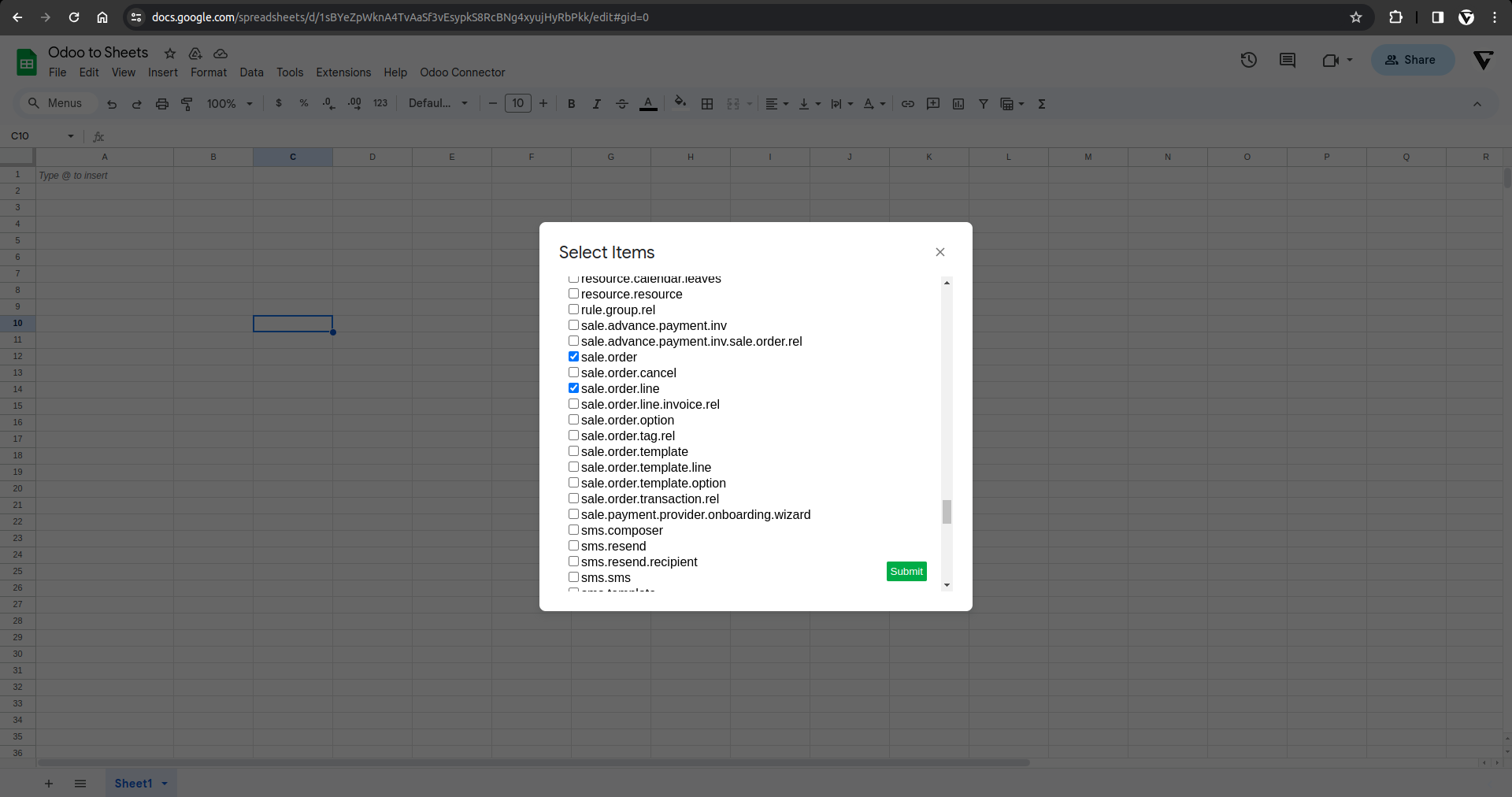
3. On the  spreadsheet:  go  to  Odoo tab > Settings > Continue > Select an account > Advanced Parameters > Access Odoo script > Allow (This will allow the script to  run ). 
4. On the  spreadsheet a gain: Odoo > Settings (Connect to the Odoo DB)
-> URL: Set the full URL but make sure there are no spaces and no / at the end
-> Set DB name: to find it, go to DB > debug mode > you will find the DB name in brackets just after your username
-> Username: email address of the user (make sure there are no spaces and that the user has access to the DB and module info you are exporting)
-> Password: Odoo DB password of that user
5. Copy-paste the formula somewhere else and reset it. Make sure you have enough space, otherwise it will not be calculated correctly.
6. Start adapting  the retrieved  data:  Add headers to the different columns yourself,  use conditional formatting for more clarity when analysing the data, ...

0
Avatar
Verwerfen
Prithvi Kiran Thallam

Hi,

While I am following these steps, I get a Syntax error when I paste the formula at the end:

Formula: =oe_browse("stock.report";"reference operation_type product_id creation_date scheduled_date date_done cycle_time delay company_id state";"['&', ('picking_type_code', '!=', false), '&', ('state', '=', 'done'), ('picking_type_code', '=', 'outgoing')]")

Error: SyntaxError: Unexpected token '(', "["&", ("picking_"... is not valid JSON (line 86).

Is there any chance you can help me here?

Diskutieren Sie gerne? Treten Sie bei, statt nur zu lesen!

Erstellen Sie heute ein Konto, um exklusive Funktionen zu nutzen und mit unserer tollen Community zu interagieren!

Registrieren
Verknüpfte Beiträge Antworten Ansichten Aktivität
Odoo Spreadsheet category_id
google spreadsheets spreadsheet
Avatar
0
Juli 21
3612
How to automatically update data in Google Spreadsheet with an Odoo integration Gelöst
google integration quickstart spreadsheets
Avatar
Avatar
2
Jan. 24
9937
404 Error when loading oe_browse formula in Google Sheets connected to Odoo14
google spreadsheets v14 spreadsheet
Avatar
1
Sept. 21
5956
Show price list on pos Dashbord
quickstart
Avatar
Avatar
1
Mai 26
1442
Show price list on pos Dashbord
quickstart
Avatar
0
Mai 26
25
Community
  • Tutorials
  • Dokumentation
  • Forum
Open Source
  • Herunterladen
  • Github
  • Runbot
  • Übersetzungen
Dienstleistungen
  • Odoo.sh-Hosting
  • Support
  • Upgrade
  • Individuelle Entwicklungen
  • Bildung
  • Buchhalter finden
  • Partner finden
  • Partner werden
Über uns
  • Unsere Firma
  • Markenwerte
  • Kontakt
  • Karriere
  • Veranstaltungen
  • Podcast
  • Blog
  • Kunden
  • Rechtliches • Datenschutz
  • Sicherheit
الْعَرَبيّة Català 简体中文 繁體中文 (台灣) Čeština Dansk Nederlands English Suomi Français Deutsch हिंदी Bahasa Indonesia Italiano 日本語 한국어 (KR) Lietuvių kalba Język polski Português (BR) română русский язык Slovenský jazyk Slovenščina Español (América Latina) Español Svenska ภาษาไทย Türkçe українська Tiếng Việt

Odoo ist eine Suite von Open-Source-Betriebsanwendungen, die alle Bedürfnisse Ihres Unternehmens abdecken: CRM, E-Commerce, Buchhaltung, Lager, Kassensystem, Projektmanagement etc.

Das einzigartige Wertversprechen von Odoo ist, dass es gleichzeitig sehr einfach zu bedienen und voll integriert ist.

Website made with

Odoo Experience on YouTube

1. Use the live chat to ask your questions.
2. The operator answers within a few minutes.

Live support on Youtube
Watch now