
On Access Rights in User, we currently have two groups for several modules: Administrator and User. However, I need to create a new group called Readonly. I have already created the new group without any code modifications, but I don’t know how to set the group to readonly but I need to make it happen using odoo only without any code modifications. Is there any possibility for this?
Această întrebare a fost marcată
2
Răspunsuri
4176
Vizualizări


Hi,
1. Go to Settings > Users & Companies > Groups.
2. Click Create to add a new group.
3. Navigate to Settings > Technical > Security > Access Rights
4. Add "Readonly" group to the group field
5. Set the Permissions as follows:
6. Enable Read Access
7. Disable Create, Write, and Delete Access
Hope it helps
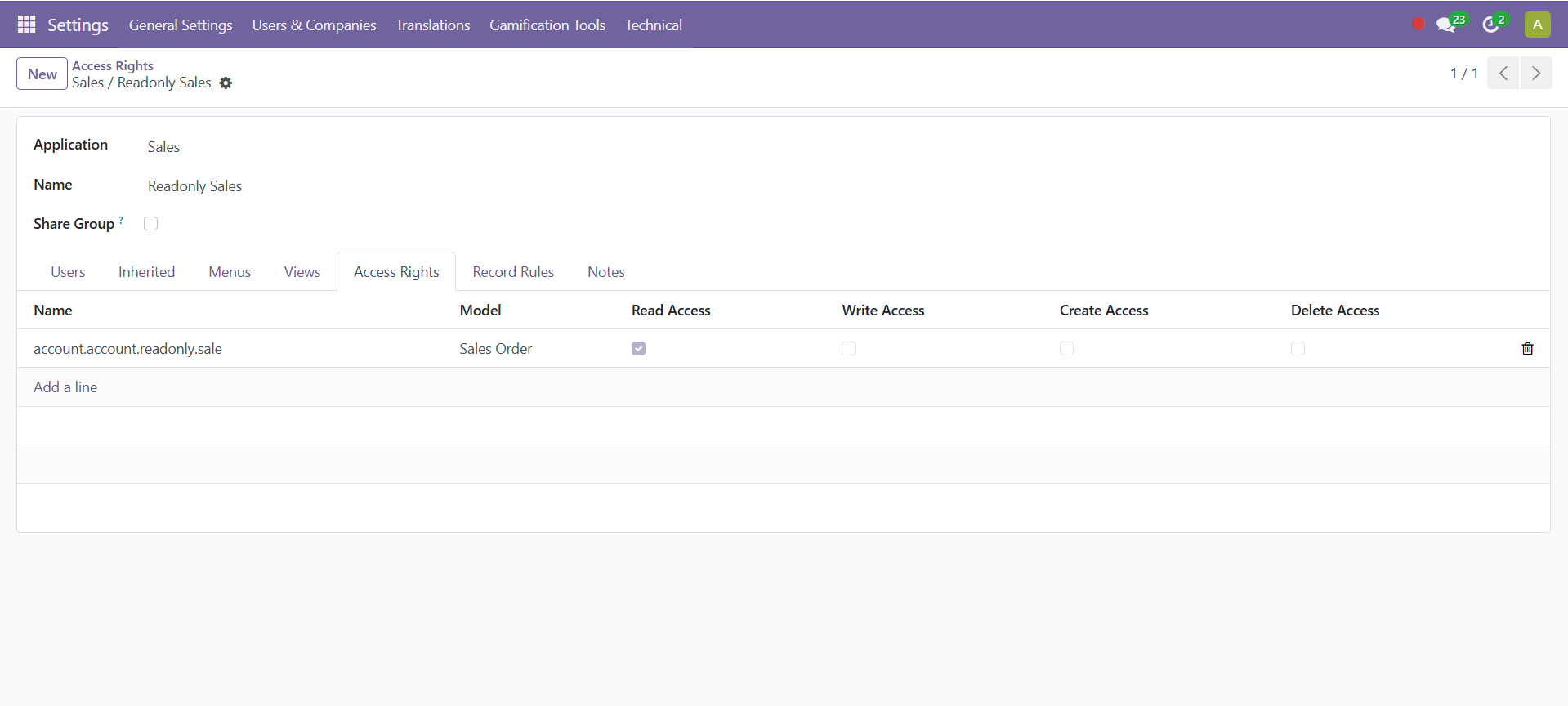
Hi, thanks for your help. I already created a group and access rights, but the user can still access the module with create, write, and delete permissions. In this case, I implemented it in the Sales module. I created a "Sales Read-Only" group, and after that, I set the access rights to read-only by enabling "Read" but disabling "Create," "Write," and "Delete."
Îți place discuția? Nu doar citi, alătură-te!
Creează-ți un cont astăzi pentru a beneficia de funcții exclusive și a interacționa cu minunata noastră comunitate!
Înscrie-te| Postări similare | Răspunsuri | Vizualizări | Activitate | |
|---|---|---|---|---|


|
3
sept. 25
|
7682 | ||


|
1
nov. 24
|
3401 | ||


|
3
apr. 23
|
20899 | ||
|
How to add an user to a group
Rezolvat
|


|
1
dec. 22
|
16821 | |


|
1
ian. 24
|
16826 |
