
I have a problem. I cannot add a logo to my site because I previously reduced the size and location of the image so that it was no longer visible. I tried to change the template, but I was not able to return the location and size of the image.
Această întrebare a fost marcată
2
Răspunsuri
7882
Vizualizări

I reached the image , but the logo is not in url format, and the control method using code injection is difficult and complicated. Is there another way?

Hi,
If the logo on your website is too small to be edited
directly, you can still adjust its size and position using your web
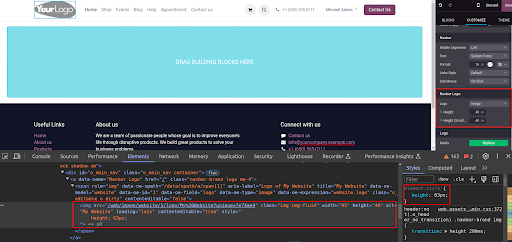
browser's developer tools. Right-click on the area where the logo should
be, then select 'Inspect'. In the HTML code, locate the logo element
using its id or class name (usually associated with an tag).
From there, modify its CSS properties such as height, position, width,
padding, etc., directly within the developer tools. Once you've located
the logo and adjusted its details, replicate the same CSS changes within
Odoo's website editor.
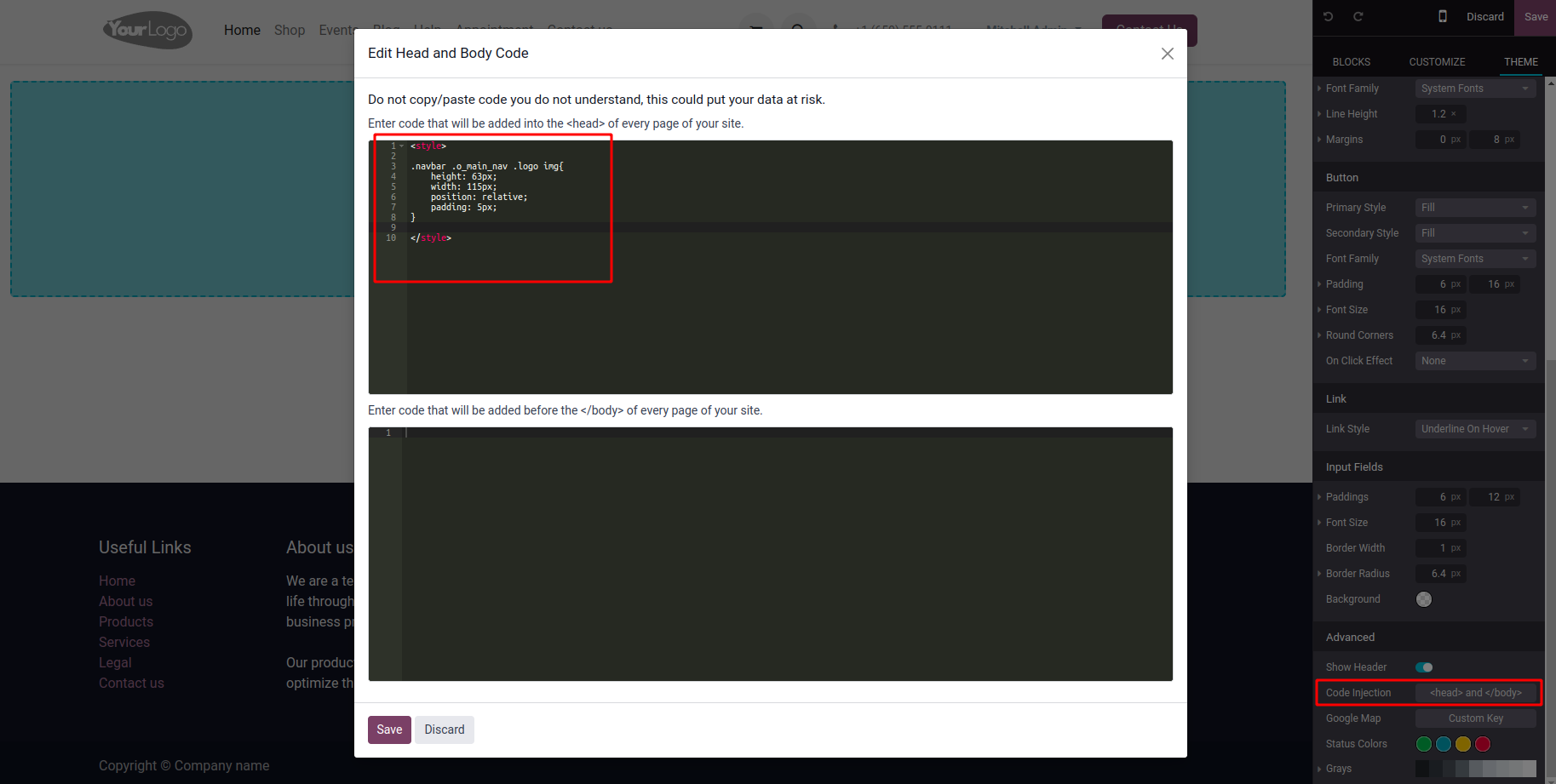
You can apply additional styling, beyond height and scrolling, using the code injection feature. Go to the 'THEME' section in the website editor, choose 'Code Injection', and put your CSS code there (inside the style tag). Save the changes and preview your site to check the logo's appearance.
Hope it helps
Îți place discuția? Nu doar citi, alătură-te!
Creează-ți un cont astăzi pentru a beneficia de funcții exclusive și a interacționa cu minunata noastră comunitate!
Înscrie-te| Postări similare | Răspunsuri | Vizualizări | Activitate | |
|---|---|---|---|---|


|
2
apr. 25
|
6488 | ||


|
1
oct. 24
|
3193 | ||


|
3
mar. 25
|
5720 | ||

|
0
mar. 25
|
3539 | ||


|
4
ian. 25
|
5056 |
