
Email, phone, etc. are sometimes duplicates in the contacts database. How to find and merge these?
To pytanie dostało ostrzeżenie
1
Odpowiedz
11108
Widoki

In the contacts application, select the view list and select all contacts, click on action and merge.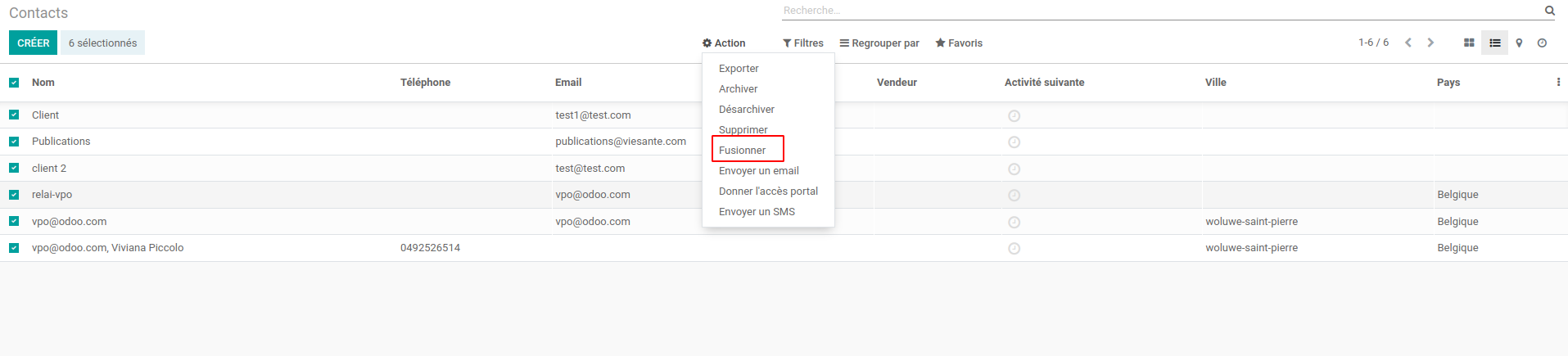
In the pop up, click on 'ignore those contacts' then 'merge other contacts' and then you will be able to select the caracteristics of the duplicates (email, name, company which are common to both):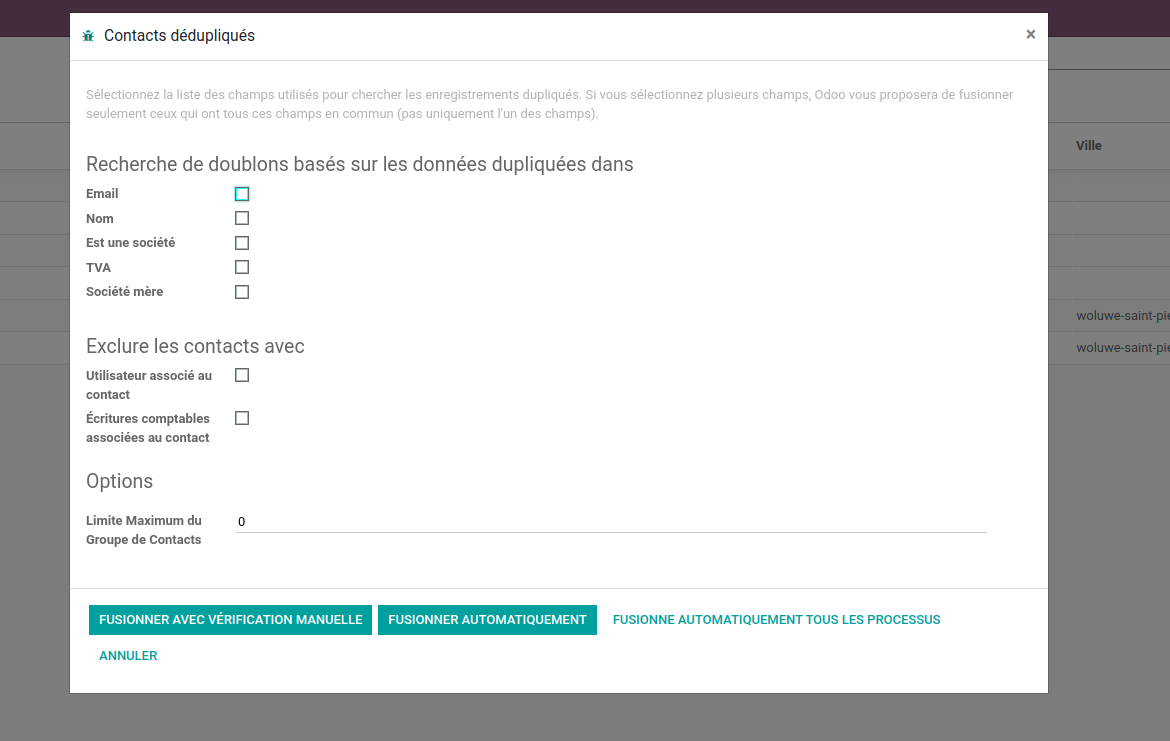
Then you can choose to manually merge or automatically merge those contacts.
Please change the language to english before taking screenshots :-)
Podoba Ci się ta dyskusja? Dołącz do niej!
Stwórz konto dzisiaj, aby cieszyć się ekskluzywnymi funkcjami i wchodzić w interakcje z naszą wspaniałą społecznością!
Zarejestruj się| Powiązane posty | Odpowiedzi | Widoki | Czynność | |
|---|---|---|---|---|


|
2
lis 24
|
18260 | ||

|
0
maj 21
|
3074 | ||


|
1
maj 26
|
2994 | ||


|
1
lip 25
|
4609 | ||


|
3
sty 25
|
5449 |

For real-time control of duplicates, also this module - https://apps.odoo.com/apps/modules/14.0/partner_duplicates/ - might be of use