

Hi everyone,
I'm currently working with Odoo 19 online + Studio and ran into an issue with custom invoice reports.
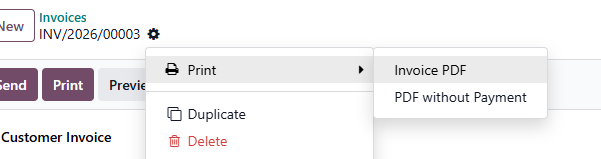
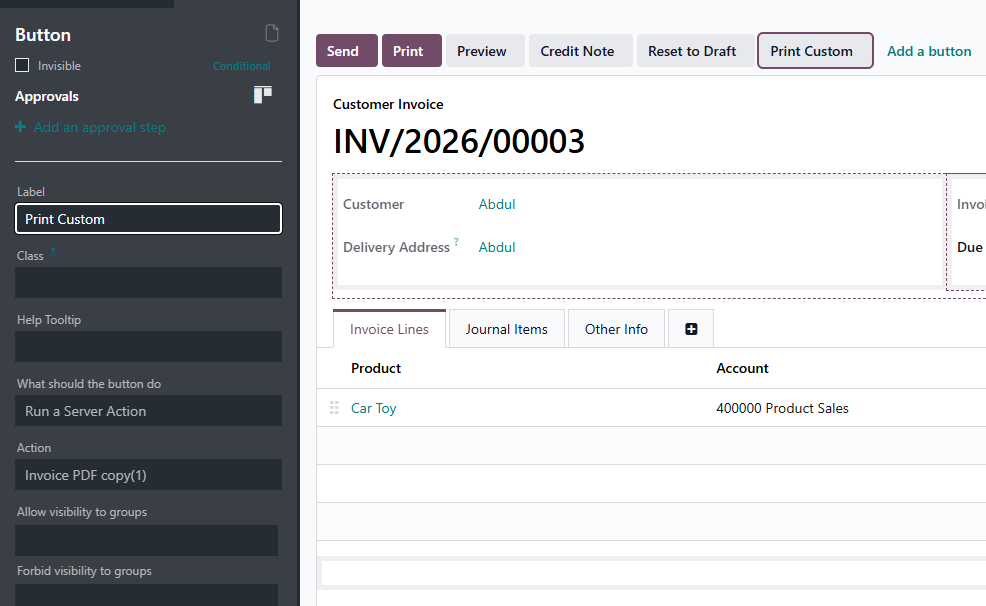
I created a duplicated version of the default invoice PDF report and made some modifications to meet specific requirements for certain clients. But I haven't been able to print the invoice using this PDF.
I was wondering if there is a guide or some documentation to what the best way to print this custom PDF. I've seen videos using coding, but I can do that because I don't have OdooSH active (and I don't really know how xD).
I also have tried to copy the existing "Print" but I can't find a way to duplicate or customize the "action_print_pdf" method so it calls the new PDF.
Any help will be much appreciated.
Diego







Hello
The easiest way is backup of current invoice template and copied your code into that template..
Let me know if you need any help regarding this
Thanks